
PROLOOK SportsALL IN Tournament
ALL IN Tournament
Redesigning a live tournament site and building its 2027 registration, without disrupting the app behind it
In short
- The Register button on the live site led to a page that still said “2025 Registration is full.” There was no way for a team to register.
- I built a full registration form for 2027, saved to the database rather than only emailed, with a staff board and three emails that did not exist before.
- I rebuilt the rules, brackets, navigation, homepage, and footer of a live SvelteKit app owned by an engineering team in the Philippines.
- Every change shipped through DEV, staging, QA, and production, without getting in the way of the tournament systems the engineering team already owned.
The situation
ALL IN is a youth baseball tournament run by PROLOOK, with profits going to the Autism Council of Utah.
The site was originally built in 2022 on an early version of SvelteKit and was still locked to an older version of Node. The app itself was owned by an engineering team in the Philippines, and upgrading the framework or dependencies was not something I could casually touch without risking other parts of the system.
Marketing needed a full redesign before the next tournament.
The homepage was still showing last year’s dates, the navigation needed to be rebuilt, and the overall site needed to feel much more current.
The people using the site are also not sitting at a desk.
A parent might be standing at the ballfield checking the bracket to see where their kid plays next. A coach might be pulling up the tiebreaker rules on their phone. A team manager might be trying to order gear between games.
If one of those paths breaks, the problem is immediate.
At a glance
4 production releases
Included my work
Changes were released in smaller pieces instead of waiting for one large launch.
3 emails
That did not exist before
A receipt to the coach, a notice to the tournament, and the acceptance email.
3.5 MB → 1.8 MB
Homepage image weight
Without a visible change in quality.
Old pages, new pages
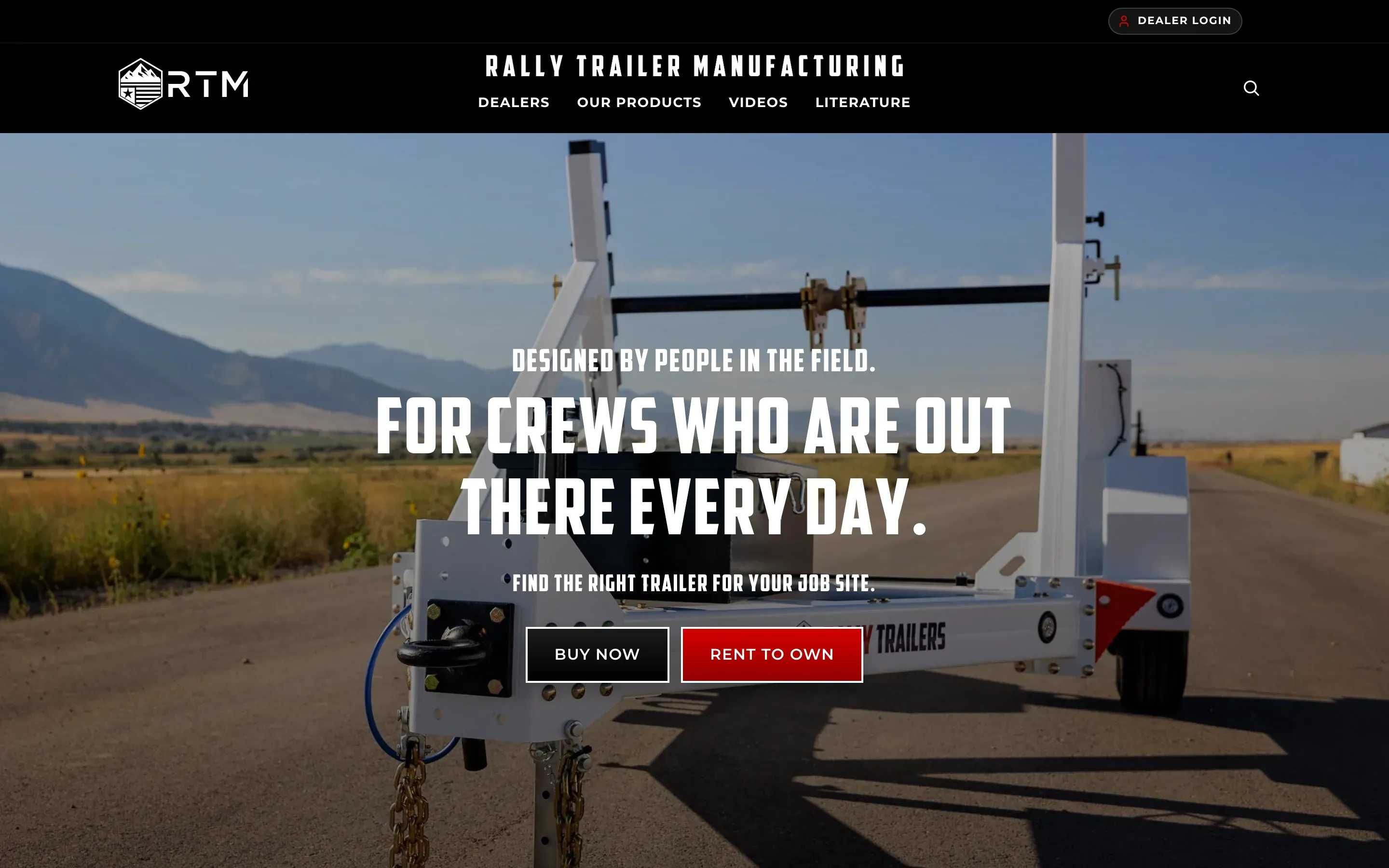
Scroll to move down each page. Both home pages were rebuilt from the real code at that point in git history, run as a production build at the same screen size: 2.0.94, before any of my work, and 2.0.102. Both use today’s database, so only the code differs, and the hero is a video, so both show a still frame.
For the rules and registration, the before shots come from the live site and the after shots from staging, taken the same day so the comparison is honest.
Page 1 of 6
The home page at 2.0.94
2.0.94, before any of my work.
The homepage was still showing last year's dates.
Rules, Teams, Brackets and Shop, as a row of icons.
Custom Uniforms, at the bottom of the page above the footer.

Page 2 of 6
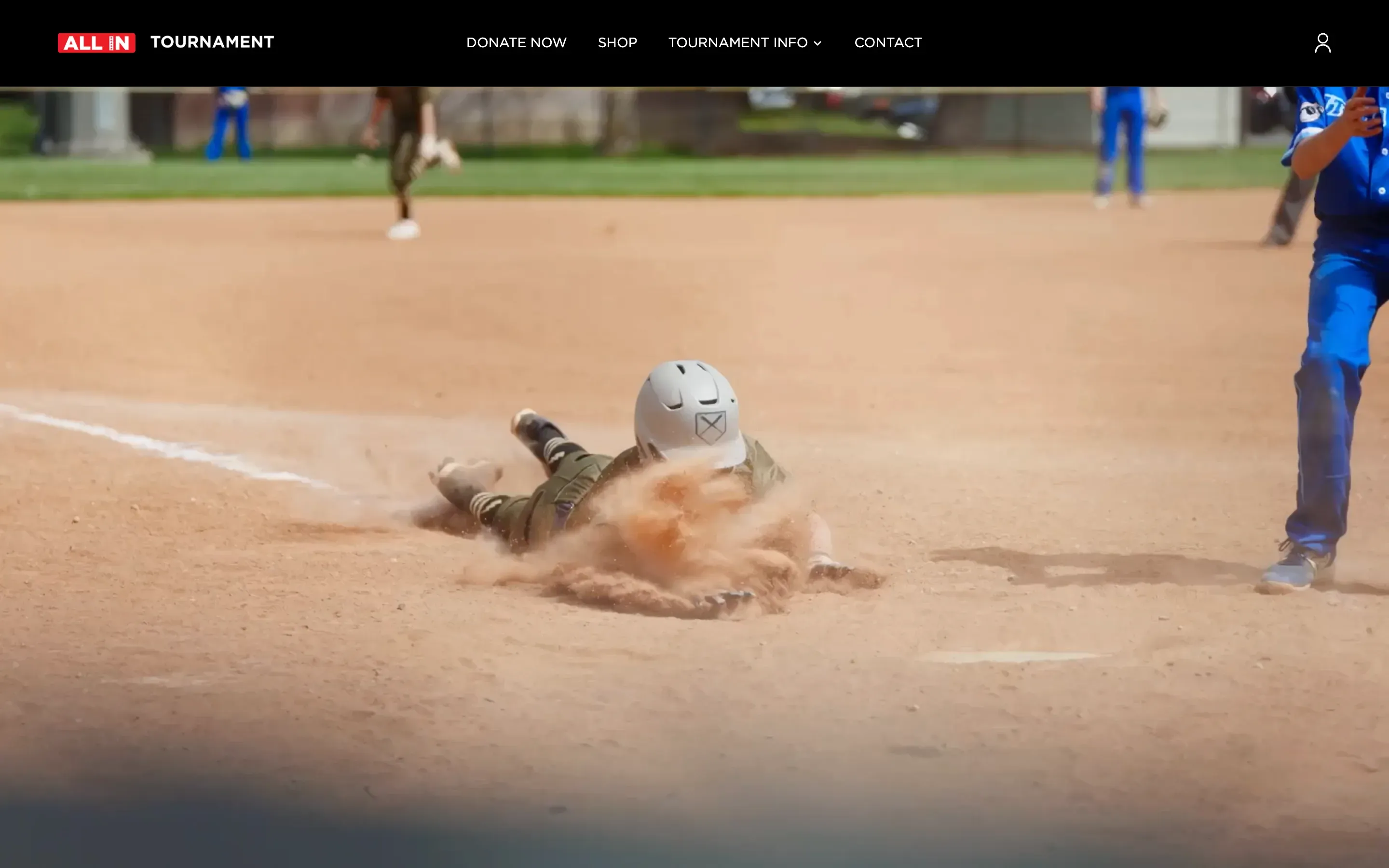
The home page at 2.0.102
The navigation got the new ALL IN logo.
The dropdown stays open while you move to it.
2027 DATES, Coming Soon to Utah County.
The icon row was replaced with four photo tiles.
Now the titles stay sharp, can scale with the layout, and can also be read by screen readers.
The ProLook and Dick's section at the bottom was replaced with the staggered photo strip, white above and grey below so it runs into the footer.
The WE ARE ALL IN wordmark was being stretched beyond the resolution of the original image on large screens, so I replaced it with a higher-resolution version.

Page 3 of 6
The rules page, before
The sections squeezed into a red bar across a photo.
Every rule, white on red, from the top of the page to the bottom. Hard to read, especially on a phone, and it looked dated.

Page 4 of 6
The rules page, after
The sections sit in a bar that stays with you as you scroll.
White page, black text, bigger headline.
Red is now an accent, not the background.
The rules themselves read like a printed rule book, numbered down the margin with a line between each one.

Page 5 of 6
Registration, before
What the Register button led to. Wrong year, no way forward.

Page 6 of 6
Registration, after
Every question the tournament asks, all required.
Spots change with the division (12 for 8U and 14U, 32 for 9U to 13U).
Every team wears PROLOOK uniform tops in every game.
The list of agreements, each one ticked before the form will send.
The form unlocks itself on the test sites and stays shut on the live site until the date.


The rules on a phone
The phone version is where the red background hurt most.
After: white page, black text, bigger headline, and the sections sit in a bar that stays with you as you scroll.
Every button and section is the same as before, and so is the wording, apart from the rules that were updated.
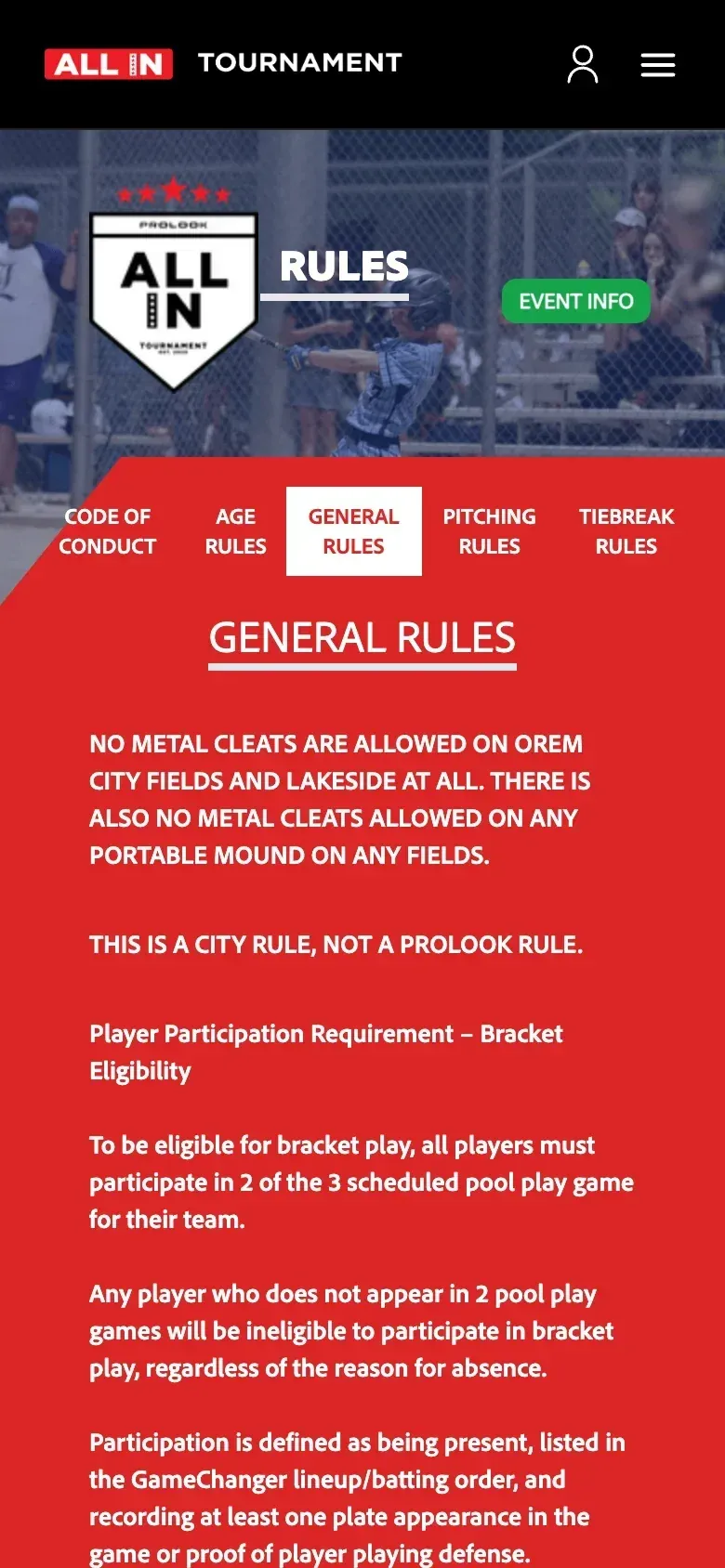
Before.
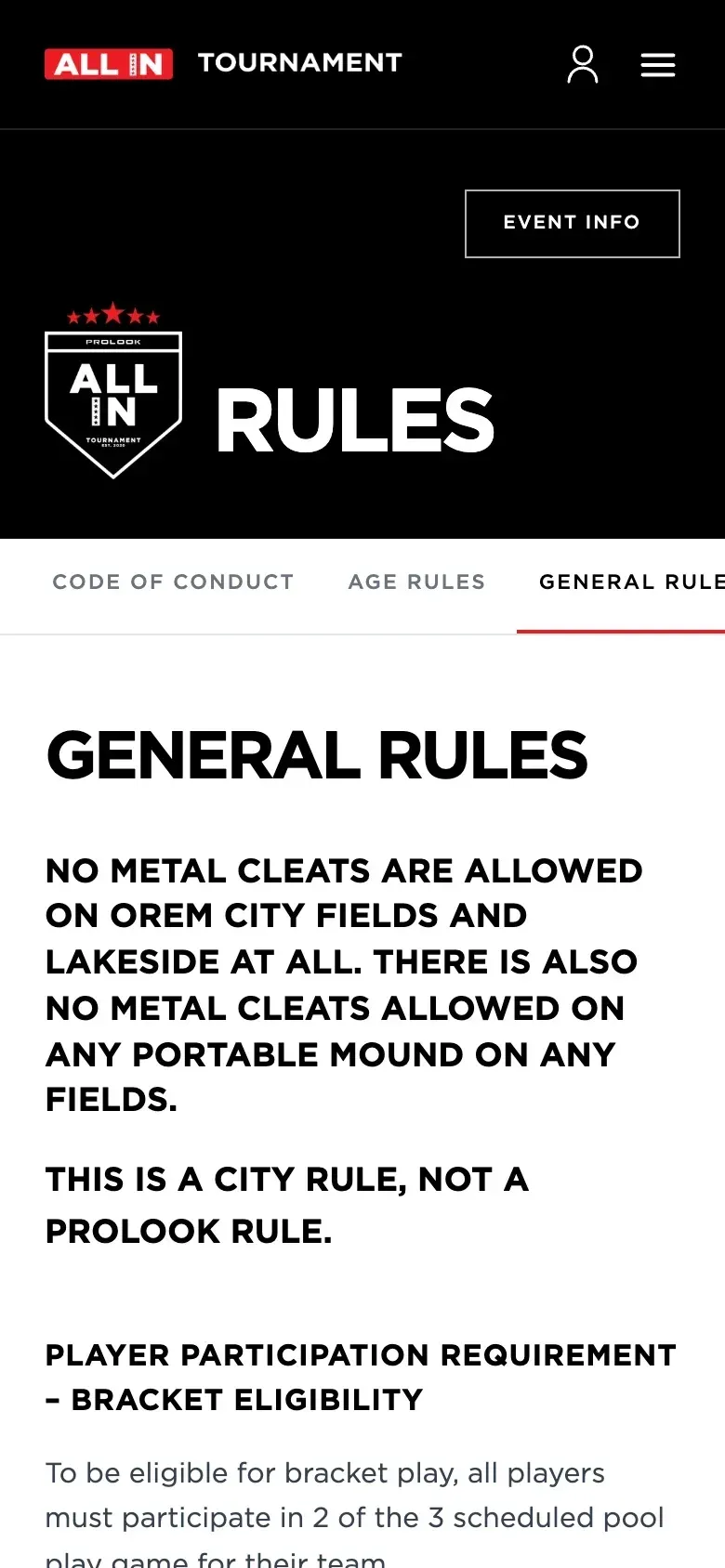
After.


The brackets page

Before · Step 1 of 2
Grey blocks for the divisions
Grey blocks for the divisions that looked like unfinished placeholders.

After · Step 2 of 2
The same picker, as outlined cards
The same division picker, now outlined cards that lift when you hover, fill red when selected, and grey out when a division has no bracket yet.
Same picker, same search, same behavior.
Step 1 of 2
Every detail
Smaller fixes, each one rebuilt from the real code at that point in git history, before and after.
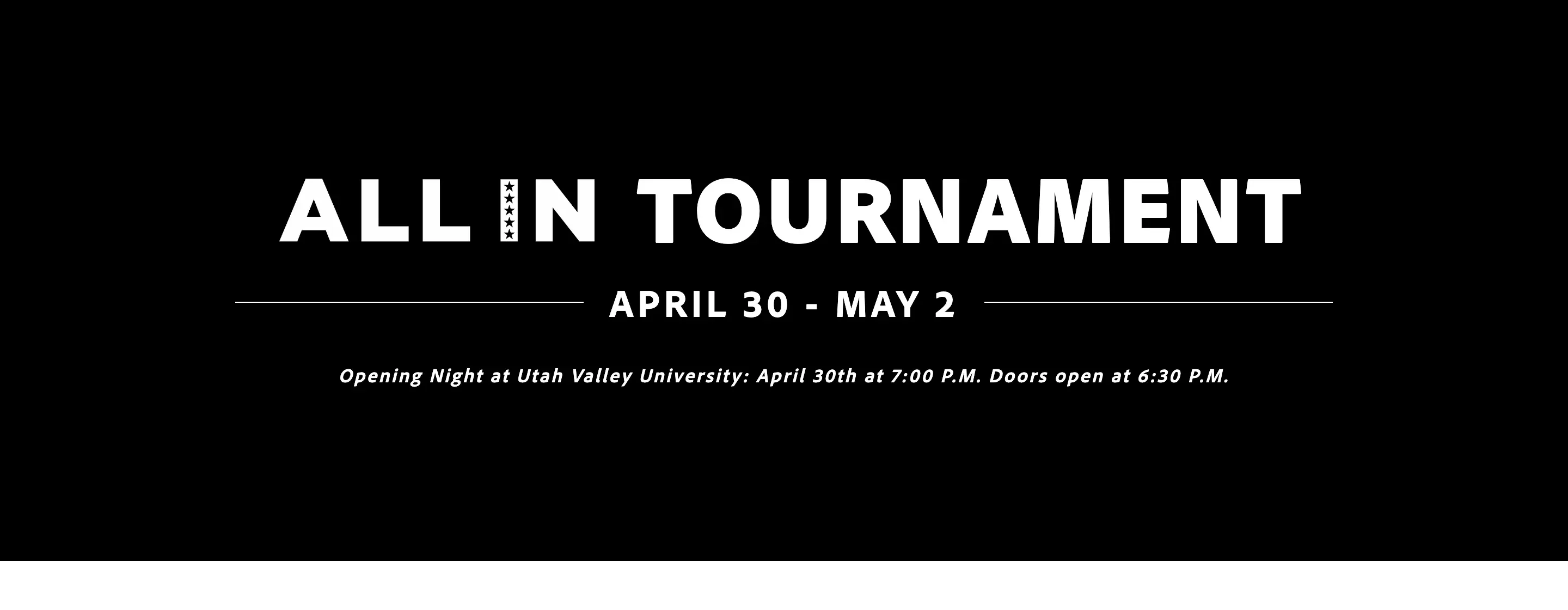
The banner at 2.0.94, still showing last year's dates

The banner at 2.0.102
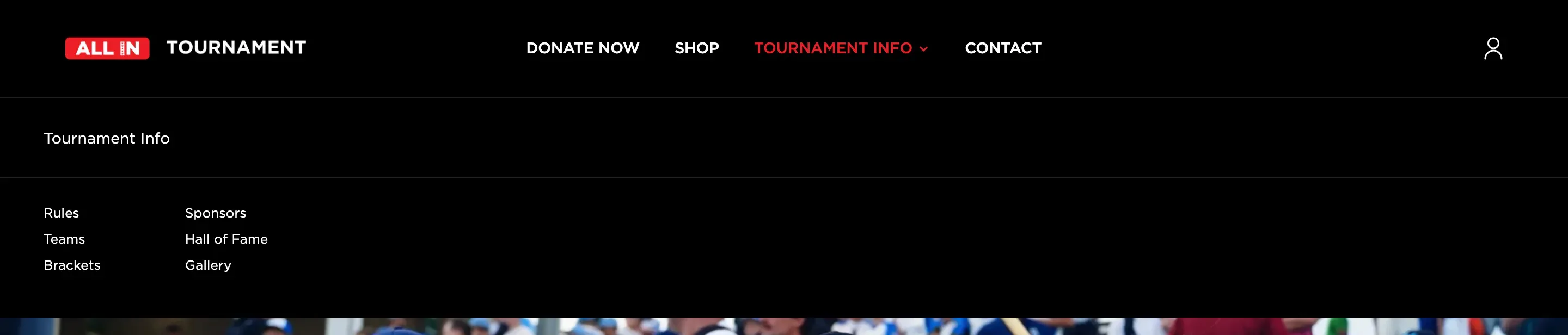
The dropdown at 2.0.99, with its label row

Label row removed, lighter type
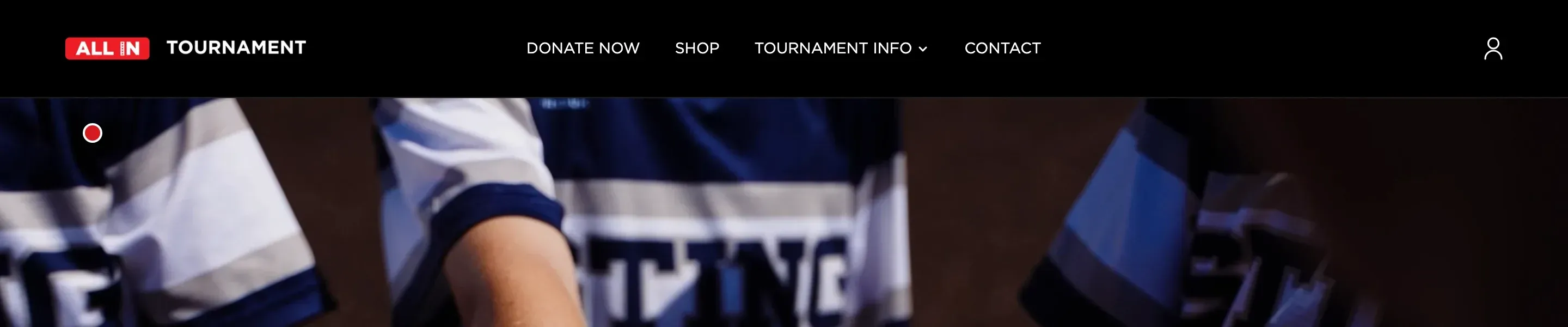
Before, the menu closed on the way to the links
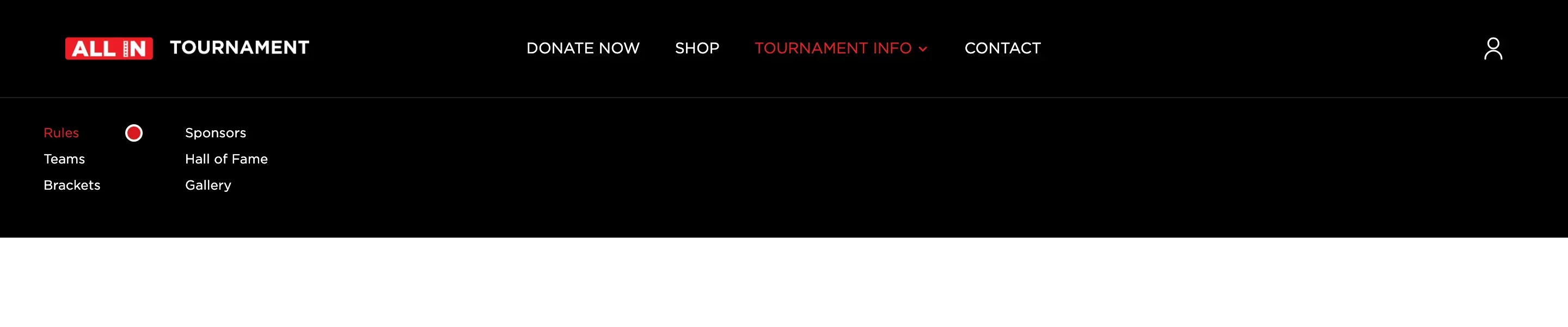
Now it stays open while you move to it
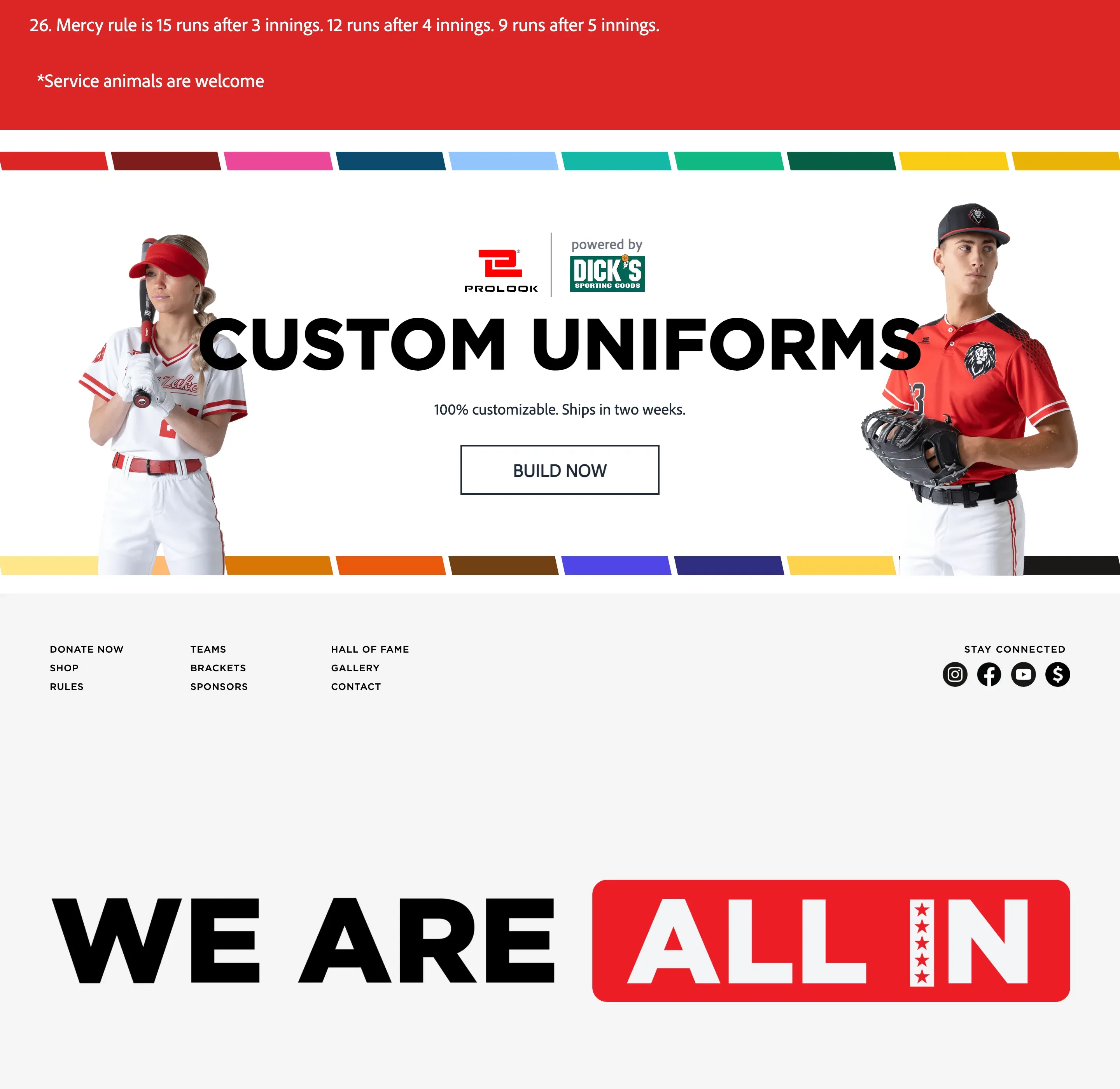
The Custom Uniforms block on every page
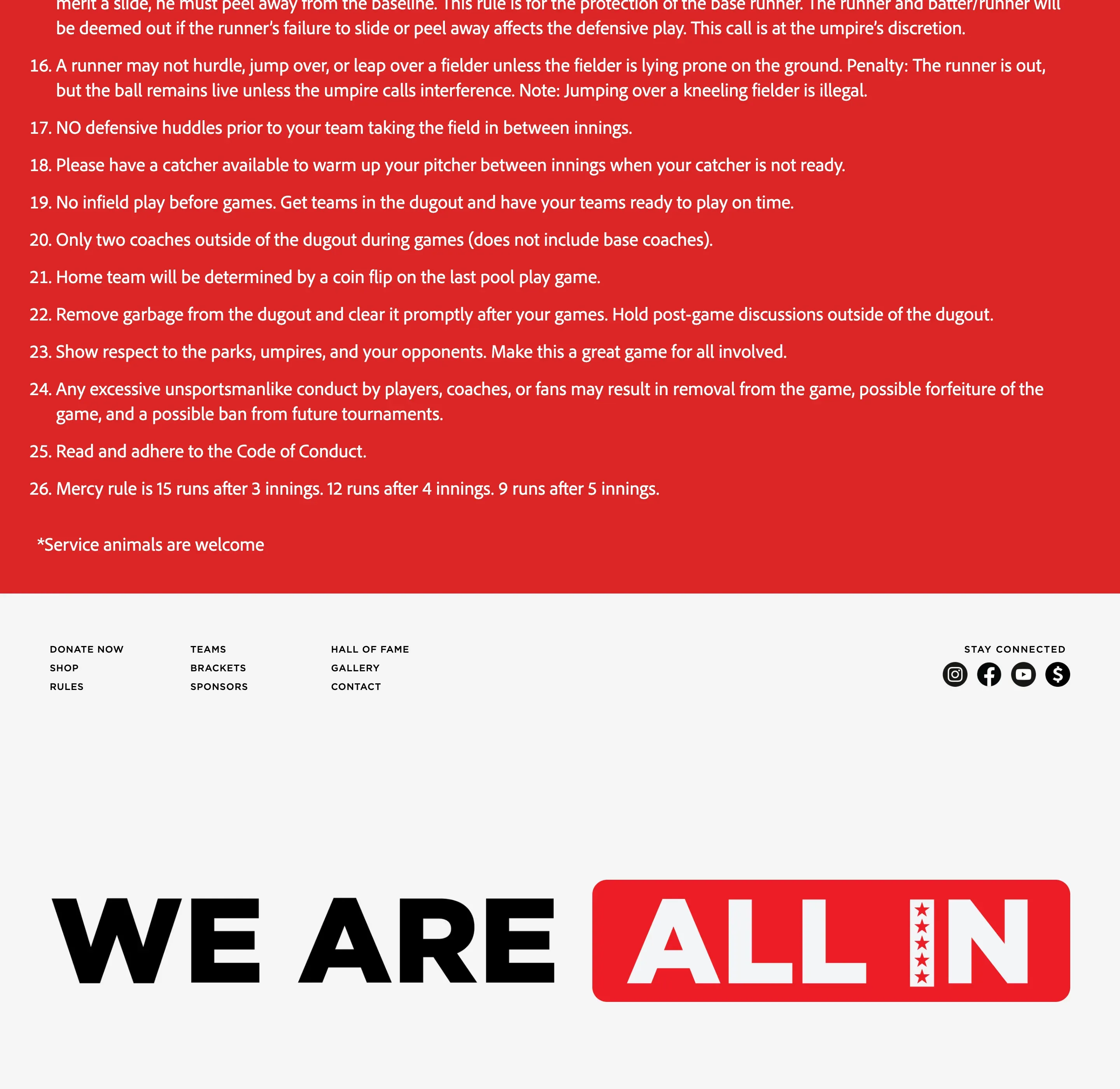
Removed, and replaced on the home page by the photo strip


Key decisions
Work inside the old stack instead of turning the redesign into an upgrade project
My first instinct was to look at upgrading it.
That would have been the wrong project.
The engineering team already deploys and maintains the application, and changing framework versions or dependencies would have affected parts of the system I did not own.
Instead, I pinned the exact Node version with Volta so this project always runs in the environment it expects without affecting anything else on my machine.
That let me focus on the redesign instead of creating a second project around tooling.
Load Shop and Brackets settings on the server
Marketing can turn the Shop and Brackets sections on or off.
Originally, the navigation checked those settings in the browser after the page had already loaded. That meant the Shop link could appear a moment late after every refresh.
I could have hidden the flicker visually, but that would not have fixed the reason it happened.
Instead, I moved those settings into the server-side load so the page already knows whether Shop and Brackets are active before the first render.
That removed the flicker, removed two extra API calls from every page, and also fixed a quieter problem where the footer did not always know whether the Shop was enabled.
Use live text instead of titles baked into images
The design had RULES, TEAMS, BRACKETS, and SPONSORS built directly into the homepage images.
They looked good in the mockup but came out blurry when the images scaled. A larger image export would only fix one screen size.
I rebuilt those titles as live text instead.
I measured the placement from the design and matched the same proportions so the text stayed in the same visual position across different screen sizes.
Now the titles stay sharp, can scale with the layout, and can also be read by screen readers.
Scale the buttons with the layout instead of copying one fixed Figma size
The design called for a 265 by 83 pixel button.
That works at the exact screen size the mockup was designed for. It does not work everywhere else. At some widths it becomes too large. At others it feels too small.
Instead of locking it to one fixed size, I kept the same proportions and sized it relative to the tile.
That keeps the button visually consistent from smaller laptops up through large desktop screens.
Someone else's release process
Every change went through QA.
The tester would send back a spreadsheet with the problem, steps to reproduce it, and sometimes a screen recording.
The first rounds caught things like a missing profile icon, menus that stayed open after a link was tapped, and a footer that was not respecting the Shop setting.
Each one came back through the same cycle. Reproduce it. Find the cause. Fix it. Capture the before and after. Send it back through QA.
Some changes were less about bugs and more about making the new design hold up properly.
The WE ARE ALL IN wordmark in the footer was being stretched beyond the resolution of the original image on large screens, so I replaced it with a higher-resolution version.
I also reduced the homepage image weight from about 3.5 MB to 1.8 MB without a visible change in quality.
Registration was just an email
The tournament sells out in about a day.
When they asked me to build registration for 2027, I went looking for what existed. There was a form on the teams page that collected five fields and emailed them to a staff address. Nothing was stored. Someone read the email and typed the team into the admin by hand.
So this was not reviving something. It was building it.

Building the form
The form went through staging in versions. Spots change with the division, and the submit button stays off until November 1.

Earlier · Step 1 of 3
Every age group with 12 team spots
An earlier version on the dev site. Every age group had the same number of spots, and the button at the bottom reads “Registration opens November 1”.

Earlier · Step 2 of 3
12 for 8U and 14U, 32 for 9U to 13U
Spots change with the division (12 for 8U and 14U, 32 for 9U to 13U). The submit button stays off until November 1.


Now · Step 3 of 3
9U to 13U pick their own level
9U to 13U choose American or National themselves, with the tournament’s description of each. 8U and 14U never see this.
Registrations are saved to the database rather than only emailed, and a team cannot register twice.
Most coaches register from a phone.

Step 1 of 3


What the site should decide
The tournament director wanted to pick which teams got in. Their own form said first come, first served.
I raised it once, then built what he asked for, because which teams play is his call and not mine. What I could do was make the consequences visible: a board that shows each division against its cap, so accepting a seventeenth team into a sixteen-team division is not possible by accident, and a waitlist that keeps the order teams registered in, so the February deadline has an answer ready when someone does not pay.
The part I pushed back on was the interface. He asked for drag and drop. He will be using it on a phone, on the first of November. Dragging a card on a phone, in that hour, is worse than tapping a button. I built buttons, and said I would revisit it after he had used it for real.
The staff board
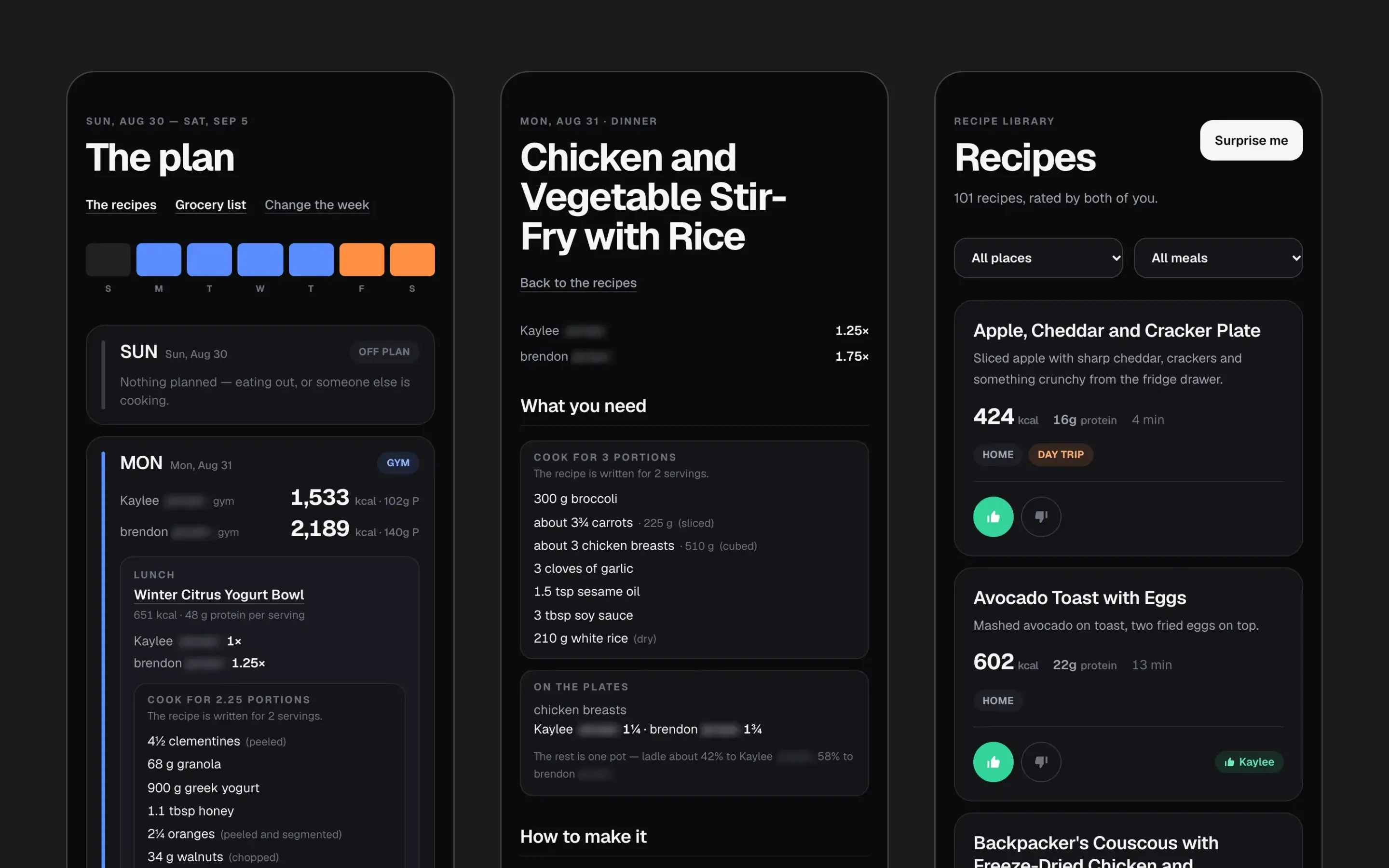
What the tournament director sees. Sample teams, not real ones.

First version · Step 1 of 2
Every registration in one place
Staff can see every registration, how full each division is against its own cap, approve or decline a team, tick off the deposit when it arrives, search, filter, and export the whole list to a spreadsheet.


Now · Step 2 of 2
One division at a time, against the cap
Accept, waitlist or decline, singly or several at once, and send the acceptance emails in one go.
Filter by who needs uniforms, who still owes a deposit, who played last year, who is new, and who has not been emailed.
Overrides for when something goes wrong: resend an email, correct an address, put a team on the site early, or remove a registration so they can start again.
Built for a phone, because that is where he will be on the day.
Step 1 of 2
The emails are the product
The form was a fifth of the work. What mattered was what happened after someone pressed submit.
Three emails: a receipt to the coach that says plainly that registering does not reserve a spot, a notice to the tournament with every contact detail and a link straight to the board, and the acceptance email carrying the Venmo code and a card payment link with that team’s own division and name written into the instructions, so a two hundred dollar payment can be matched to a team without anyone guessing.
Two things I got wrong on the first pass and caught before anyone saw them.
The images were linked using the address of the incoming request, which comes out as localhost behind the server’s proxy — every email would have arrived with a broken Venmo code, which is the one thing that email exists to carry.
And the emails were being sent before the page answered, so a coach would have sat watching a spinner while two mail servers took their time. On the first of November, with everyone submitting at once, that is how you get duplicate registrations. The form now answers in a third of a second and the emails follow behind it.
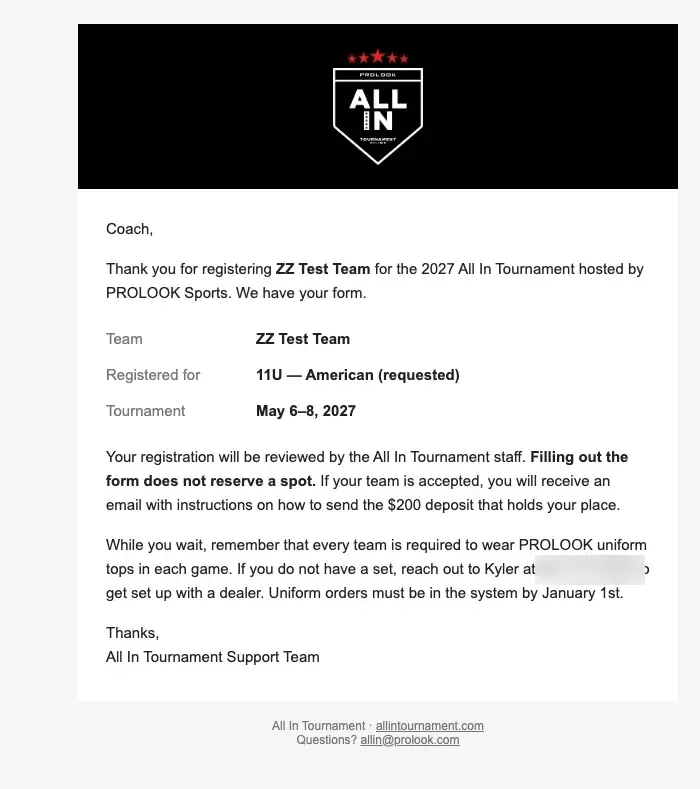
Sent the moment a coach registers. Says plainly that the form does not reserve a spot.
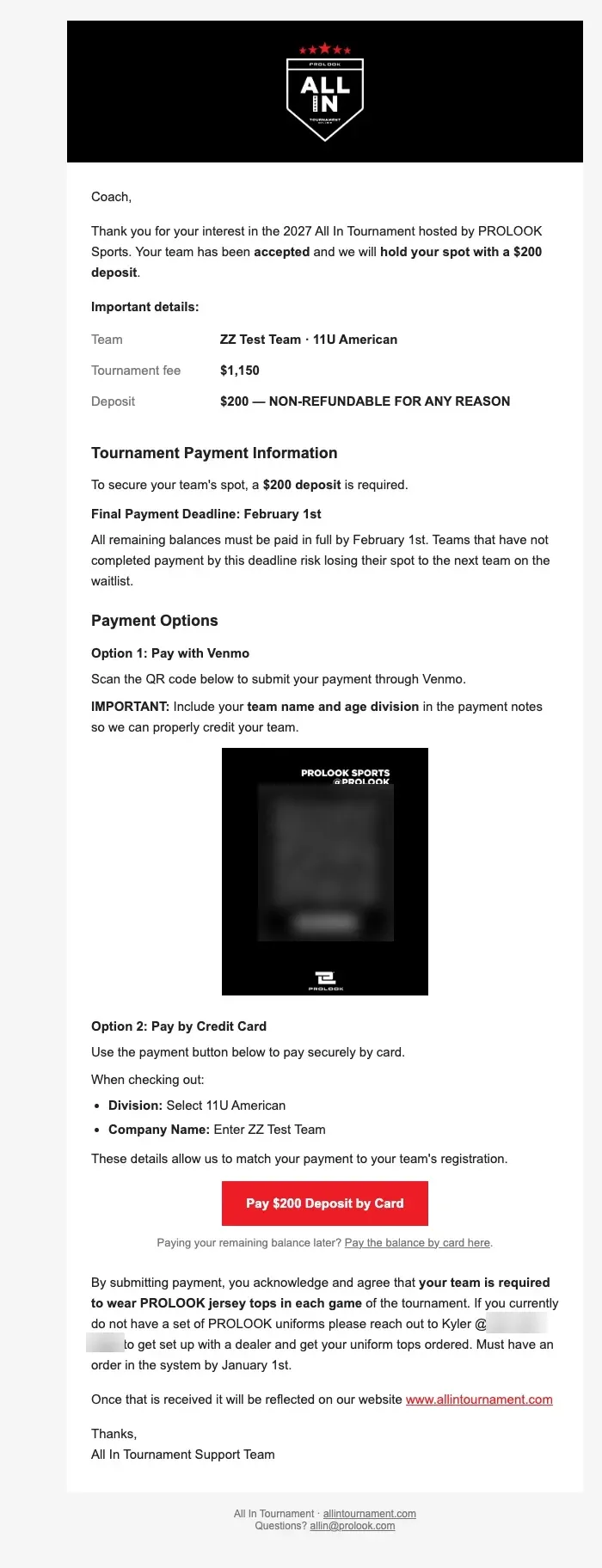
Sent when staff accept a team. The division and team name are filled in for them, so the payment can be matched.
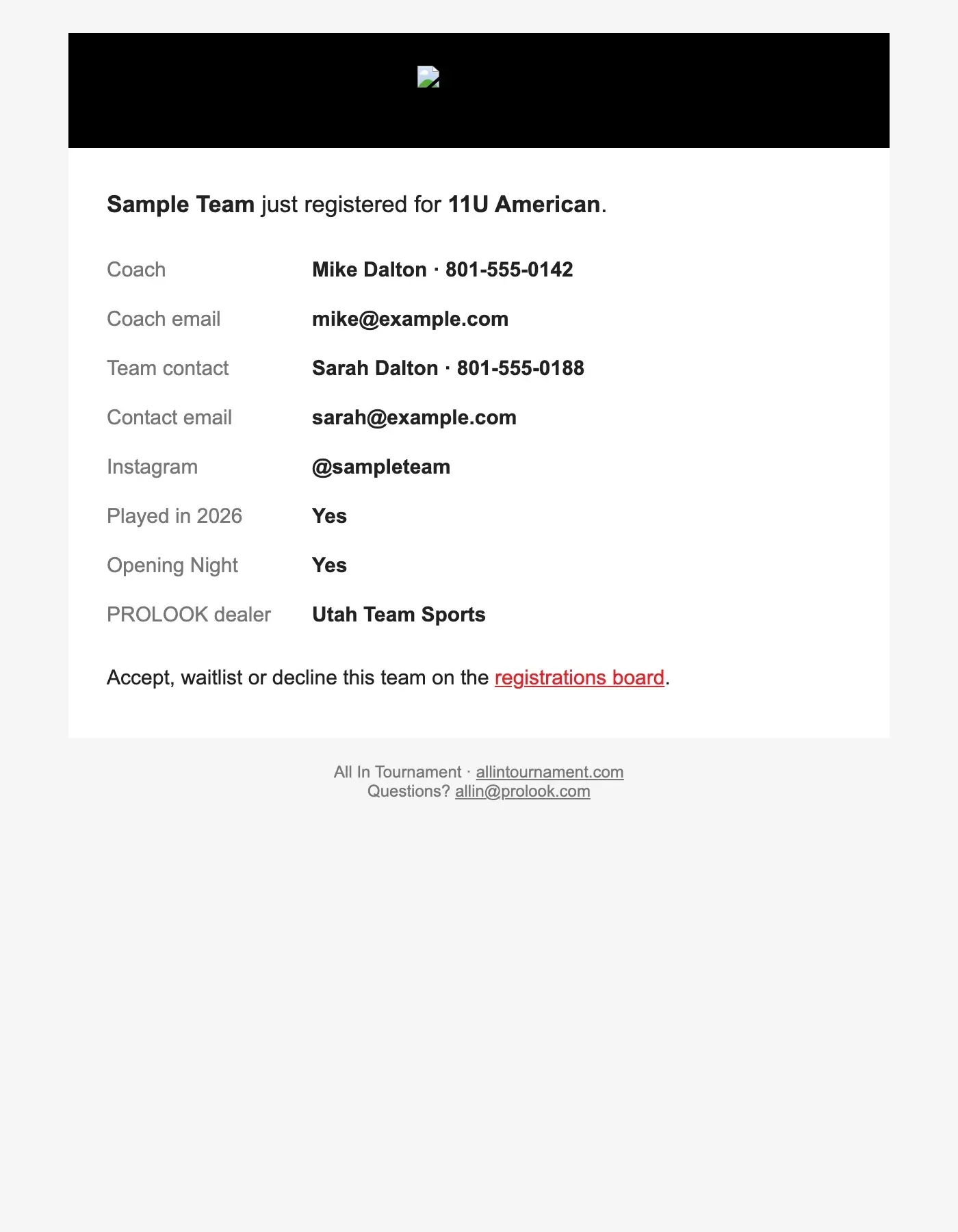
What the tournament gets, with a link straight to the board.


Testing a one-day sellout
Registration opens on the first of November and the tournament sells out that day. There is no second attempt.
So the form unlocks itself on the test sites and stays shut on the live site until the date, which meant QA could run the whole flow while the public page still said “Registration opens November 1”. The notification that normally goes to the tournament director goes back to whoever filled in the form when it is sent from a test site, so testing it fifty times does not put fifty fake teams in his inbox.
What's next
Pages built ahead of their launch, not live yet. Each one carries a preview banner, and the products and prices are placeholders.


Preview · Step 1 of 3
Shop team flags
Pick a division, then the team, then a quantity. The flag preview fills in from the choices.


Preview · Step 2 of 3
Tournament swag
A T-shirt and a hat to pre-order and pick up at the tournament.


Preview · Step 3 of 3
An earlier registration page
An earlier take on registration, with a head parent contact and a box to pre-order swag. The form shown above replaced it.
Step 1 of 3
My role
I was the frontend developer on the marketing side.
My job was the front end of the redesign, built from the designer’s Figma files and shipped through the existing DEV, staging, QA, and release process.
Most of my work was in Svelte and Tailwind.
I rebuilt the navigation, homepage, footer, and shared components, then worked through QA issues as they came back.
A few changes also touched how page data was loaded on the server when the front end needed information before the page rendered.
Engineering owned the application itself, including the API, bracket logic, team management, and production releases.
I did not build those systems.
The Shop bug, rebuilt
Each version rebuilt from git history and run as a production build. The difference is where you end up, not how the page looks.

2.0.99, the first thing a visitor sees has no Shop link

2.0.100, the Shop link is already there
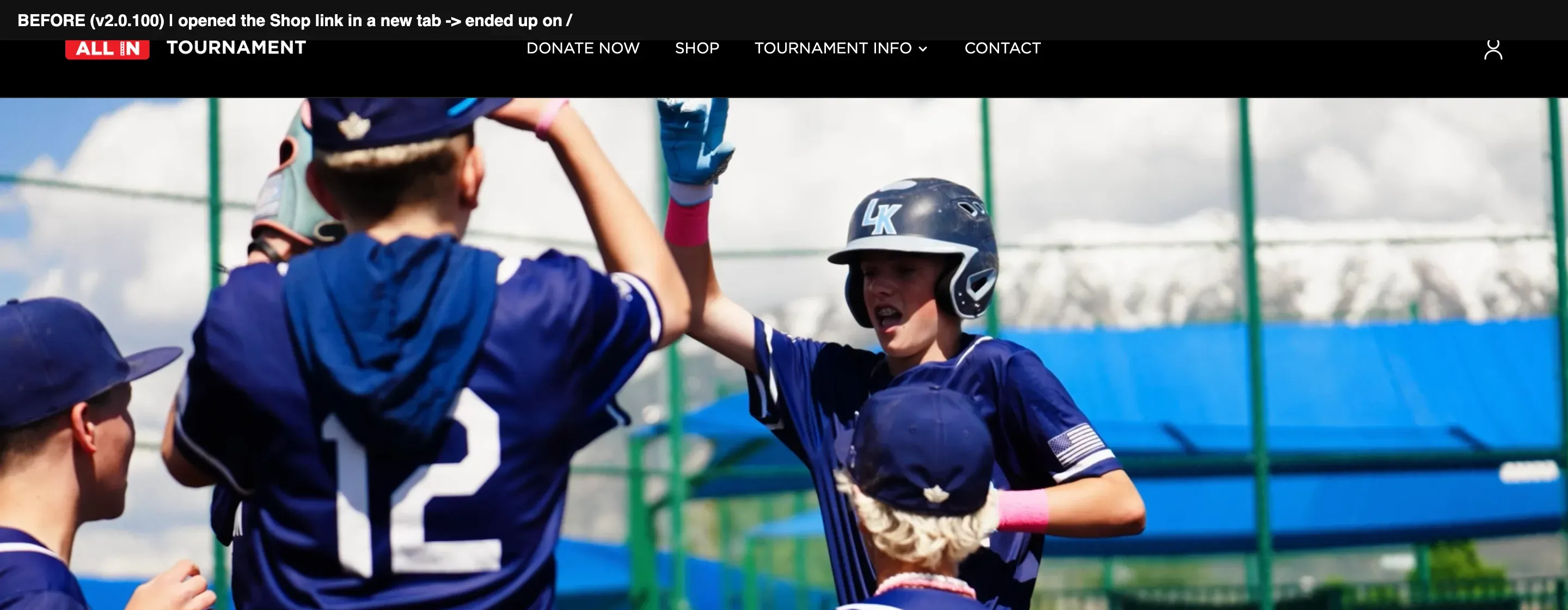
2.0.100, Shop in a new tab lands on the home page
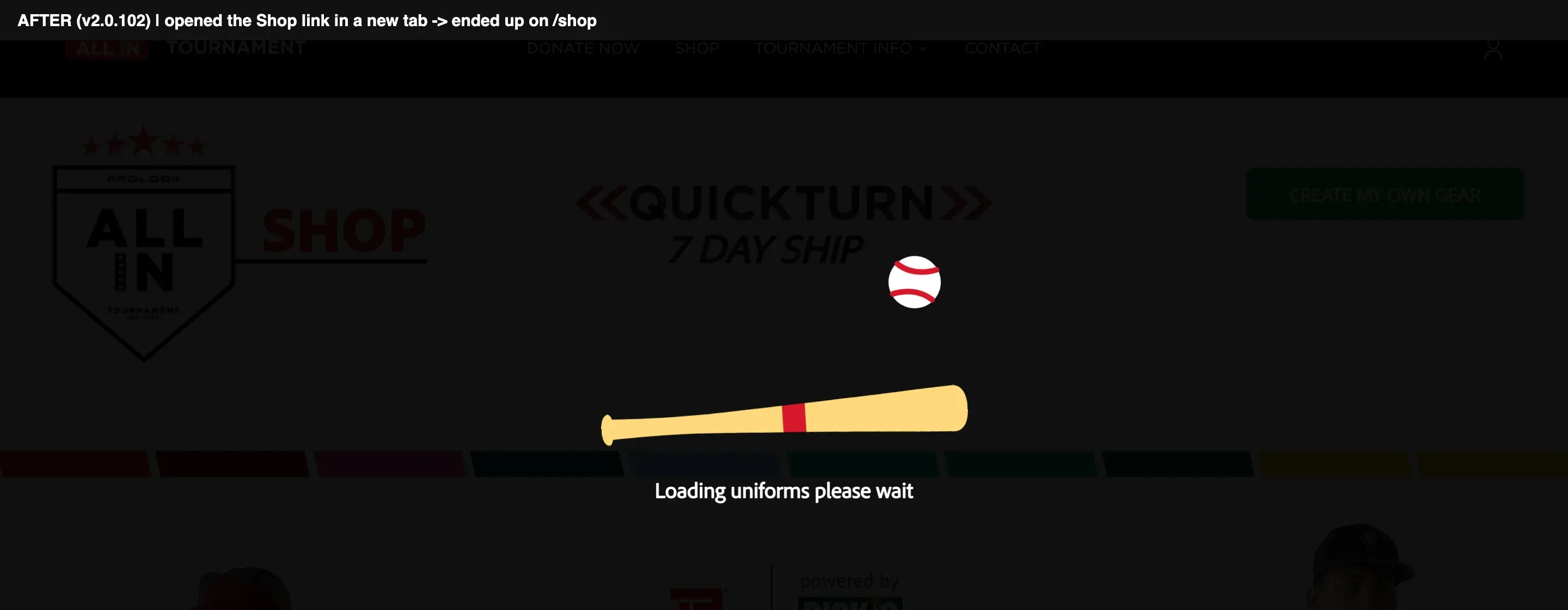
2.0.102, the new tab opens the Shop
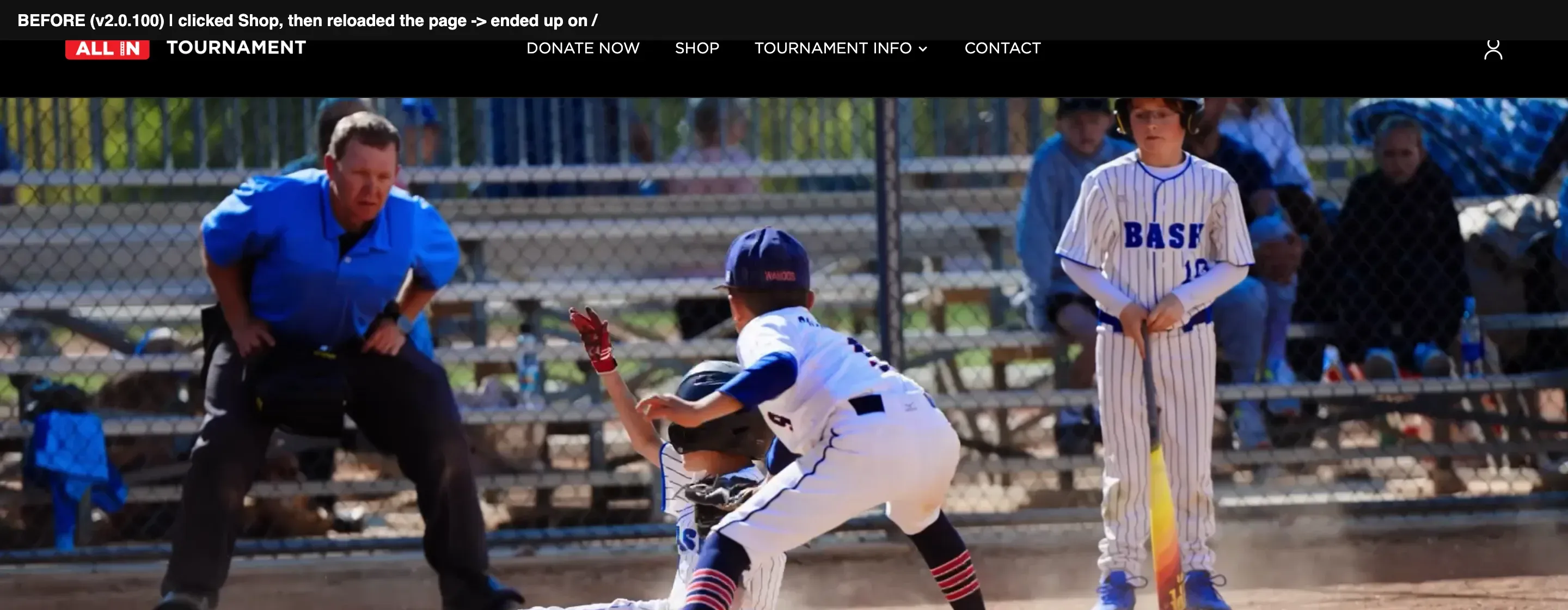
2.0.100, reloading the Shop lands on the home page
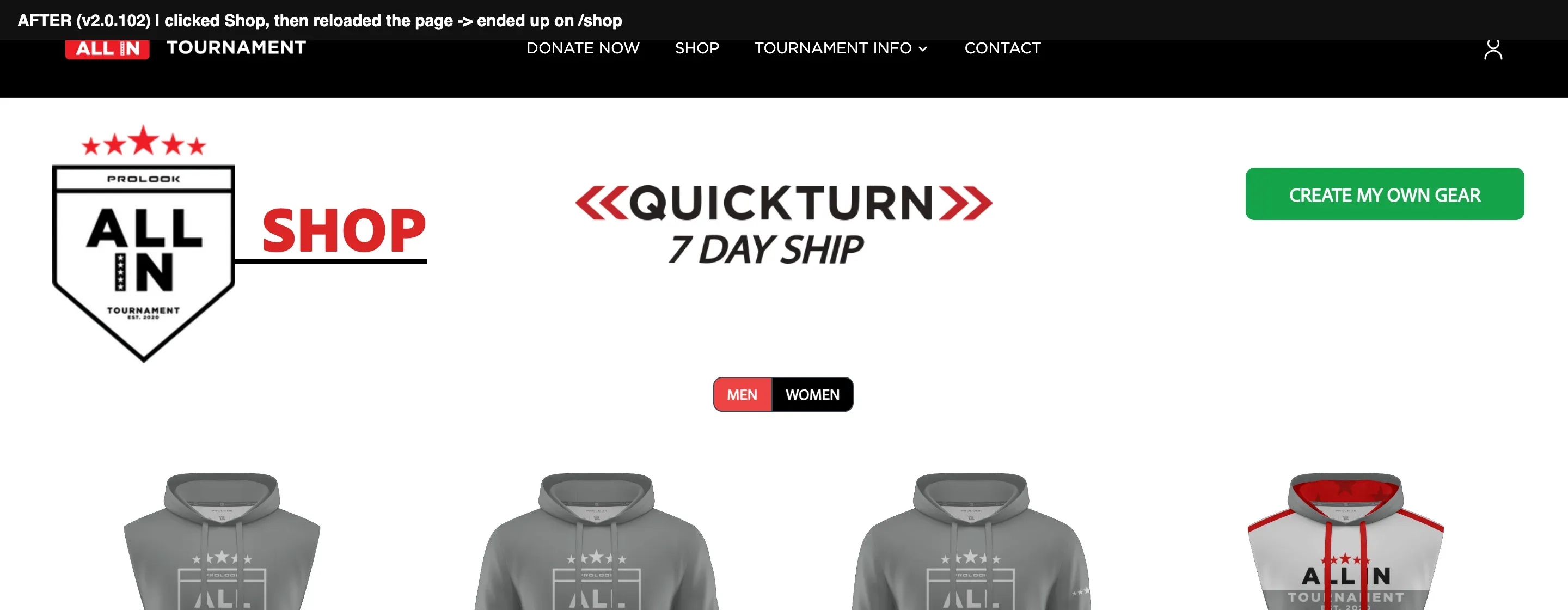
2.0.102, reloading stays on the Shop


Passed every test, broke the Shop
I fixed a flickering Shop link, every test passed, and it still broke the Shop on the live site because the page trusted a value the server was sharing between visitors.
Problem
Right after the Shop flicker fix shipped, QA found another problem. Opening Shop in a new tab or reloading the Shop page sent the user back to the homepage.
Clicking Shop normally from the homepage still worked. That made it look random.
First assumption
The frustrating part was that I had already tested it.
Before the release, I opened Shop from the Rules and Sponsors pages on my local server and landed on Shop every time. Same code. Same data. Clean pass.
Because it worked locally but failed after deployment, I assumed something in the live environment, probably caching, was behaving differently.
What I found
The problem was not actually the Shop link.
The Shop page had a guard that checked a stored value before allowing the page to load. Only the homepage was setting that value.
The bigger problem was that the value lived in server state that was shared between visitors. Once somebody loaded the homepage, that value became active and made later tests pass even when the logic was wrong.
The old navigation code had also been setting that value on every page as a side effect. When I removed that code to fix the flicker, I exposed the older bug underneath it.
There was even an old note above the guard saying:
“fix redirection bug cannot visit page”
The redirect had been worked around before, but the dependency was still there.
Fix
I changed the Shop guard so it used the activation flag the server already loads for every request.
That is the same source of truth used by the navigation and footer. The actual change was only a few lines.
I could have put the old navigation behavior back, but that would have brought the flicker back and kept the Shop dependent on whatever state happened to be loaded on the server.
// src/routes/shop/+page.server.js
import { redirect } from '@sveltejs/kit';

// Read the flag per request, not from a shared value.
export const load = async ({ locals }) => {
  if (!locals.flags.shopActive) throw redirect(307, '/');
  return {};
};<script>
// Use the same flag as the Shop guard and the footer.
export let data;
</script>
{#if data.flags.shopActive}
<a href="/shop">Shop</a>
{/if}How I verified it
My local development server could not reliably reproduce the bug, so I stopped using it as proof.
I built the application for production and ran it on a fresh server without opening the homepage first. That finally reproduced the real behavior. The old build redirected away from the Shop. The fixed build opened it correctly.
Then I went through every case from QA’s sheet:
- Open Shop in a new tab
- Reload while already on Shop
- Open Shop from the homepage
- Open Shop from Rules
- Open Shop from Sponsors
- Check navigation and footer links
- Turn Shop off and confirm the redirect still happens when it should
After that, I repeated the checks on staging before the next release.
Result
The experience works better for the people actually using it during the tournament, especially on mobile.
Parents can get to brackets. Coaches can reach rules. Team managers can get to the Shop.
Marketing also has someone on the front-end side who can make updates without every request waiting on an engineering team working in another timezone.
Teams now have a real way to register for 2027, and staff have a board to decide who plays.
I do not have access to the site’s analytics, so there is no traffic or conversion number here. I would rather say that than invent one.
What I can stand behind is that the redesign shipped through four production releases, the major navigation and Shop issues were fixed, and the site is much easier to use and maintain than where it started.
What I'd do differently
When I removed the navigation’s old Shop check, I should have searched the rest of the project for anything else depending on it.
There was exactly one other place. It already had a TODO note sitting above it.
That search would have taken a minute and probably saved the production bug.
I would also test layout issues on a real phone earlier. At one point I spent hours chasing a mobile layout problem that only existed inside a simulated browser. On an actual phone, the page was fine.
Now I treat browser simulation as useful, but not proof.
Full stack
- Front end
- Svelte
- SvelteKit
- Tailwind CSS
- JavaScript
- HTML
- HTML email
- Runtime and tooling
- Node
- Volta
- npm
- Development process
- DEV
- Staging
- Production
- QA testing
- Git / GitHub
- Design and optimization
- Figma
- Responsive layout work
- Image optimization
- Accessibility improvements