
Lincoln Academy
Rebuilding a school website around the parents, teachers, and staff who use it every day
In short
- Lincoln Academy is a K through 9 charter school in Utah. During the summer, I was given the job of rebuilding its website.
- I was the solo developer and designer for the rebuild — I planned the new structure, designed the experience, built the custom WordPress theme, migrated the content, built the internal tools, and handled the launch.
- Inside it, a lunch ordering system for the kitchen and a field trip and event request system — plus the newsletter I send every Monday and a staff login connected through Google.
- With the new lunch dashboard, the kitchen can add custom labels to every item, so they cut their time in half.

The situation
By the time I started planning the rebuild, the website had grown into a mix of Divi pages, plugins, staff-only content, forms, documents, directories, newsletters, school resources, and other systems that had been added over time.
It worked, but it was getting harder to manage.
Different departments needed different things from the website, and making those changes inside the existing Divi setup was becoming more difficult.
The staff directory needed more information and better organization.
Government and school-board documents needed to stay organized and easy to find.
Staff needed private resources.
Parents needed quick access to school information.
The lunch-ordering process was becoming harder to maintain after the school moved to Infinite Campus and the old roster process stopped staying current.
The website had also become more focused on explaining Lincoln to prospective families than helping the parents, teachers, and staff who were already using it every day.
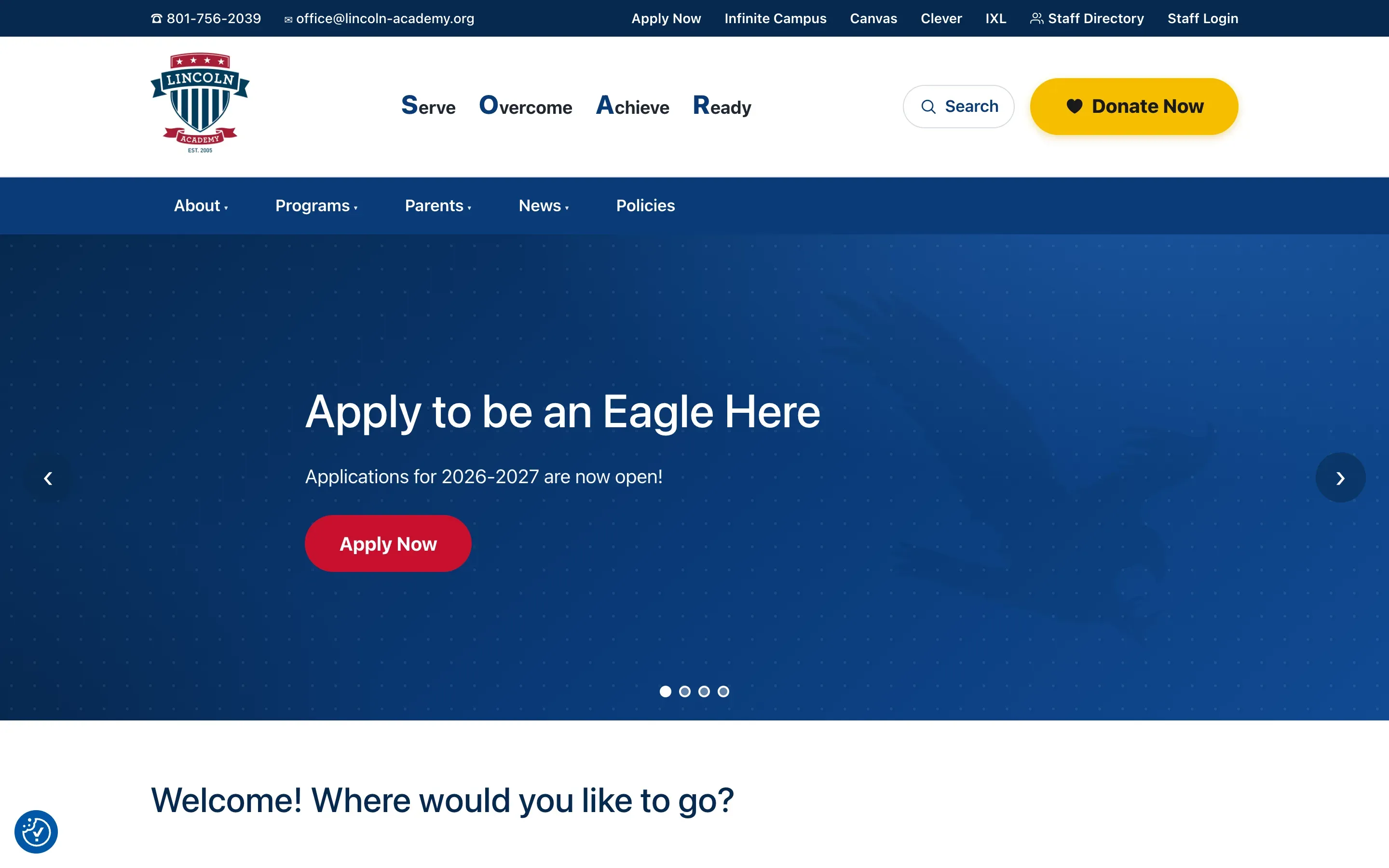
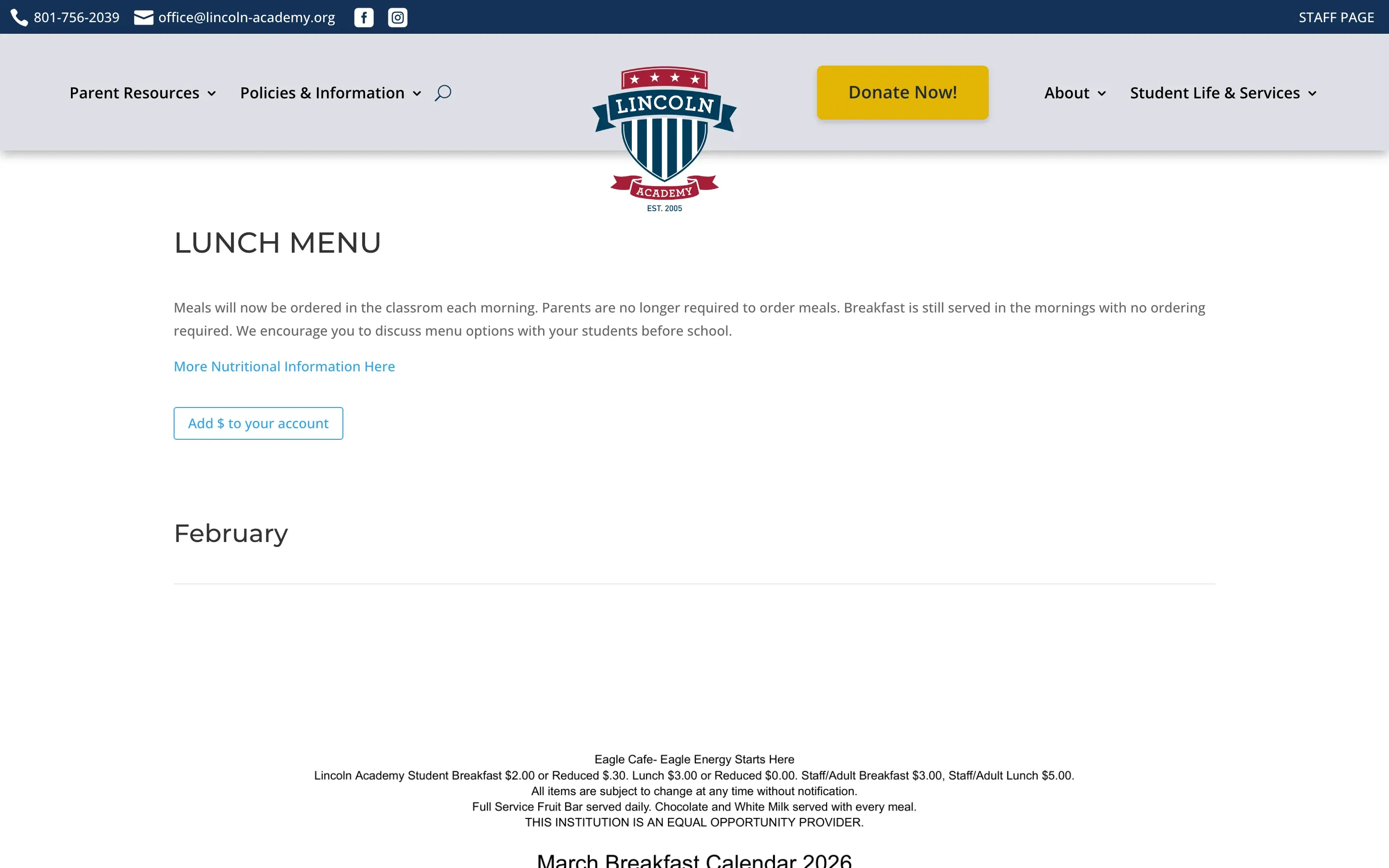
The site before the rebuild
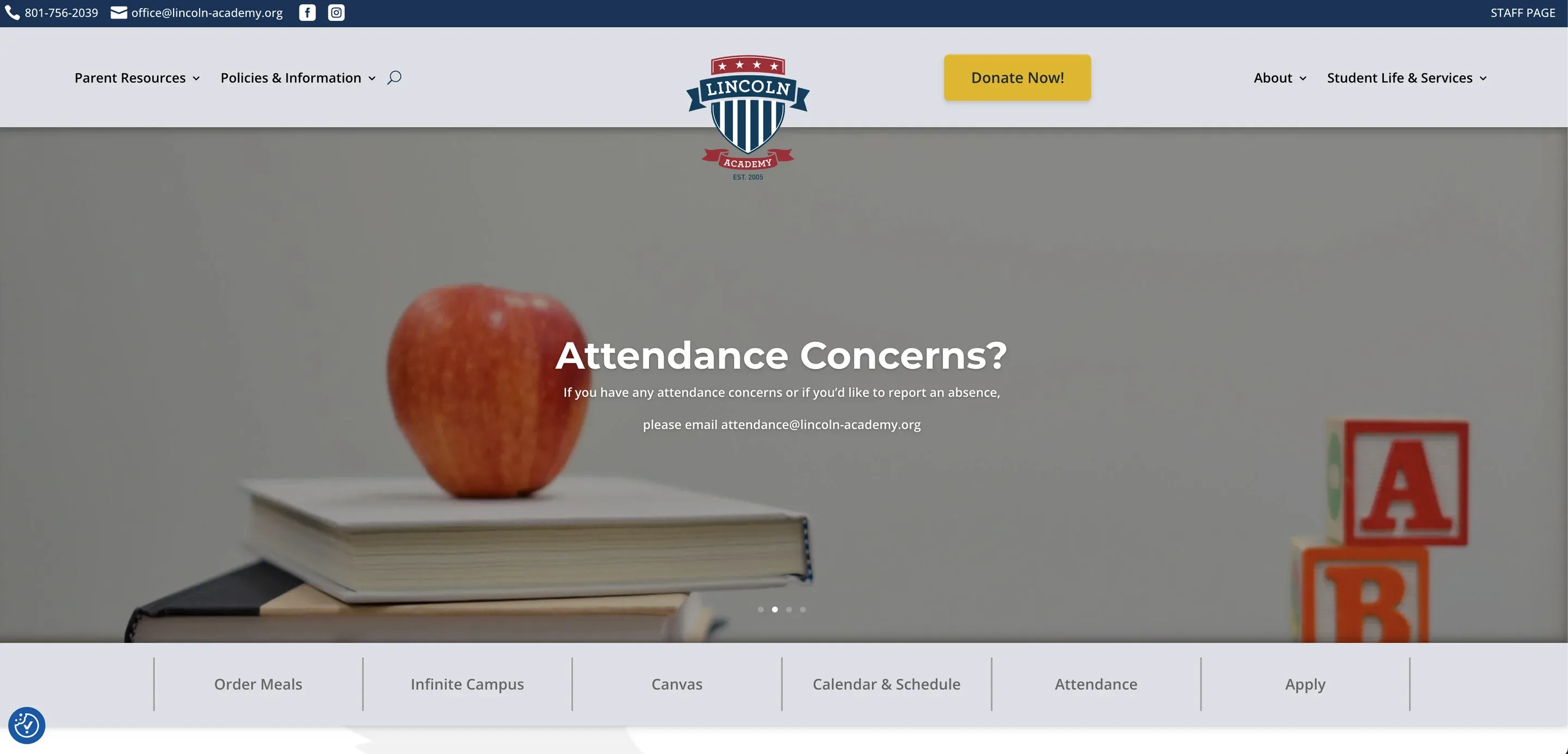
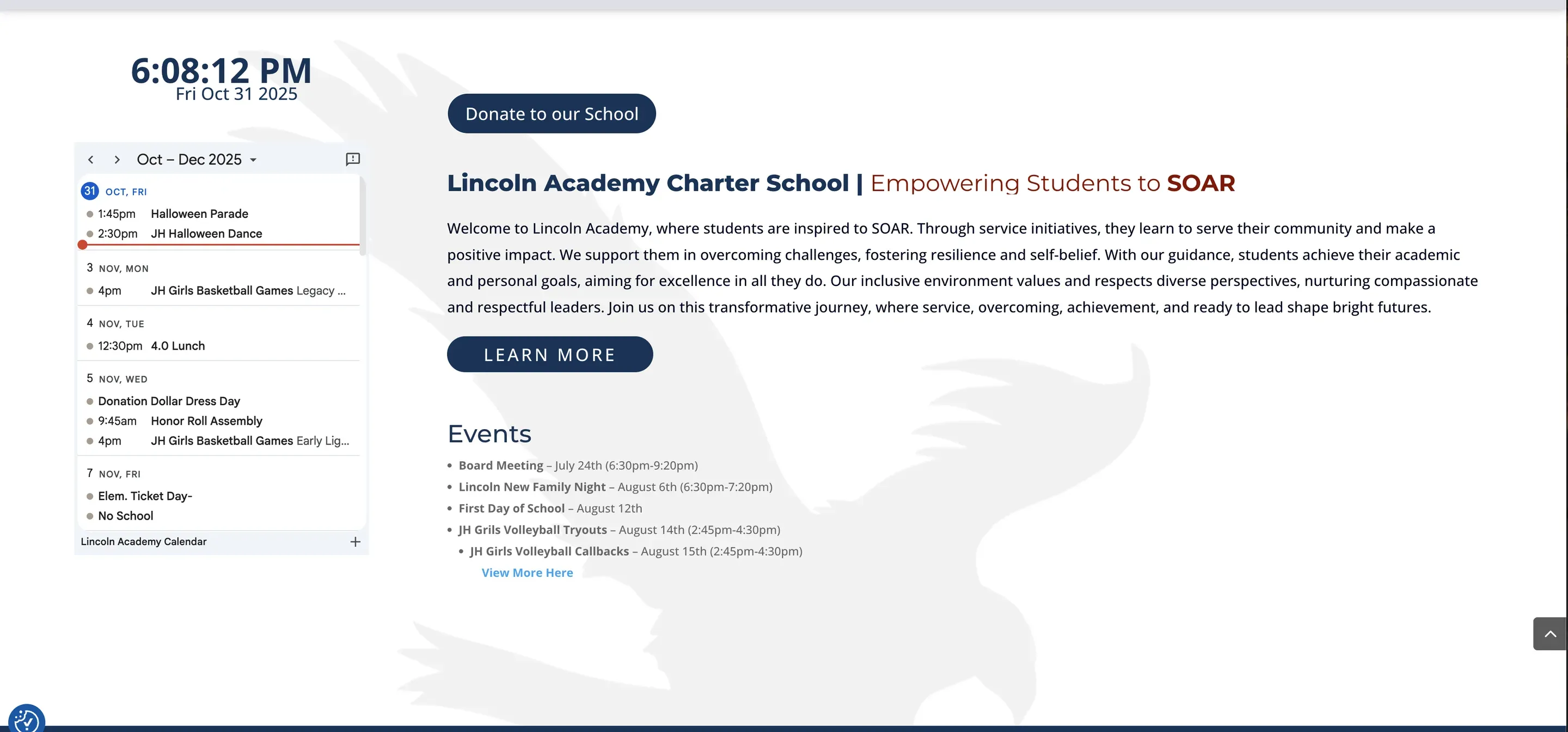
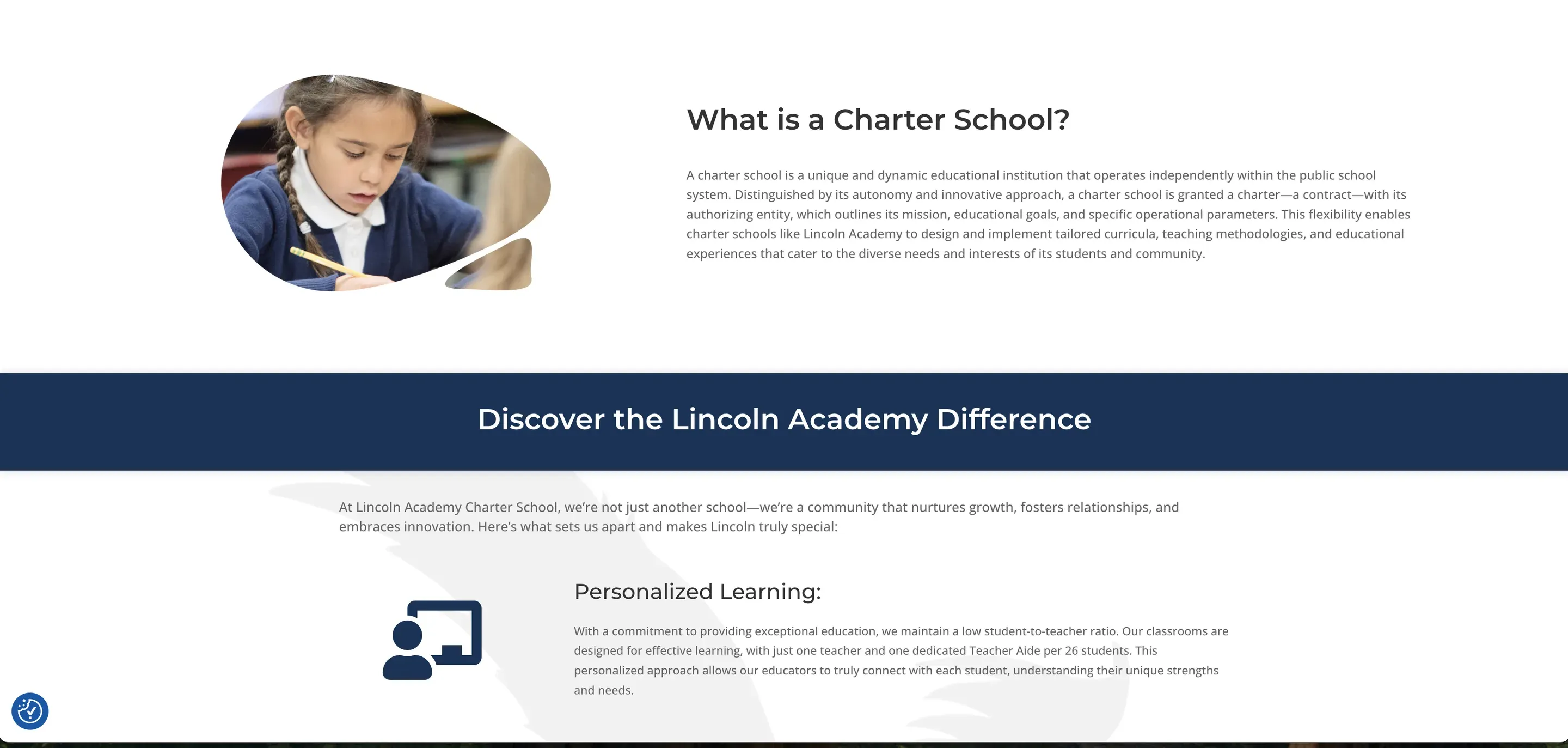
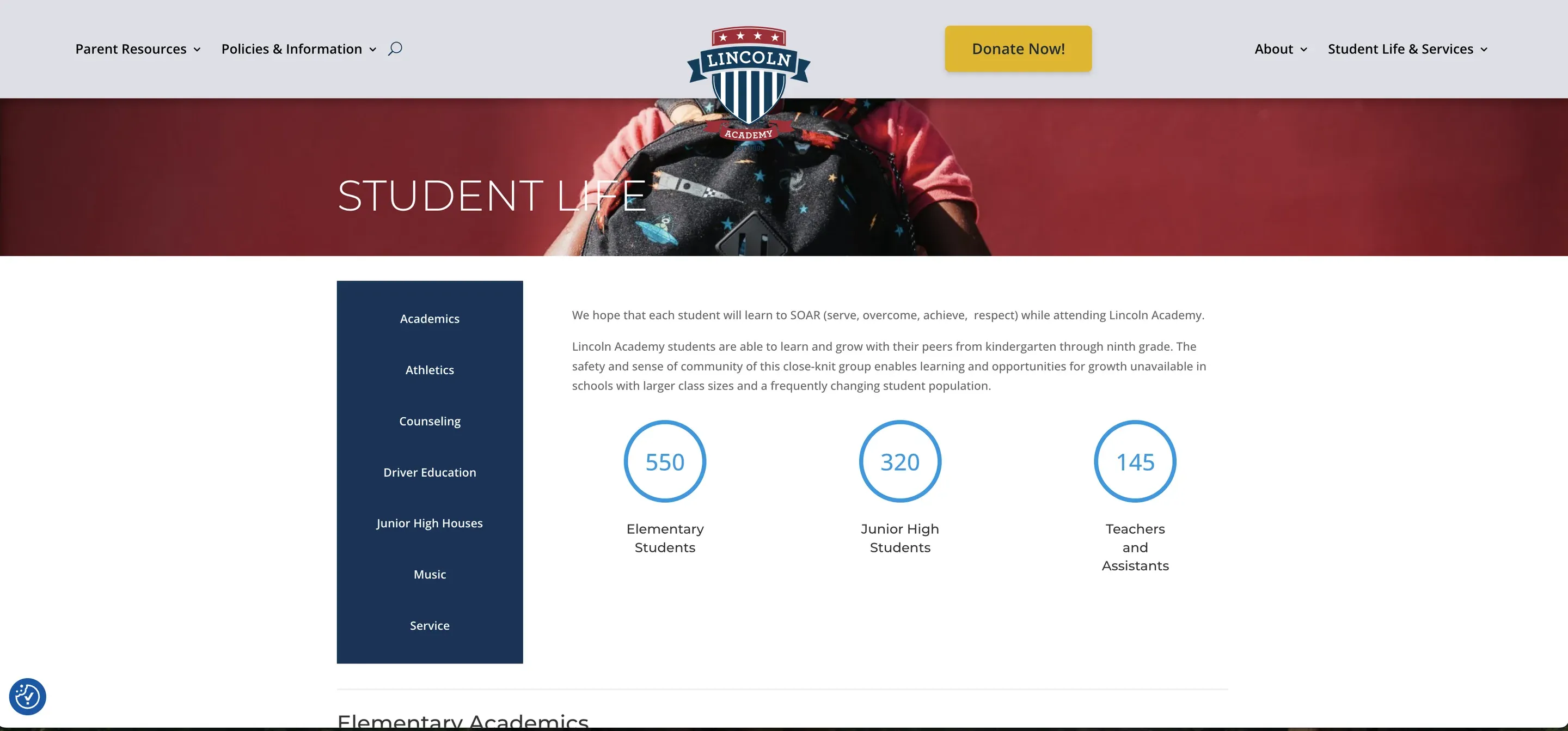
The old Divi site — home, About, Apply and Calendar.
Parent and staff feedback
Before the school year ended, we sent an anonymous Qualtrics survey to parents and staff.
I wanted the rebuild to be based on what people were actually frustrated with, not just what I thought needed to change.
The survey asked four questions about how people used the website, what bothered them, and what they wanted to see improved.
Several themes kept coming up.
People said the mobile site felt like a smaller version of the desktop site instead of something designed for a phone.
Finding basic information could take several clicks.
Navigation was confusing.
Pages were slow.
The interface did not always make sense.
Parents wanted easier access to the things they used regularly instead of having to search through pages aimed at prospective families.
Lunch information was difficult to find.
People wanted quick links.
They wanted better search.
They wanted the website to feel simpler.
I used that feedback as the starting point for the new site.
My role
I was already part of Lincoln’s operations team, which meant I was working directly with the people who would use what I was building.
I talked with the lunch team about what they needed every morning.
I worked with finance on how their information should be organized.
I worked with administration on the staff directory, private resources, and other school information.
I also continued working on forms, automations, newsletters, announcements, and the other web systems the school already relied on.
This was not just a website redesign.
I was rebuilding the public site while also improving several of the workflows running through it.
At a glance
Half the time
For the kitchen, with custom labels on every lunch item
From the new lunch dashboard.
About 200 pages
Rebuilt, migrated, or reorganized
The project included public pages, program information, documents, staff resources, and school content.
3 custom plugins
Built around actual school workflows
Staff forms, lunch ordering, and internal ticketing.
WCAG 2.1 AA
Accessibility built into the new templates
Keyboard access, contrast, labeling, and screen-reader support were tested across the site.
Old site, new site
The Divi site
The old site relied heavily on Divi and several plugins.
That made simple content changes more complicated than they needed to be.
The rebuild
I rebuilt the site as a custom PHP WordPress theme using ACF.
The layout stays controlled in code, but the content that staff actually needs to change lives in clear fields.


Then: The Divi site
The old site relied heavily on Divi and several plugins.
That made simple content changes more complicated than they needed to be.
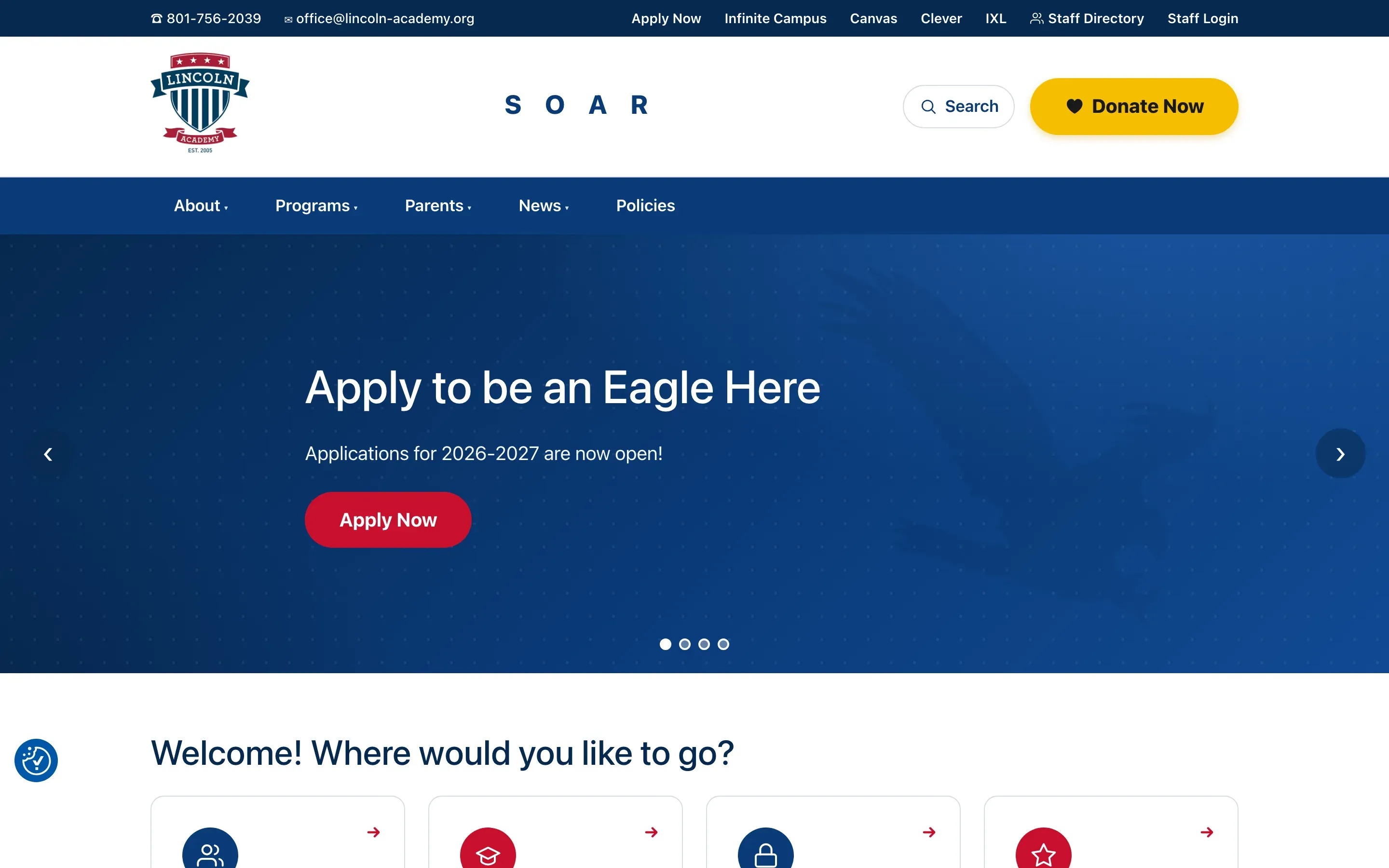
Now: The rebuild
I rebuilt the site as a custom PHP WordPress theme using ACF.
The layout stays controlled in code, but the content that staff actually needs to change lives in clear fields.
Key decisions
Build navigation around what people actually use
One of the biggest complaints from the survey was that it took too long to find common information.
People should not have to click through four pages to find something they use every week.
So I simplified the navigation and started putting the most-used links where people naturally look for them.
That included quick-link areas, a cleaner main navigation, useful links in the footer, and links placed directly on the pages where they were relevant.
I also added search in more places so someone who knows what they are looking for does not have to understand the school’s site structure first.
The goal was simple.
Make the common things easy to find.
Build mobile as a real experience, not a smaller desktop site
Parents and staff specifically called out mobile in the survey.
That mattered because a lot of school information is checked quickly from a phone.
A parent might be looking for a calendar date in the parking lot.
A teacher might need a form between classes.
Someone might be looking for a staff extension while already on the way to the school.
I rebuilt the site so those experiences were considered from the beginning instead of being squeezed down after the desktop layout was finished.
Replace Divi with something the school could actually maintain
The old site relied heavily on Divi and several plugins.
That made simple content changes more complicated than they needed to be.
I rebuilt the site as a custom PHP WordPress theme using ACF.
The layout stays controlled in code, but the content that staff actually needs to change lives in clear fields.
That means somebody can update text, links, images, documents, or other school information without understanding how a page builder was assembled.
The goal was not just to make the new website easier for me to develop.
It needed to be easier for Lincoln to run after I finished building it.
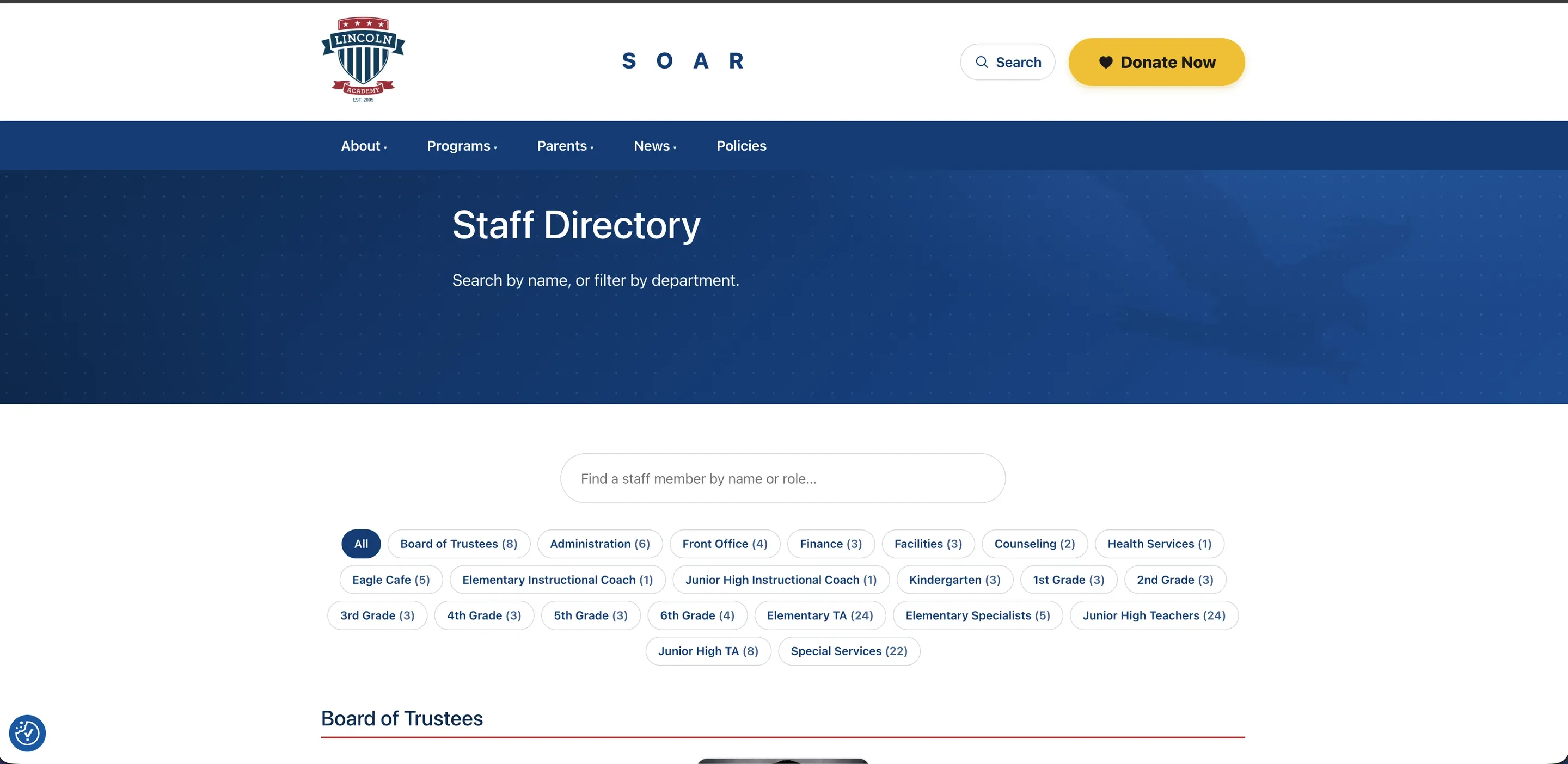
Build one staff directory that works differently for public and internal users
The staff directory was one of the areas administration really wanted improved.
Families need to be able to find teachers and staff quickly.
They need things like names, roles, extensions, and useful teacher links.
At the same time, not every staff member or every piece of staff information should be publicly visible.
I built the directory so public visitors see the information meant for families, while logged-in staff can see additional internal information.
That let us keep one structured directory instead of maintaining separate lists in different places.
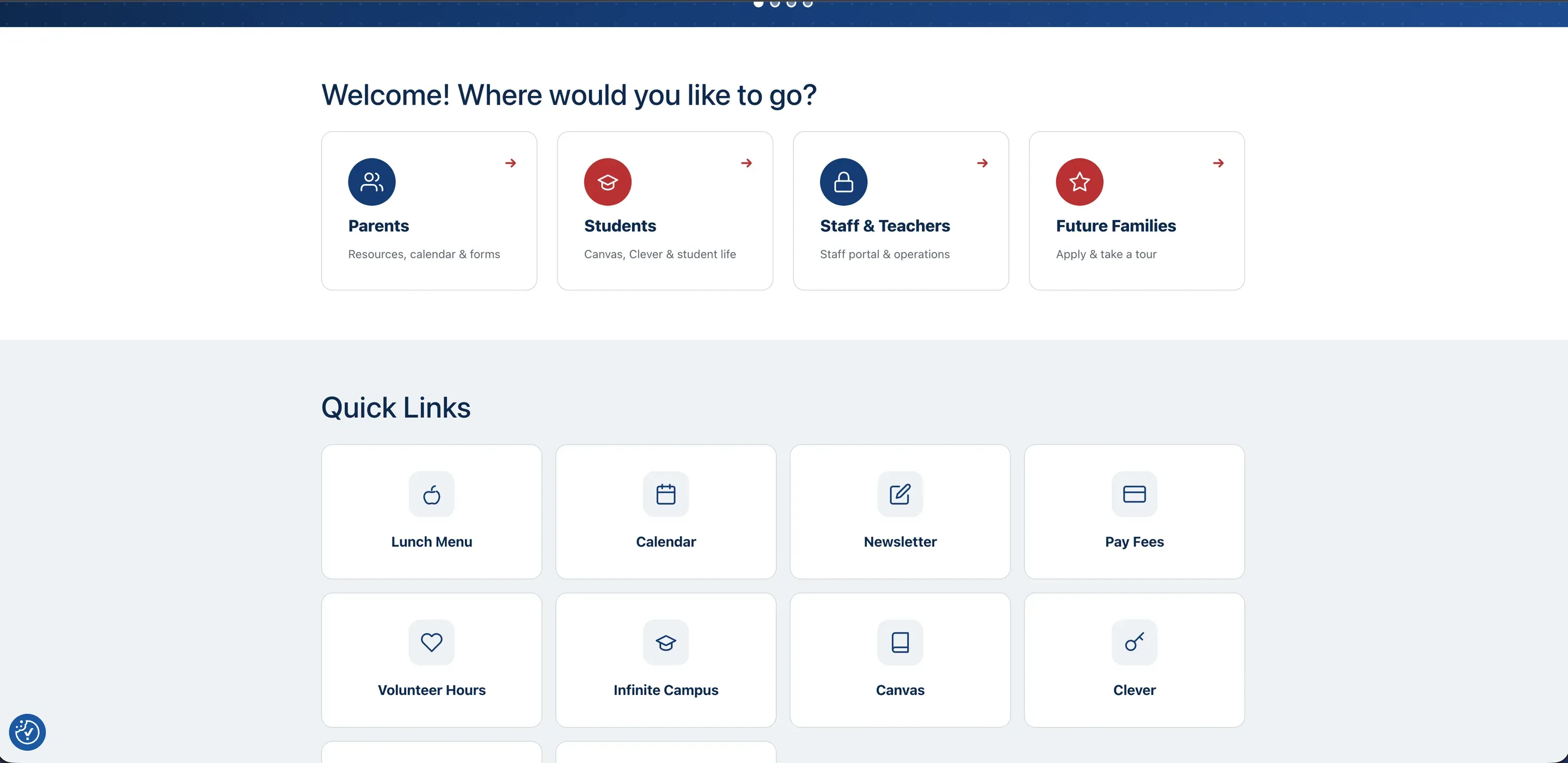
The new home page
Scroll to move down the page. The numbers mark what I built into it.
The home page
I simplified the navigation and started putting the most-used links where people naturally look for them.
The site has several different groups using it, and each one needs something different.
That included quick-link areas, a cleaner main navigation, useful links in the footer, and links placed directly on the pages where they were relevant.
I also added search in more places so someone who knows what they are looking for does not have to understand the school's site structure first.
Parents need to find information quickly. That includes calendars and announcements.
Every Monday, I put together and send the school newsletter.
Make the common things easy to find.

The rest of the rebuild
The project included public pages, program information, documents, staff resources, and school content.
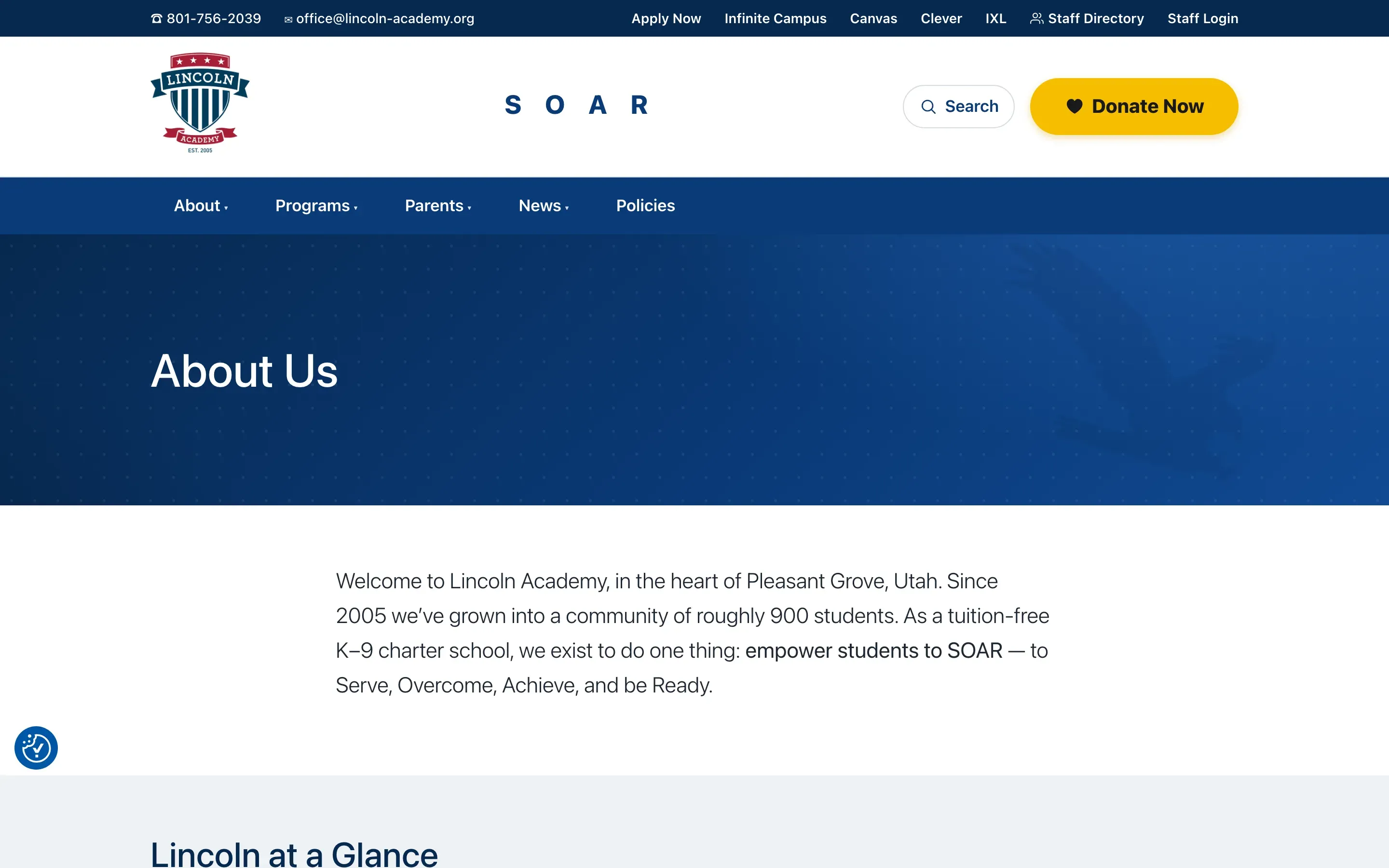
About Us
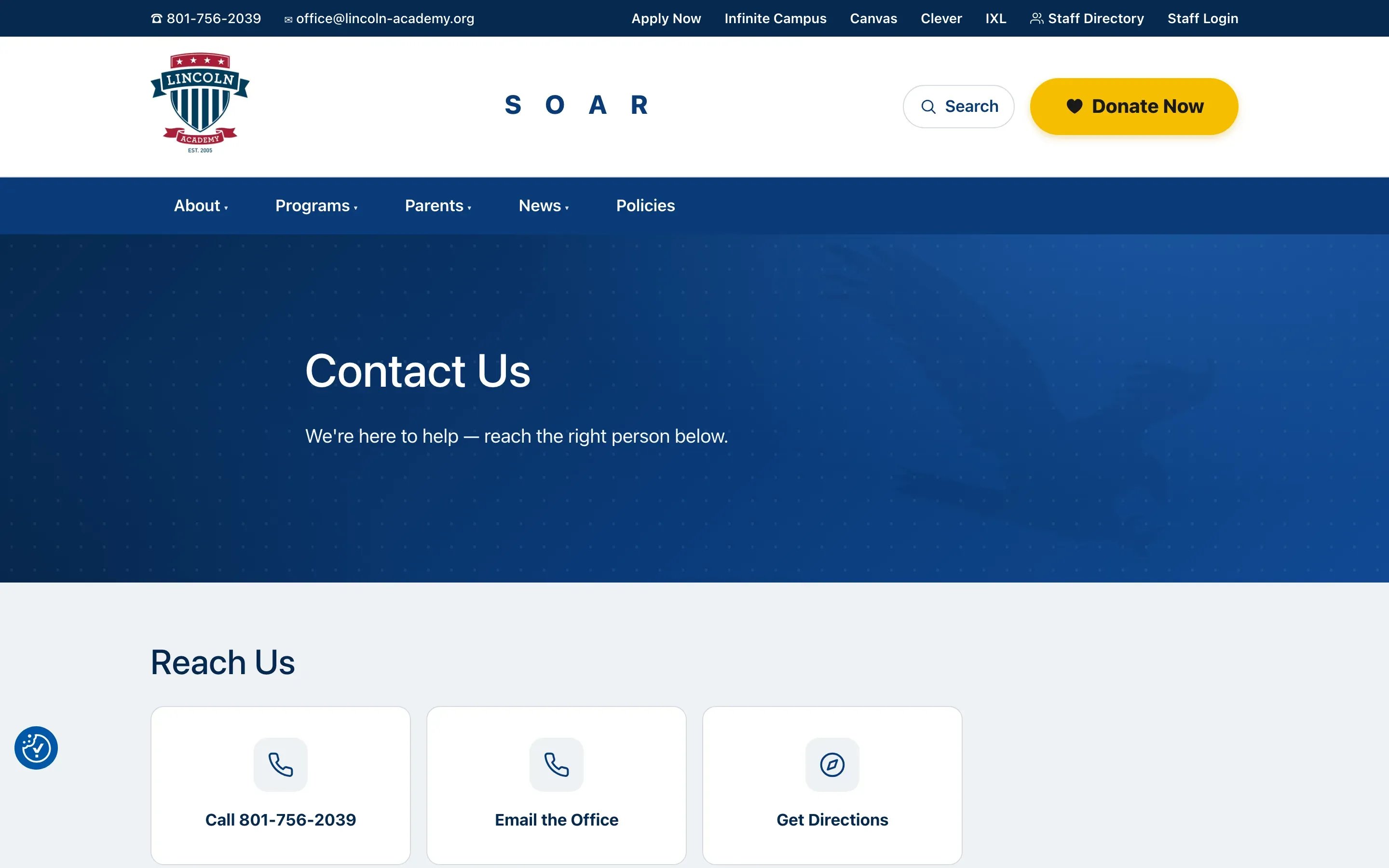
Contact Us, with call, email and directions
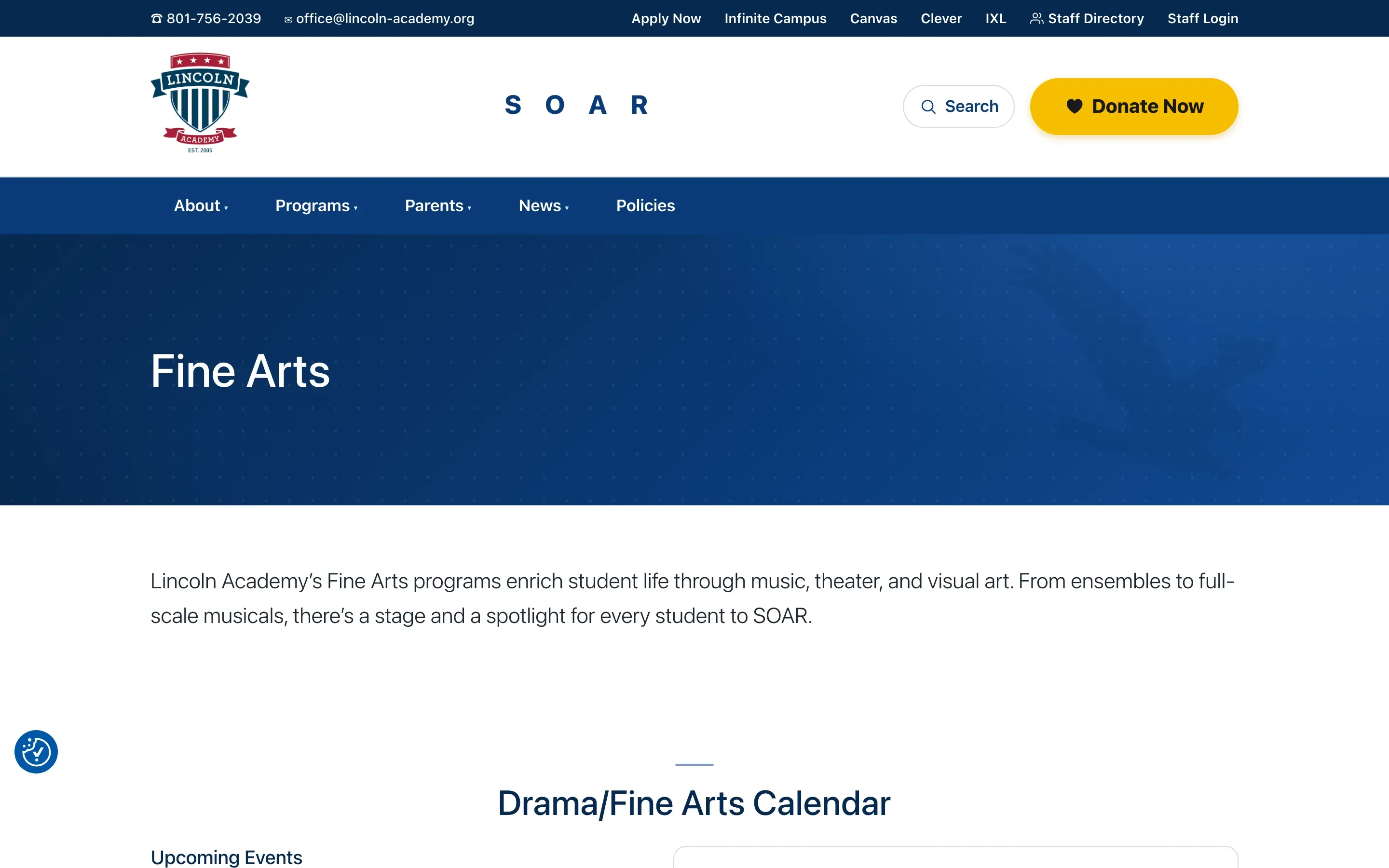
Fine Arts, with its own calendar
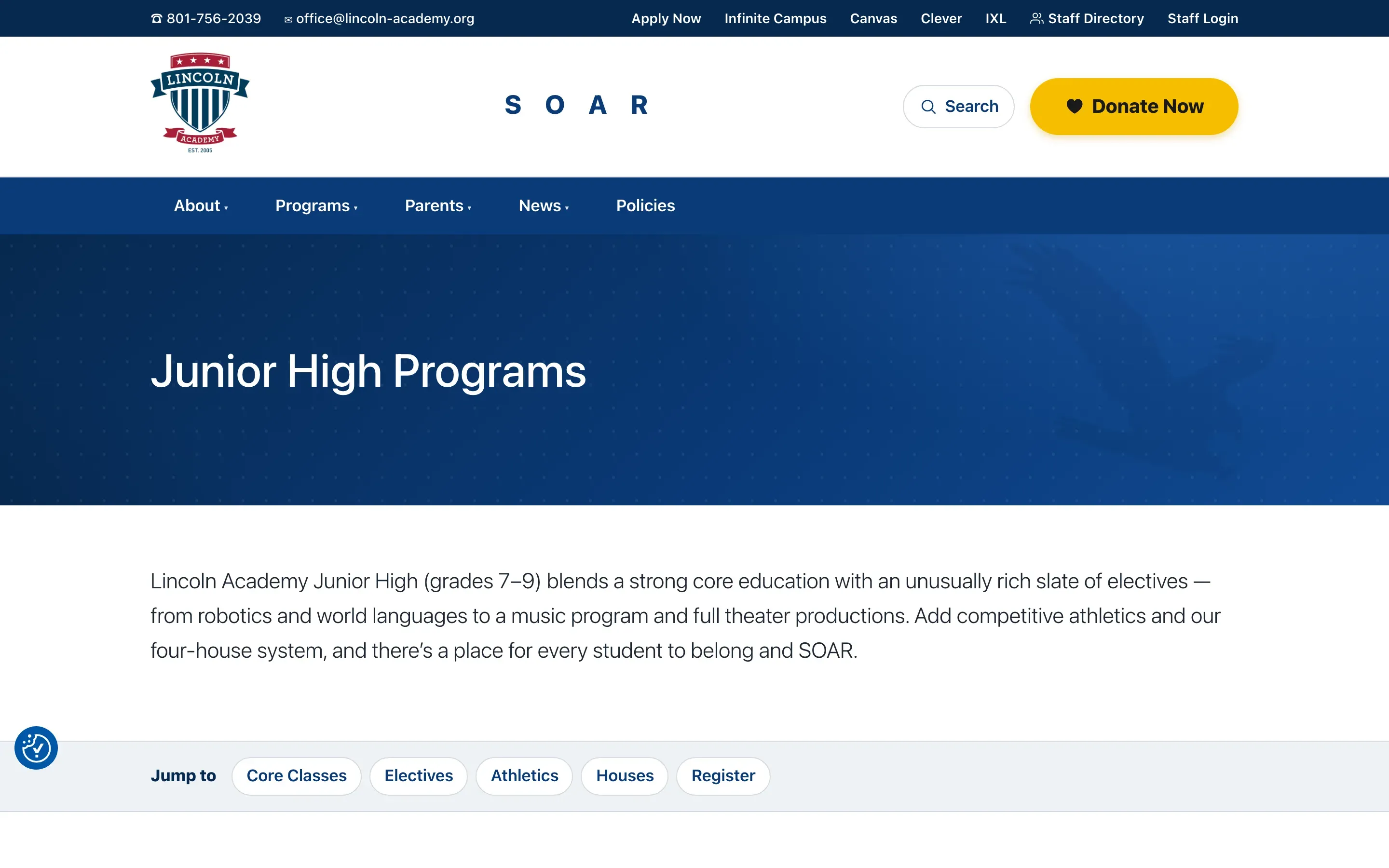
Junior High Programs, with jump links
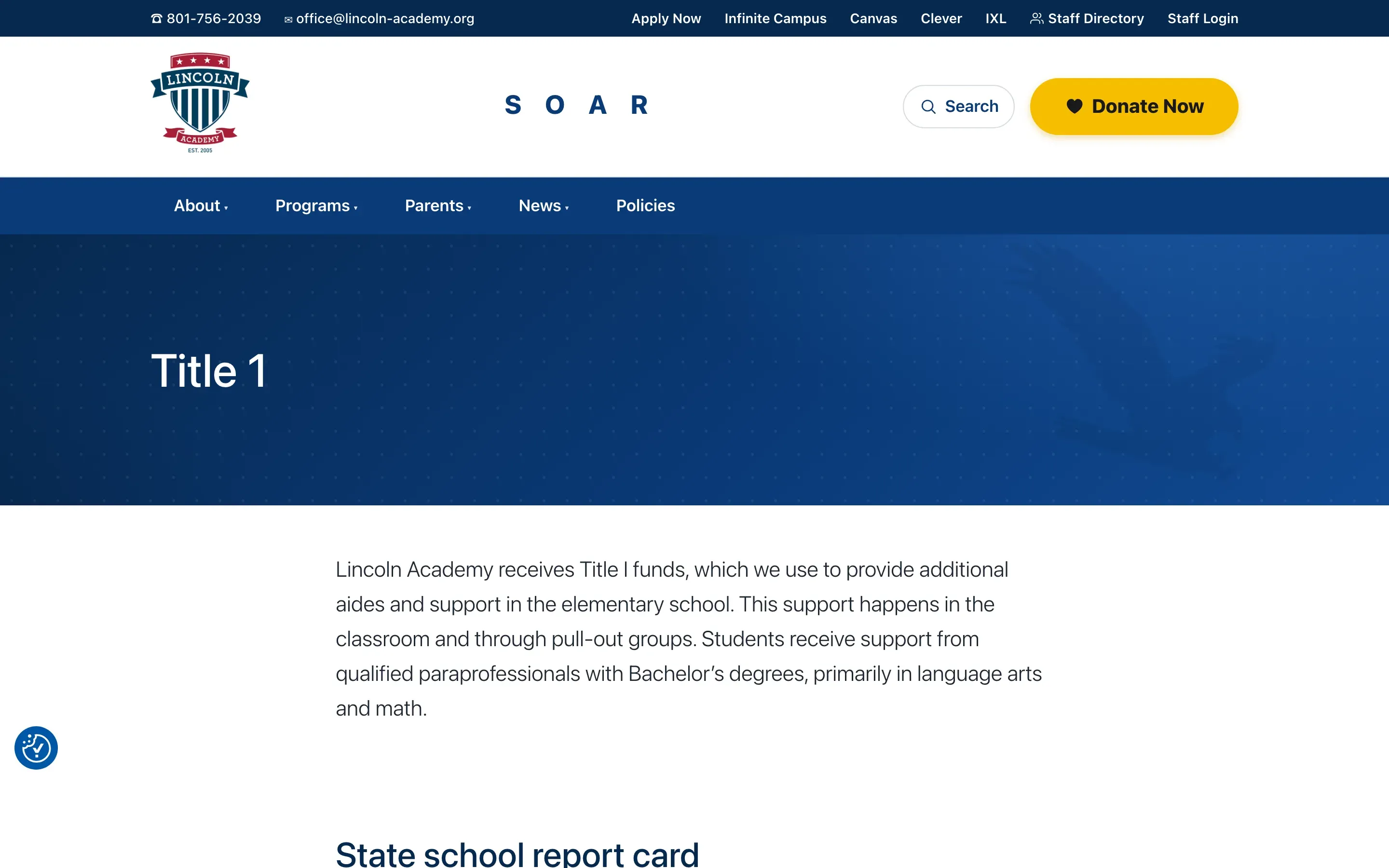
Title 1
Staff Directory, search and department filters
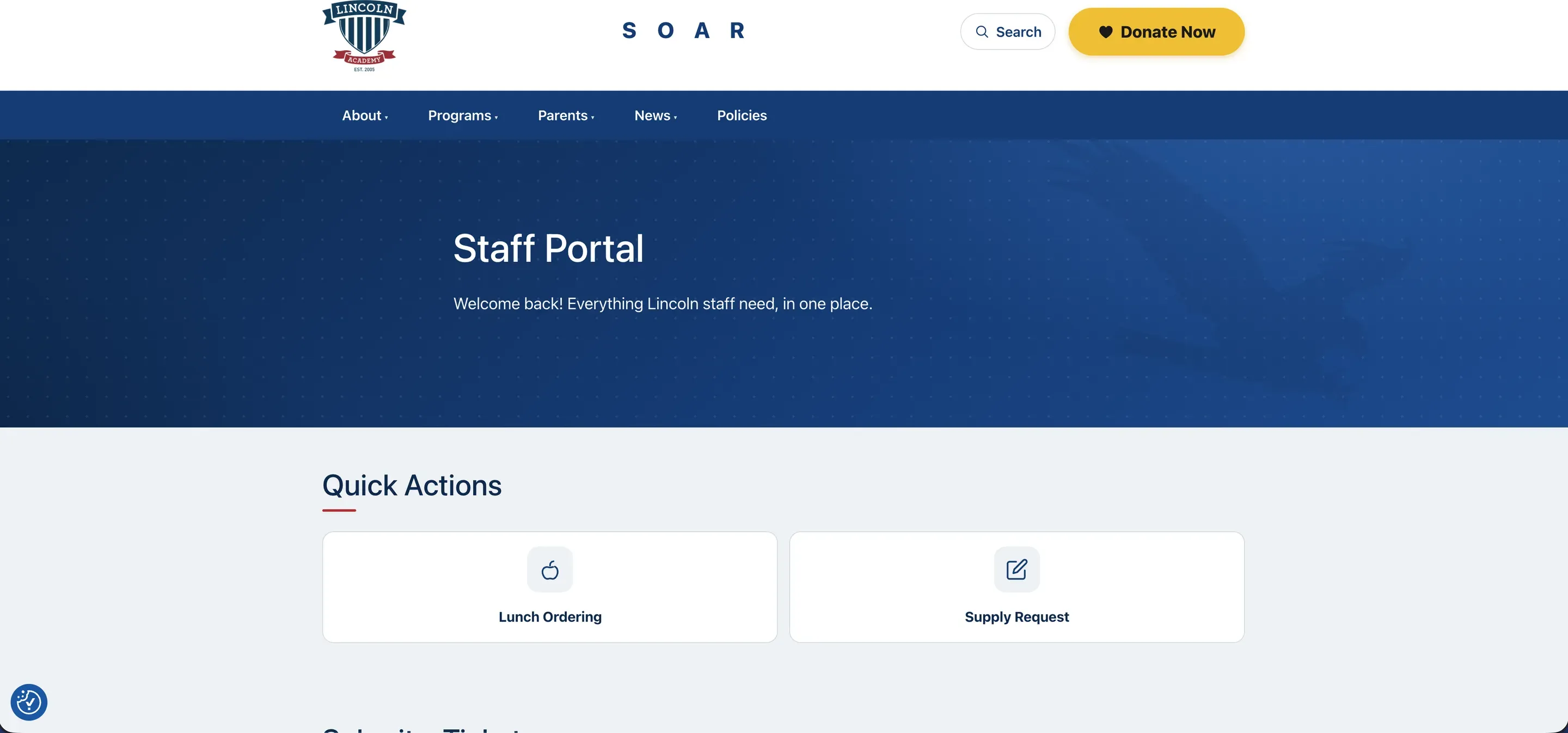
Staff Portal, behind the Google login
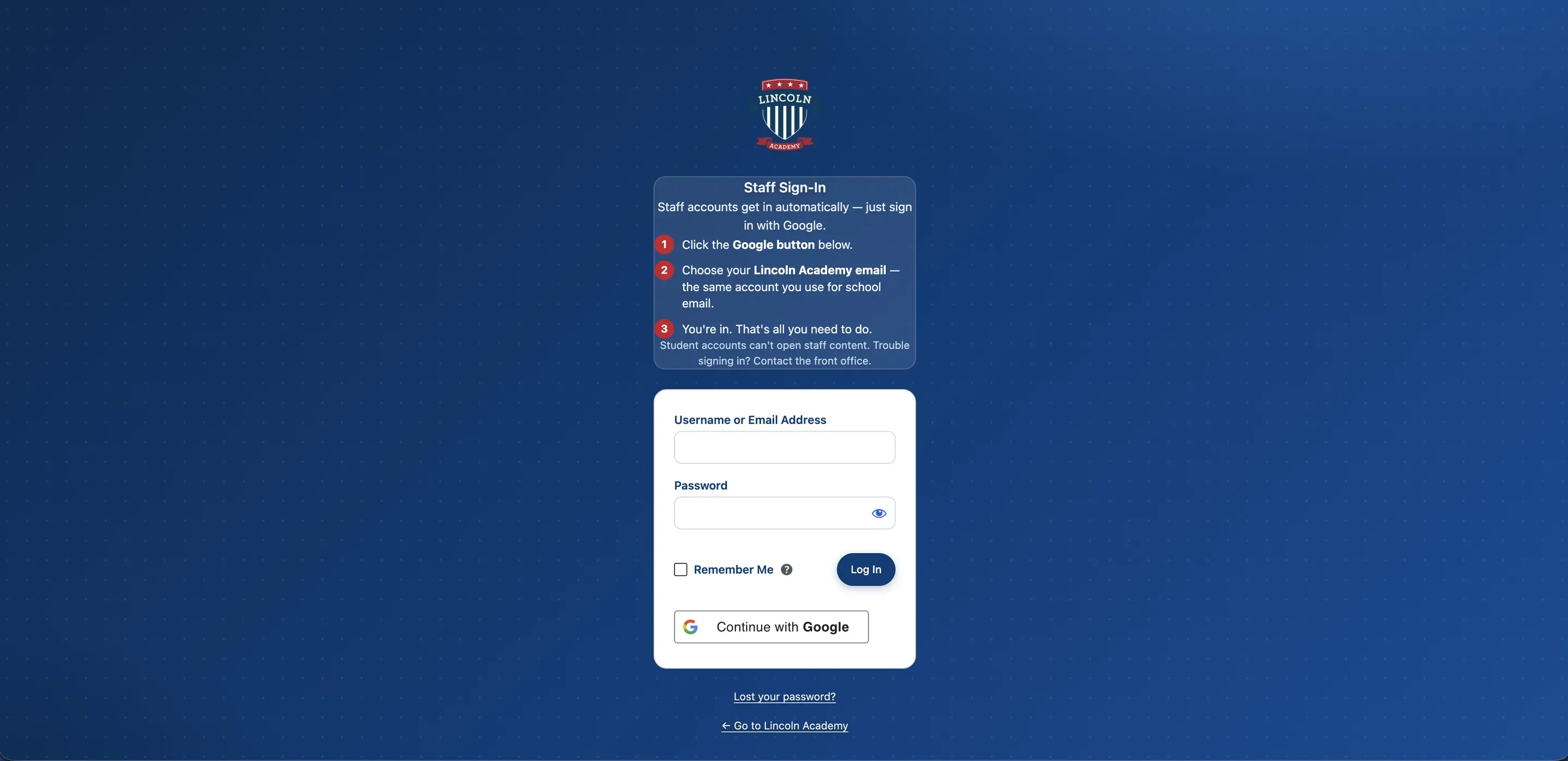
Staff Sign-In, with Continue with Google


Building around the school day
The site has several different groups using it, and each one needs something different.
Parents and families
Parents need to find information quickly.
That includes:
- Staff and teacher information
- School policies
- Lunch information
- Parent Teacher Conferences
- Announcements
- Calendars
- Forms
- Program information
- Quick links
I tried to remove unnecessary steps between the parent and the thing they are trying to find.
Teachers and staff
Staff need more than public information.
They need tools.
Administration and office staff
Administration needed school information to stay organized without every change becoming a development request.
That includes:
- Staff information
- Board updates
- Government documents
- School policies
- Newsletters
- Program pages
- Announcements
- Internal resources
I structured those areas so they could be updated from the WordPress dashboard instead of buried inside Divi layouts.
Rebuilding lunch ordering
A generic form can collect someone’s lunch choice.
That does not mean it can run a lunch program.
The lunch team needed something built around the way they actually work each morning.

Before · Step 1 of 7
Forms on the old site
The old process depended on roster information that became harder to maintain after the school moved to Infinite Campus.

Before · Step 2 of 7
The old order forms in Formidable
The forms list shows 5,316 entries on In Class Hot Ordering and 11,046 on Individual Meal Ordering.


Before · Step 3 of 7
A spreadsheet, without the students
The old way you had to use Google Sheets.
It didn’t have the students, so they had to manually add them.
There was no portal.

Now · Step 4 of 7
Teachers order for their class
Teachers submit their class orders through the site.
The form is easier to fill out, and it has a cutoff time for the kitchen staff.


Now · Step 5 of 7
The lunch manager's dashboard
The lunch manager has her own dashboard where she can see:
- Submitted classes
- Missing classes
- Missing students
- What each student ordered
- Daily meal totals
It shows the lunches ordered and who is missing, and you can send emails with it.

Now · Step 6 of 7
Labels, already filled in
Before, a lot of that work required manually checking information and typing or writing labels.
Now the website prepares much of it automatically.
They can add custom labels to every item, so they cut their time in half.
Now · Step 7 of 7
Day, week or month
They can go back and look at the numbers to see who ordered what.
- Printable information
- Downloadable CSV data
That gives the lunch staff more time to focus on actually preparing and serving lunch instead of spending the morning organizing data.

Step 1 of 7
Forms and automation
Forms are also a major part of the website.
Lincoln already had Formidable forms connected to Zapier automations, and several school workflows depended on those exact forms and field IDs.
That meant the rebuild had an important constraint.
I could change almost everything around them, but I could not casually rebuild those forms and break the automations people were already using.
I kept the existing Formidable and Zapier structure intact where it needed to stay intact, then built the new website around it.
The field trip request form in Formidable's builder.
The Zaps behind the forms
I built automated systems using Zapier and Google Sheets that instantly organize and route form submissions, saving hours of manual work.
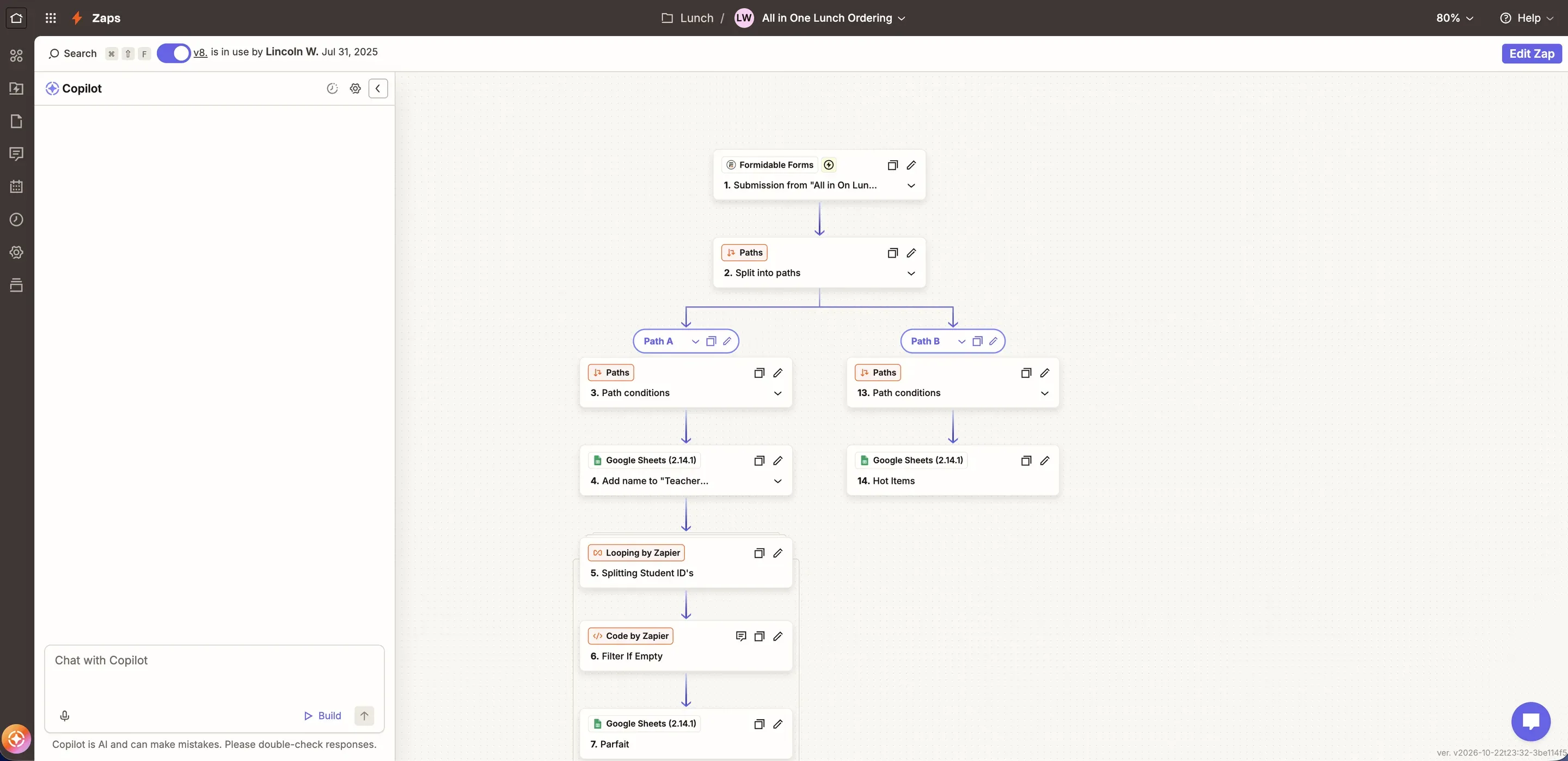
All in One Lunch Ordering — a form submission split into paths, looping over student IDs into Google Sheets
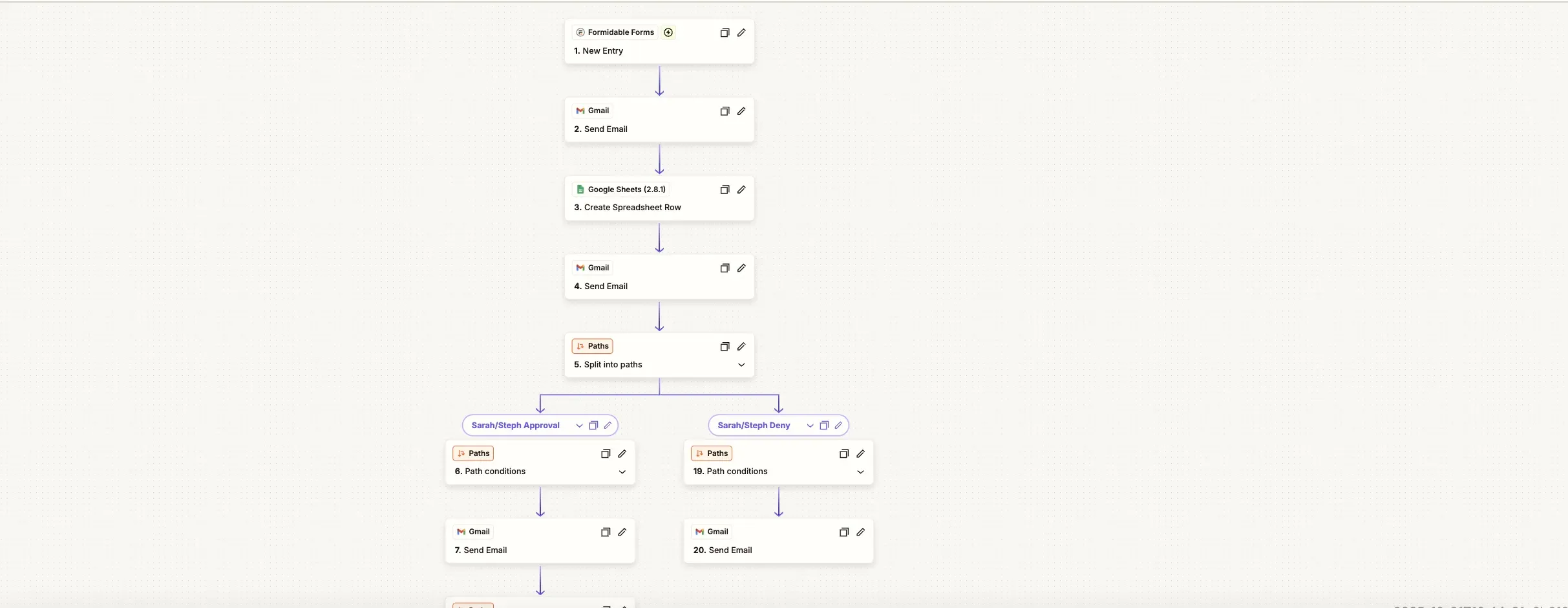
2025 — a new entry, emails and a spreadsheet row, then approve and deny paths
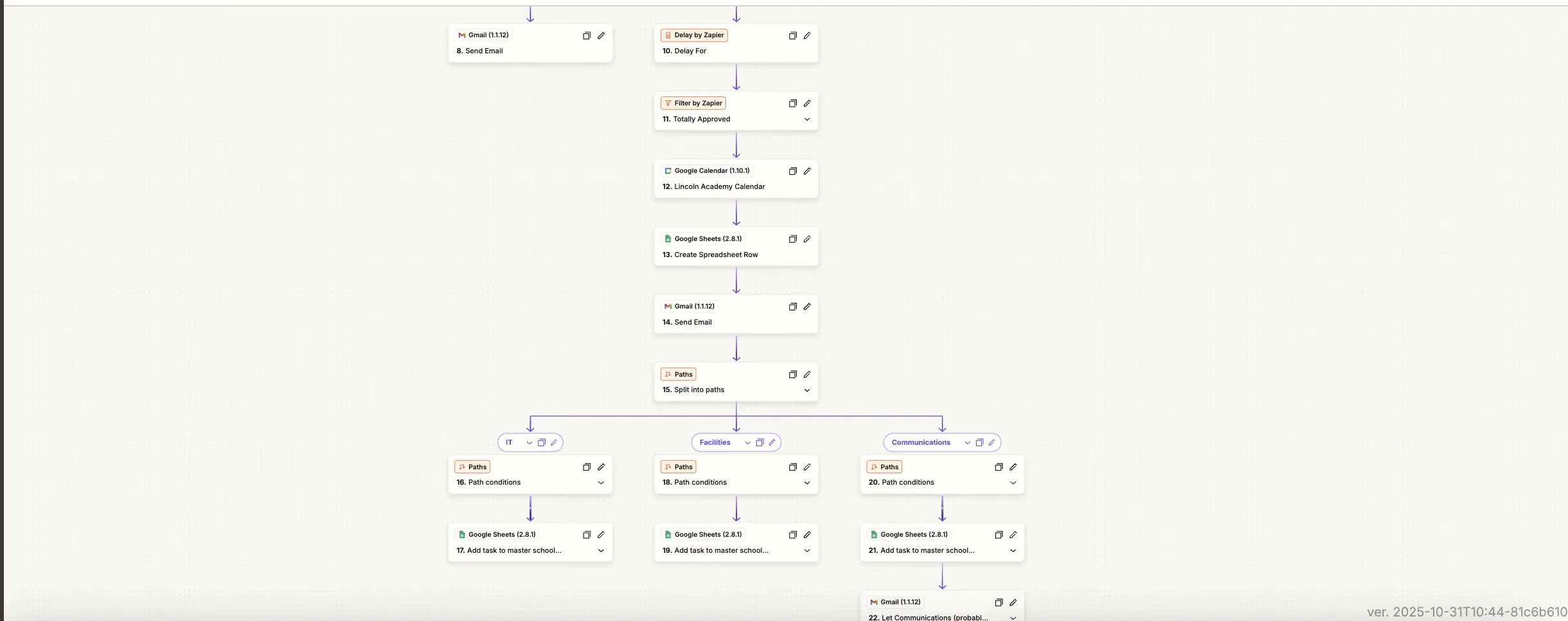
2025 — once approved, onto the school calendar, then tasks for IT, Facilities and Communications
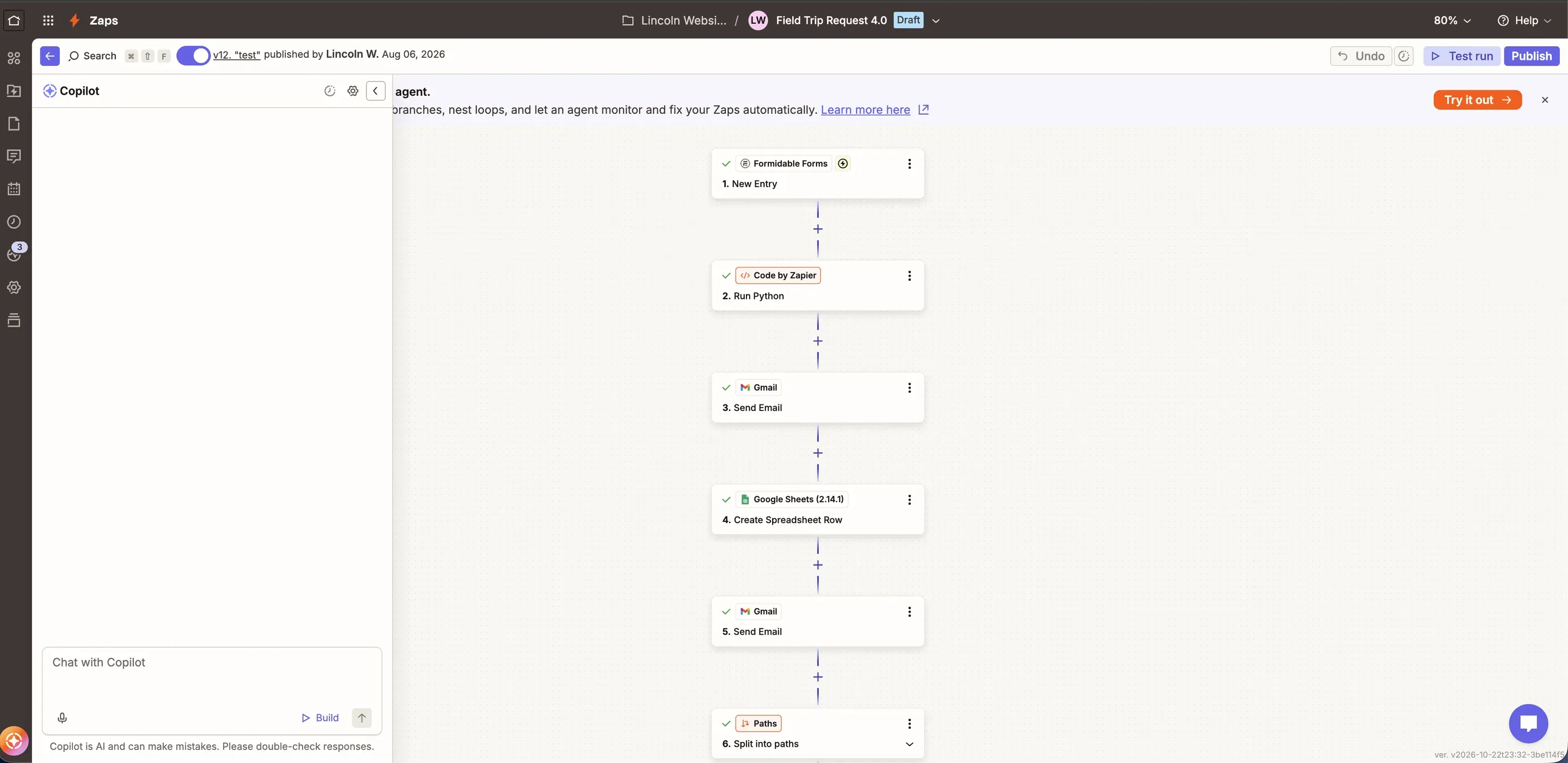
Field Trip Request 4.0 — new entry, Python, emails, a spreadsheet row, then paths
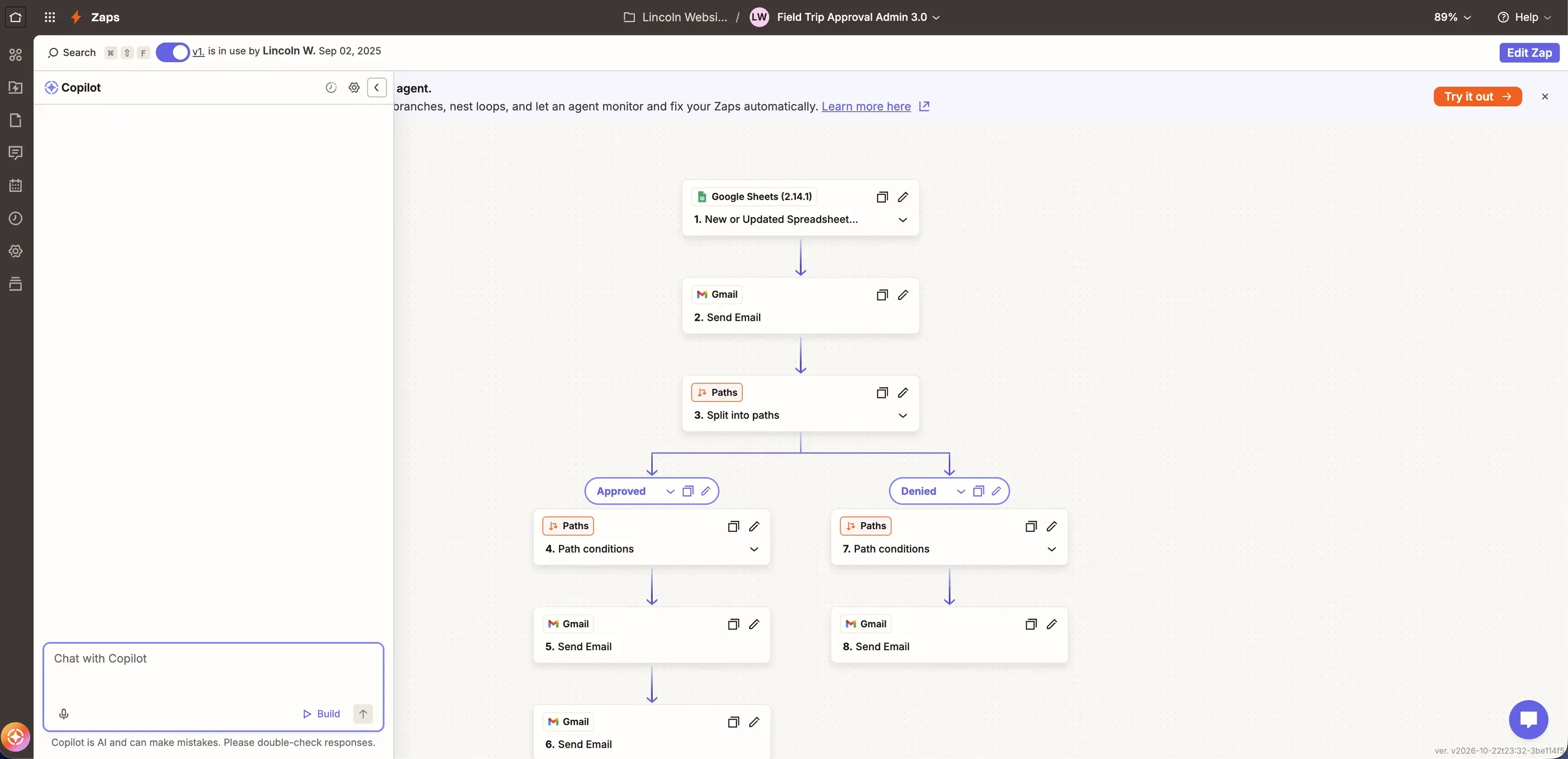
Field trip approval — Approved and Denied paths


Field trip and event requests
This includes things like staff requests, school forms, event-related requests, and other workflows that route information to the right people.

Before · Step 1 of 6
The 2025 event request form
It asked for the teacher’s name, email and phone, the event name and date, start, end and setup times, whether it was during the school day, and the location or department.
A line above the times warns that the event will not make it to the calendar if AM and PM are wrong.
Behind it was a 2025 Zap. Each request sent an email, added a spreadsheet row, then split into approve and deny paths for two admin approvers. Once a request was fully approved, it went onto the Lincoln Academy calendar, and IT, Facilities and Communications each got a task on a master school sheet.
Now · Step 2 of 6
A teacher fills out the form
A teacher fills out the field trip or event form on the website.
Now · Step 3 of 6
Every request gets its own ID
Zapier gives the request its own ID, like FT-123456, and logs it in the spreadsheet.
Now · Step 4 of 6
Approval comes first
Two approvers get the approval request first. Either one can approve it.

Now · Step 5 of 6
Only the people who need it
After a yes, the request goes only to the people who need it: IT and Facilities if the event needs them, and the lunch team if student lunches were requested.


Now · Step 6 of 6
A new date, without starting over
If it’s rejected, the teacher gets an email with a link to propose a new date.
That link already knows which request it belongs to, so nothing has to be retyped.

Step 1 of 6
A staff login through Google
I also built a new staff login connected through Google, so it can be protected and only staff can access it.
The staff portal became one place for internal forms, lunch ordering, tickets, directory information, calendars, and other resources.
Access is tied to staff accounts so internal tools stay private without requiring another completely separate website.
Lincoln at a Glance, 2025
I organize newsletters, blog posts, and custom forms so the office team can quickly update information, track responses, and keep parents informed without digging through spreadsheets or email threads.
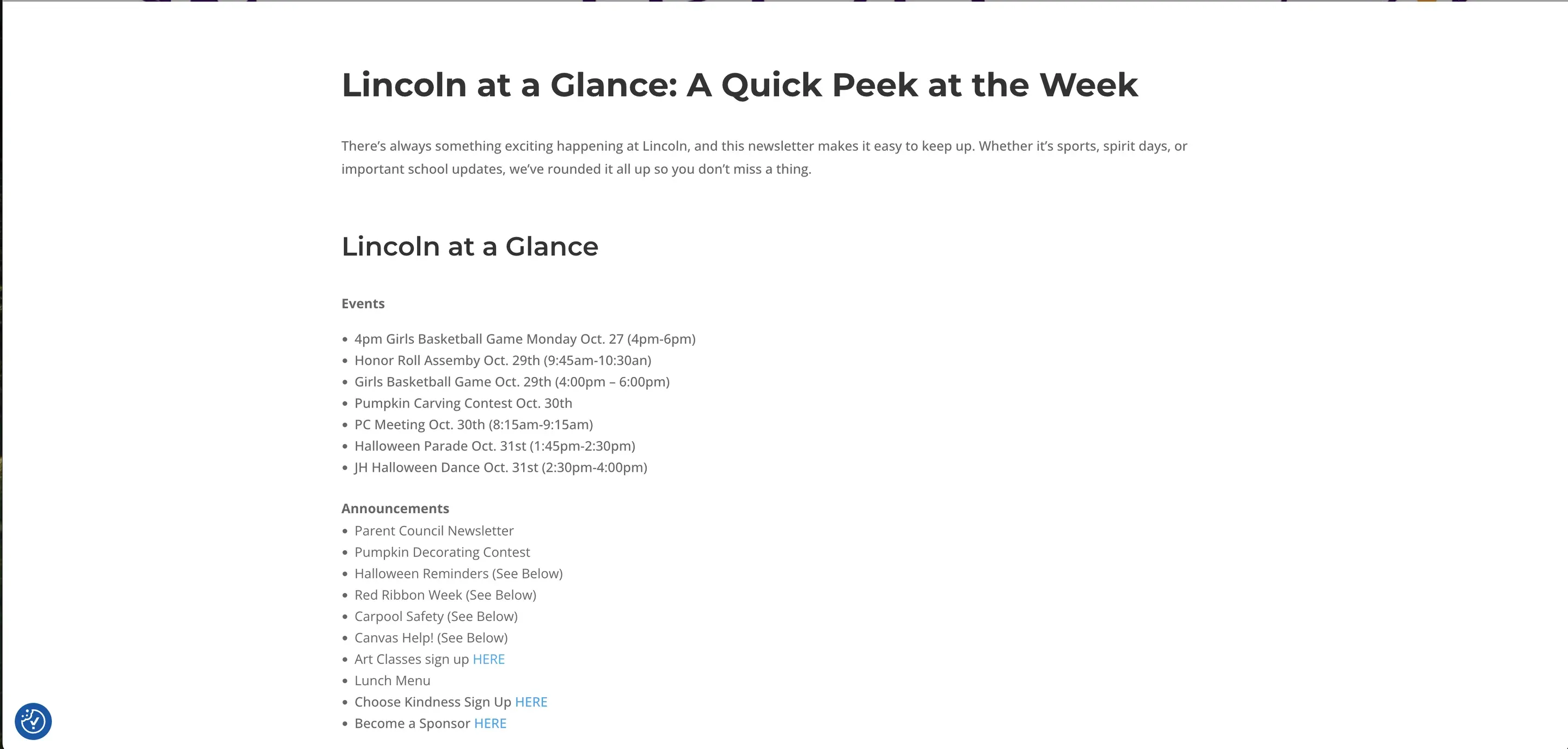
The 2025 web post — events and announcements as plain lists
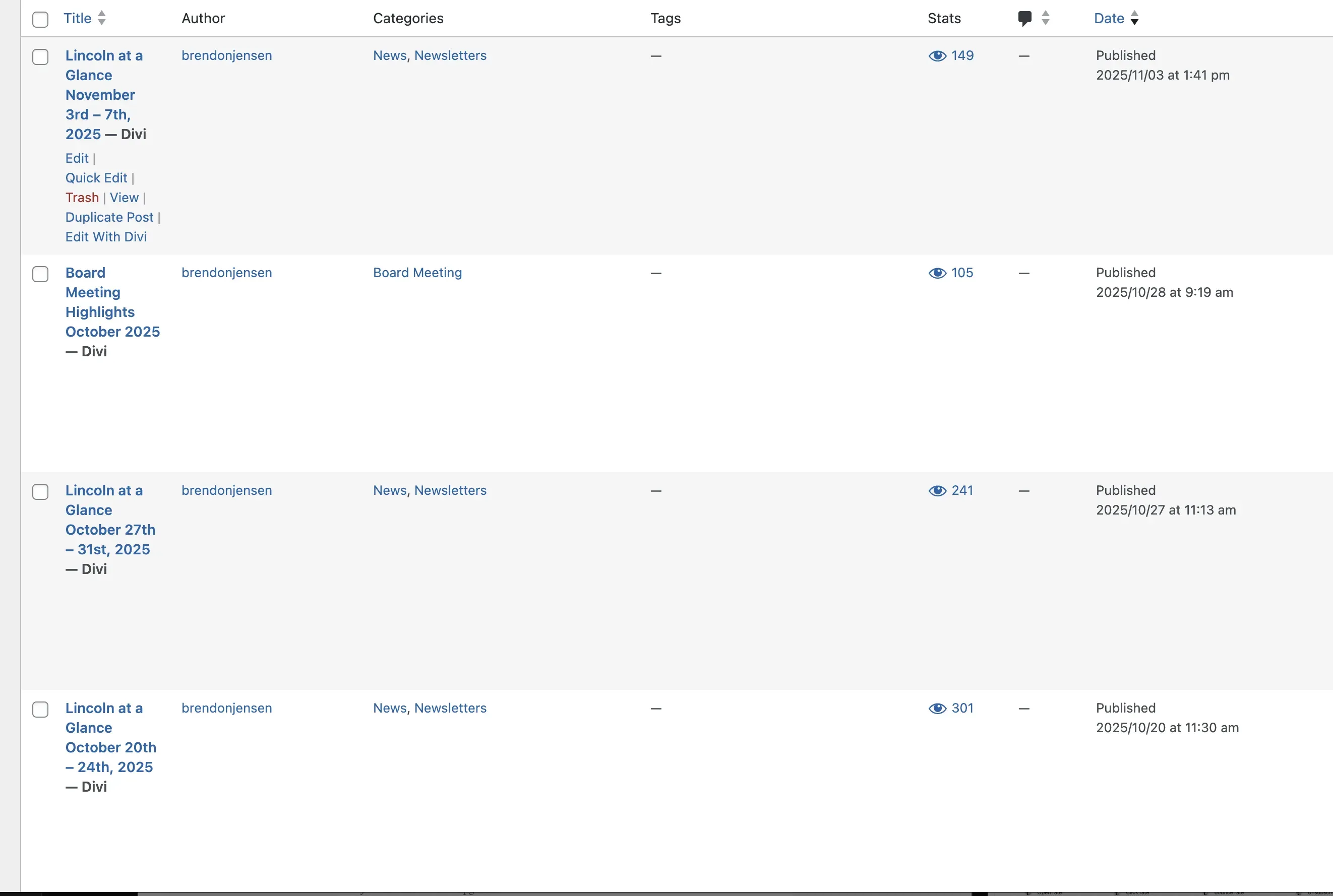
Weekly issues in WordPress — 149, 241 and 301 views on three issues


The Monday newsletter
My role at Lincoln also includes helping communicate what is happening around the school.
Every Monday, I put together and send the school newsletter.
I redesigned that experience so it is easier to scan and gives families a clearer view of upcoming events, announcements, and important information.
I also made calendar dates easier to use so families can add relevant events to their own calendars instead of manually creating them.
On the website, I added an announcement area for information that needs to be seen quickly.
The website, newsletter, calendar, and announcements now work more like parts of the same communication system instead of separate things.
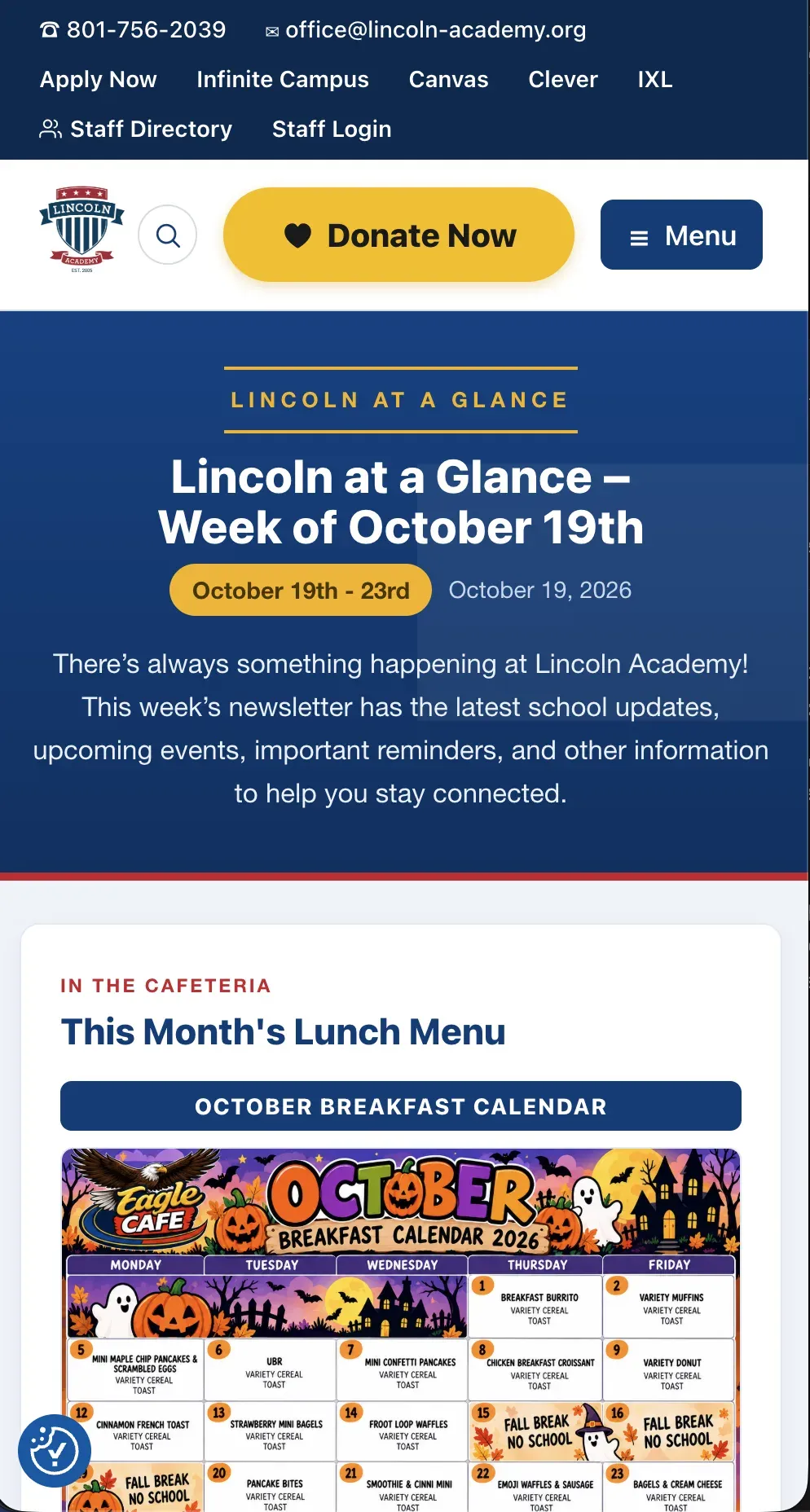
Lincoln at a Glance, the week of October 19th.
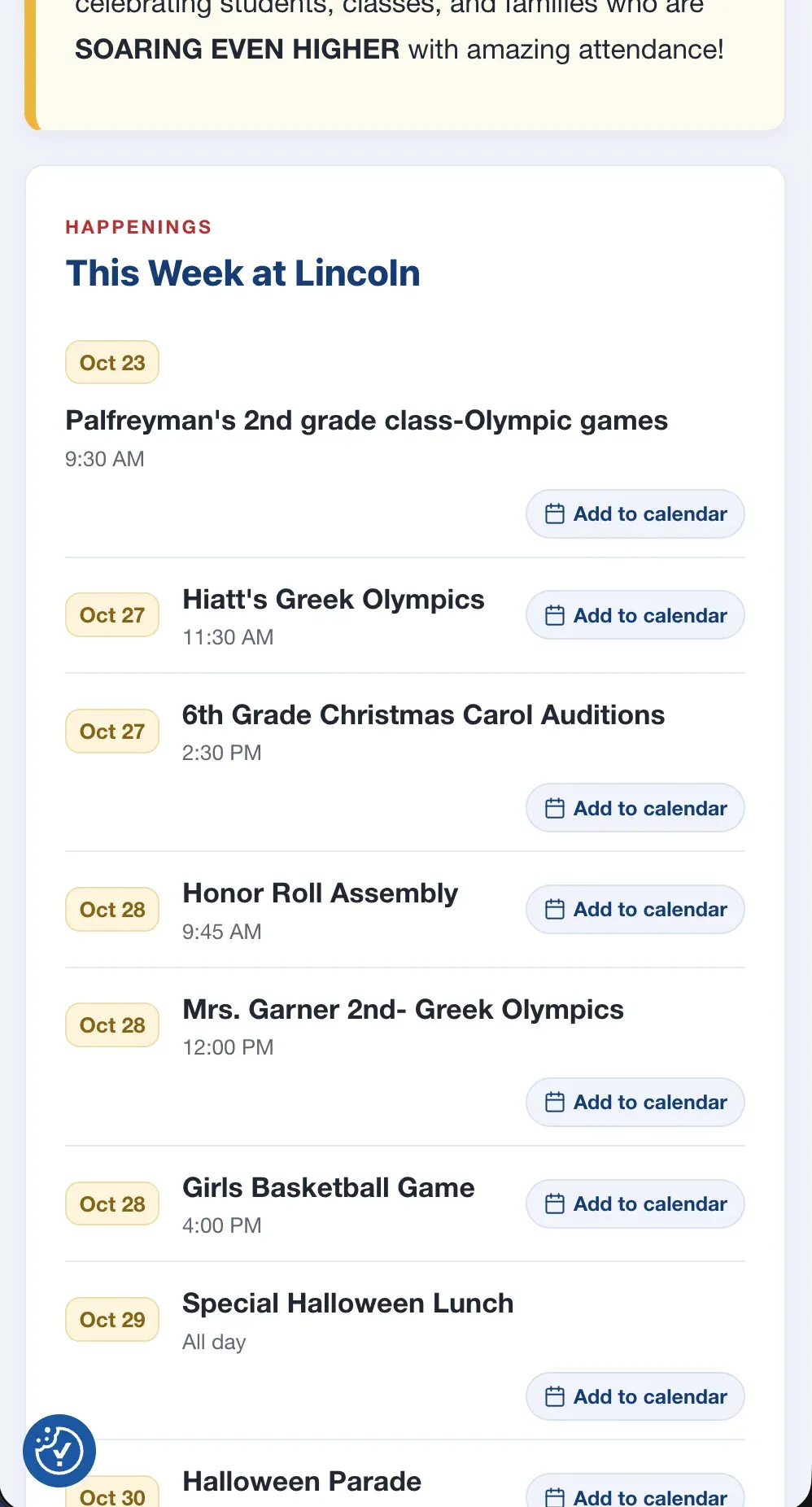
This Week at Lincoln, with Add to calendar on every event.


Accessibility
Accessibility was also part of the rebuild from the beginning.
A school website needs to work for more than one type of user.
I worked on:
- Keyboard navigation
- Better heading structure
- Color contrast
- Screen-reader labels
- Alt text
- Clear form labels
- More consistent templates
Instead of trying to fix accessibility one page at a time after launch, I wanted the theme itself to create a better starting point for every page.
That makes accessibility easier to maintain as new content is added.
The hard problem
Refreshing the lunch dashboard could send the same reminder again because the action had no memory of who had already been contacted.
Problem
Teachers who missed the lunch-order cutoff were supposed to receive one reminder.
Instead, some teachers were getting the same reminder more than once.
That was frustrating for them and made the system look unreliable.
First assumption
My first thought was that somebody was clicking the reminder button several times or that some scheduled process was accidentally running more than once.
The number of duplicate emails made that seem like the obvious explanation.
What I found
The reminder was not actually automated.
It was triggered through a protected URL in the kitchen dashboard.
The security token stayed valid long enough that refreshing the page could run the reminder action again.
If another admin opened the same URL, it could run again there too.
Each time that happened, everyone who was still marked as missing received another email.
The system knew who still needed to submit lunch.
It did not know who had already been reminded.
That was the real problem.
Fix
I changed the reminder process so it remembers who has already been contacted that day.
Before sending an email, the system checks the day’s reminder record.
If that teacher has already received one, they are skipped.
If the email sends successfully, that teacher is added to the record.
That means refreshing the page, clicking the button twice, or having another admin open it does not send the same reminder again.
I also updated the email handling so replies go back to the kitchen instead of somewhere unrelated.
How I verified it
After the fix, I deliberately triggered the reminder several times.
The first send worked normally.
Every attempt after that skipped the teachers who had already been contacted and sent zero duplicate emails.
Then I tested with a teacher who had not been reminded yet and confirmed that person still received exactly one.
Result
The biggest change is that Lincoln’s website now feels much more like a tool for the people who are already part of the school.
I do not have a conversion number to attach to a school website, and that would not be the right way to judge this project anyway.
The result I care about is that parents can find things faster, staff have better tools, and departments can do more of their work without fighting the website.
The old website had become a collection of pages and plugins.
The new one is built much more closely around how the school actually works.
What I'd do differently
The first thing I would change is the staging and launch process.
I would want a staging environment that mirrors production as closely as possible and a narrower deployment process instead of moving more of the database than necessary.
That would make production-only issues easier to catch before launch.
I would also create a formal content-parity checklist before migration.
With a site this large, it is easy for one old page, external tool link, or program resource to get missed.
A checklist would make every old page and important link something that gets intentionally kept, replaced, redirected, or removed.
Finally, I would automate more of the final QA.
Broken-link checks, accessibility scans, and other basic tests should happen before deployment instead of waiting for a parent or staff member to find the problem.
Full stack
- CMS and backend
- WordPress
- PHP
- ACF Pro
- MySQL
- Custom post types
- Custom roles and capabilities
- Front end
- HTML
- SCSS / CSS
- JavaScript
- Responsive layouts
- Forms and automation
- Formidable Forms
- Zapier
- Authentication and integrations
- Google SSO
- Nextend Social Login
- Google Calendar / ICS
- Development
- Local by Flywheel
- WP-CLI
- Git / GitHub