Rally Trailer Manufacturing
Turning a website into a tool for customers, dealers, marketing, and operations
In short
- What started as a website I was maintaining became a platform I designed around how Rally actually markets, sells trailers, works with dealers, and supports its operations.
- I built a ZIP-code system that connected a customer with the correct dealer based on their location — I built a private dealer portal inside the website.
- The site that once took around 26 seconds to load now loads in under two seconds after the rebuild and continued optimization.
The situation
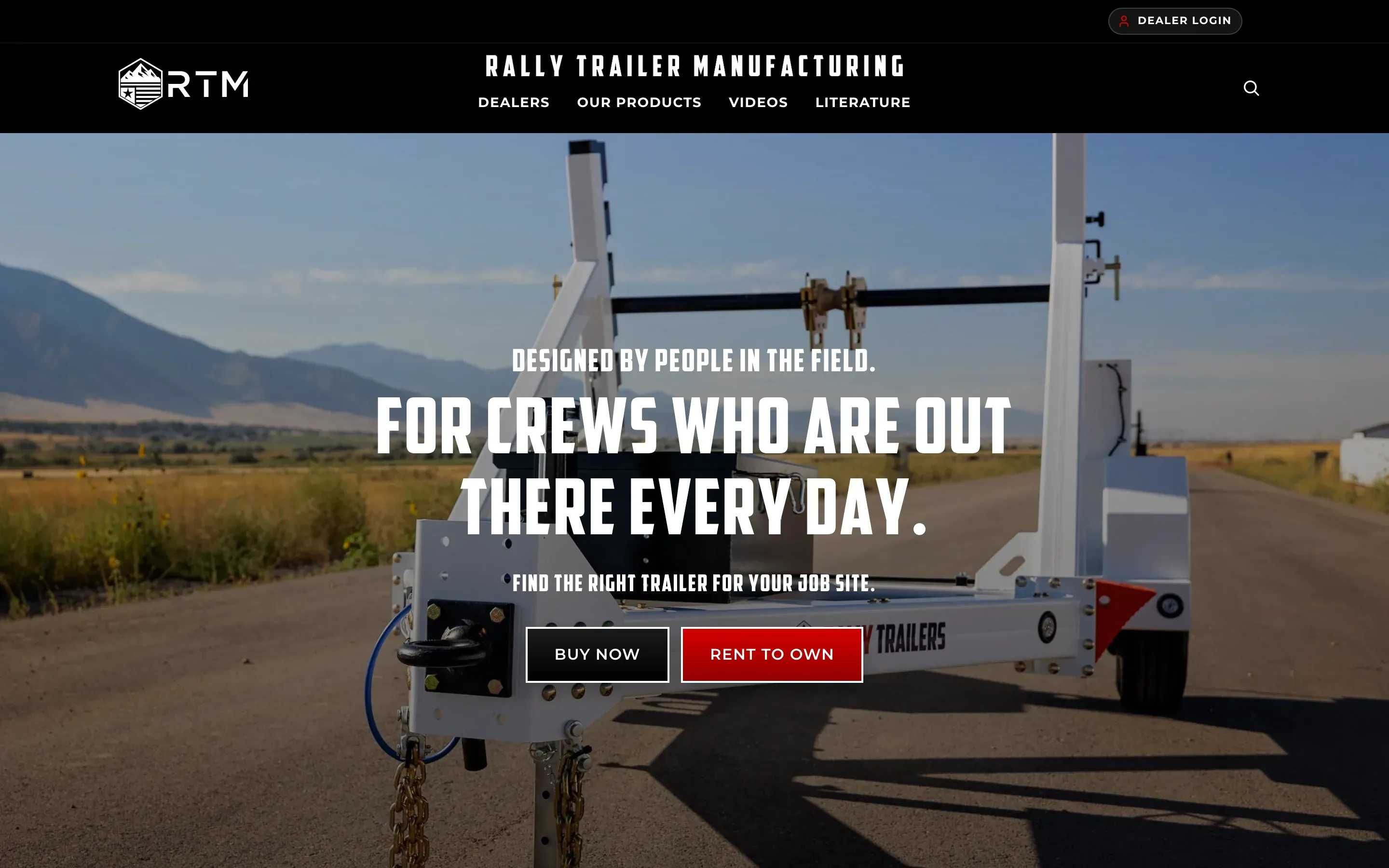
Rally Trailer Manufacturing builds industrial reel and cable trailers for telecom, utility, and construction crews.
When I took over the website, it had grown into a mix of different WordPress systems.
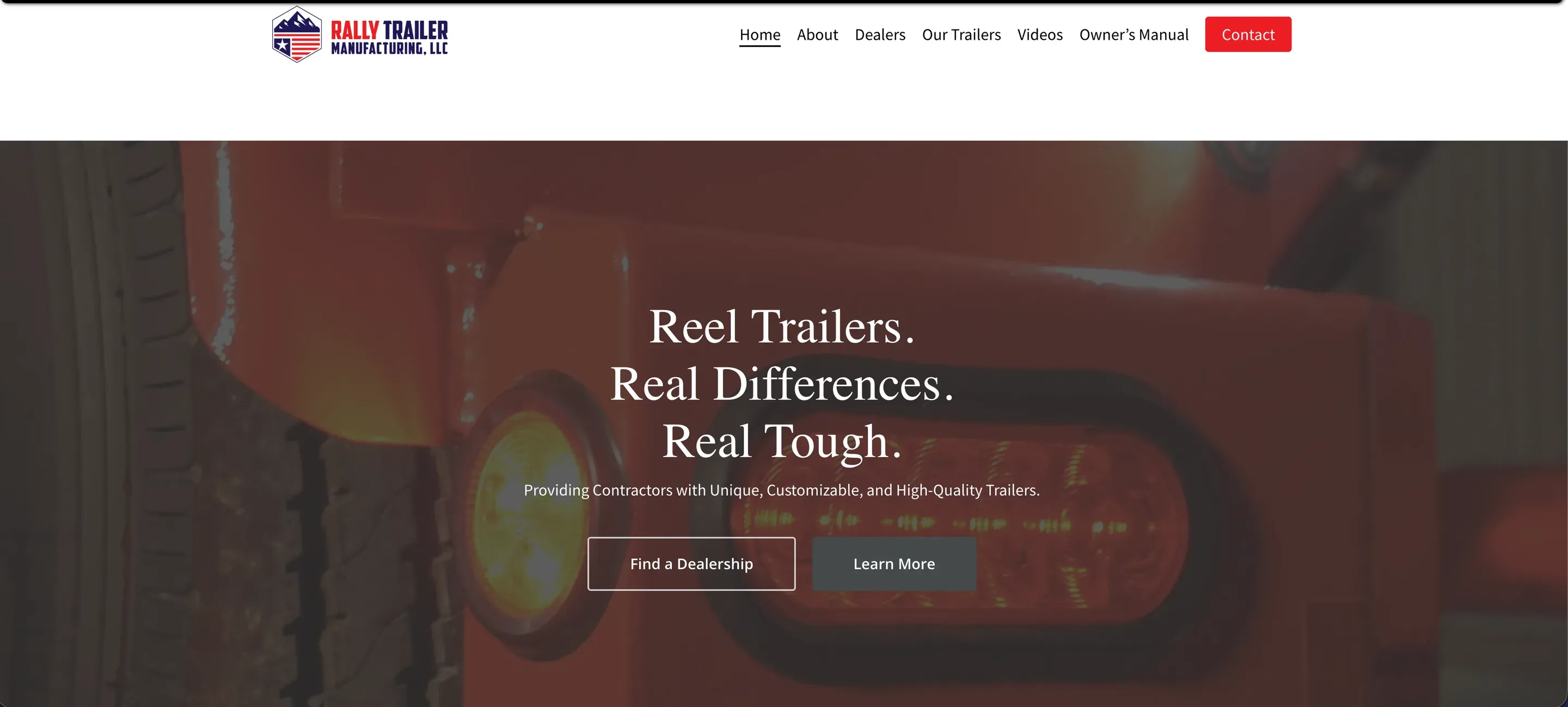
The original site was built with the Salient theme and WPBakery. Later, Elementor had been added on top of that, along with the Hello Elementor theme in parts of the site.
Some pages were built in WPBakery.
Some were built in Elementor.
Different sections depended on different themes, and there were multiple caching systems running at the same time.
But the business was also asking more from the website.
Customers needed an easier way to find the right trailer and contact the correct dealer.
Dealers needed better access to leads, inventory, and trailer requests.
Marketing needed to update pages without fighting several different builders.
Operations needed better visibility into what dealers were requesting and where trailers were in production.
The website was starting to become more than a marketing site.
It was becoming part of how Rally actually sold trailers and worked with its dealer network.

My role
I became the main person responsible for Rally’s website and most of the day-to-day web work around it.
I worked directly with marketing, sales, operations, leadership, and dealers.
At first, that meant maintaining and improving the website Rally already had.
Over time, it turned into much more.
I worked on landing pages, trailer pages, lead generation, dealer tools, forms, performance, product content, SEO issues, analytics, dealer routing, and internal workflows.
One of the first bigger sales projects was adding Buy Now and Rent Now to the website.
That sounded like two buttons.
It ended up becoming a full lead-routing system.
As Rally kept wanting to do more with dealers, leads, products, and internal tools, I reached a point where adding more onto the existing WordPress setup did not make sense anymore.
I put together a plan to rebuild the website from the ground up.
Once the plan was approved, I was given control of the project, including the site structure, development approach, page system, trailer experience, dealer tools, and how the different parts of the website worked together.
At a glance
About 26 seconds to under 2 seconds
Website load time
The original site had major performance problems. After the rebuild and continued optimization, load time dropped to under two seconds.
30+ trailer models
Structured product pages
Each trailer has its own specifications, images, options, upgrades, documents, and buying information.
27 reusable modules
Marketing-editable sections
Pages can be built and rearranged from reusable content sections instead of needing a developer for every layout change.
How the project evolved
The rebuild did not happen because I came in and immediately decided page builders were bad.
It happened in stages.
The site I inherited
Work with what Rally already had
I inherited the Salient, WPBakery, Elementor, and Hello Elementor setup and started fixing the biggest problems inside it.
I rebuilt pages in Elementor, cleaned up layouts, fixed bugs, improved mobile behavior, and worked on performance.
It helped, but the site still had multiple builders, multiple themes, multiple caches, and performance problems.
Propose the rebuild
At that point, the business had outgrown the architecture.
I proposed rebuilding the site as one custom WordPress theme that could handle the public website, trailer data, dealer routing, lead management, and future tools in one system.
The plan was approved, and I took ownership of the rebuild.


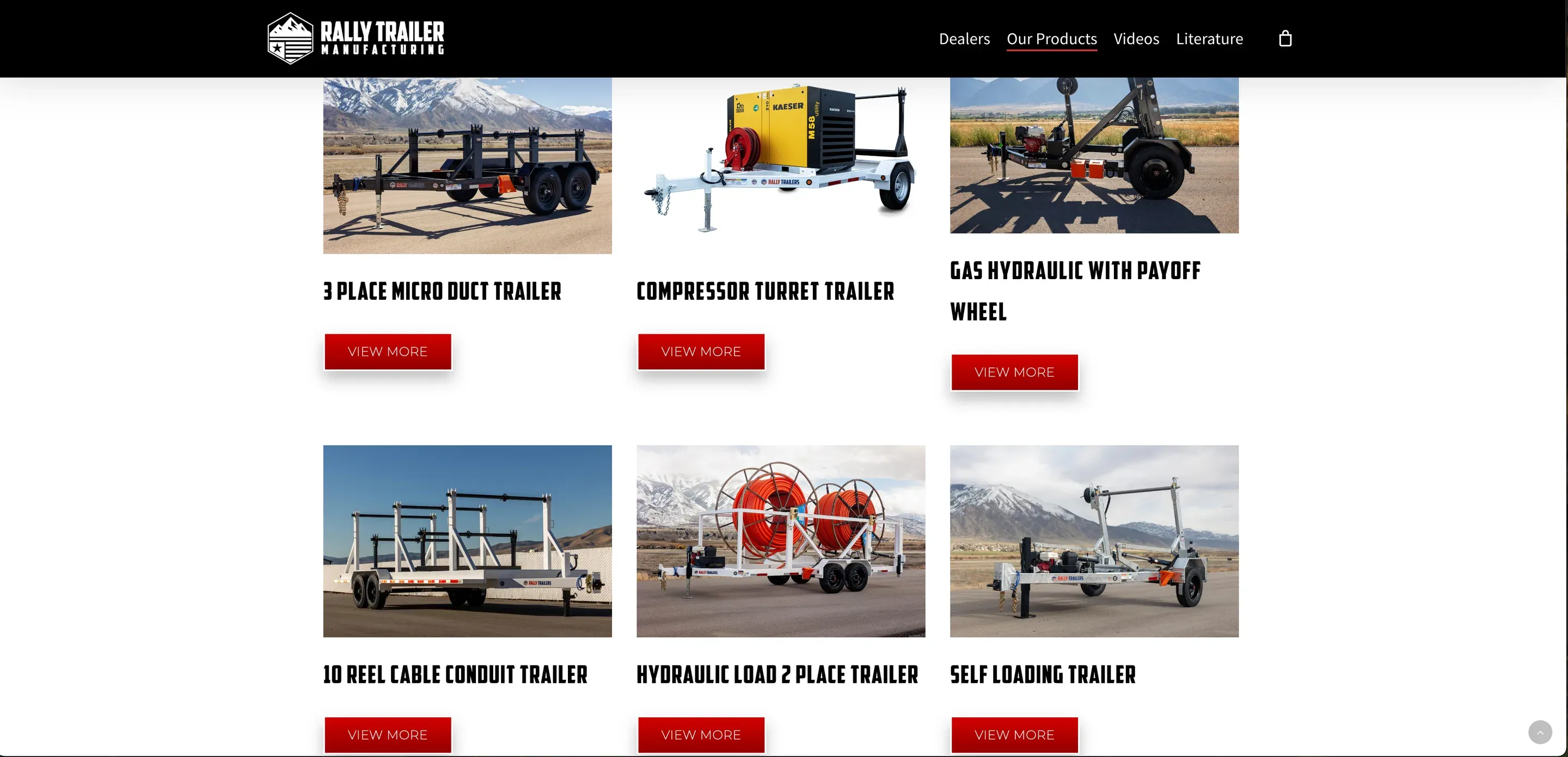
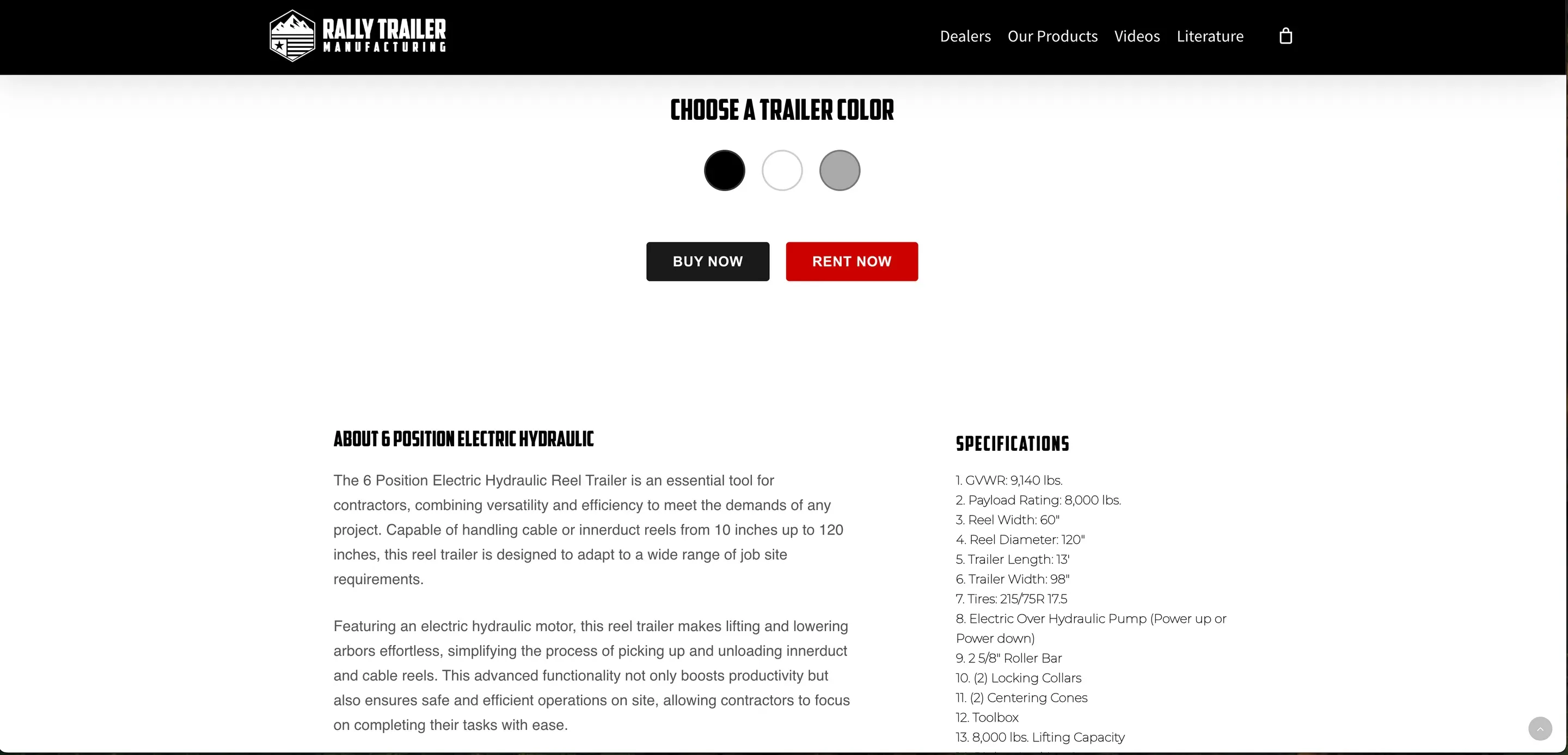
2022: The site I inherited
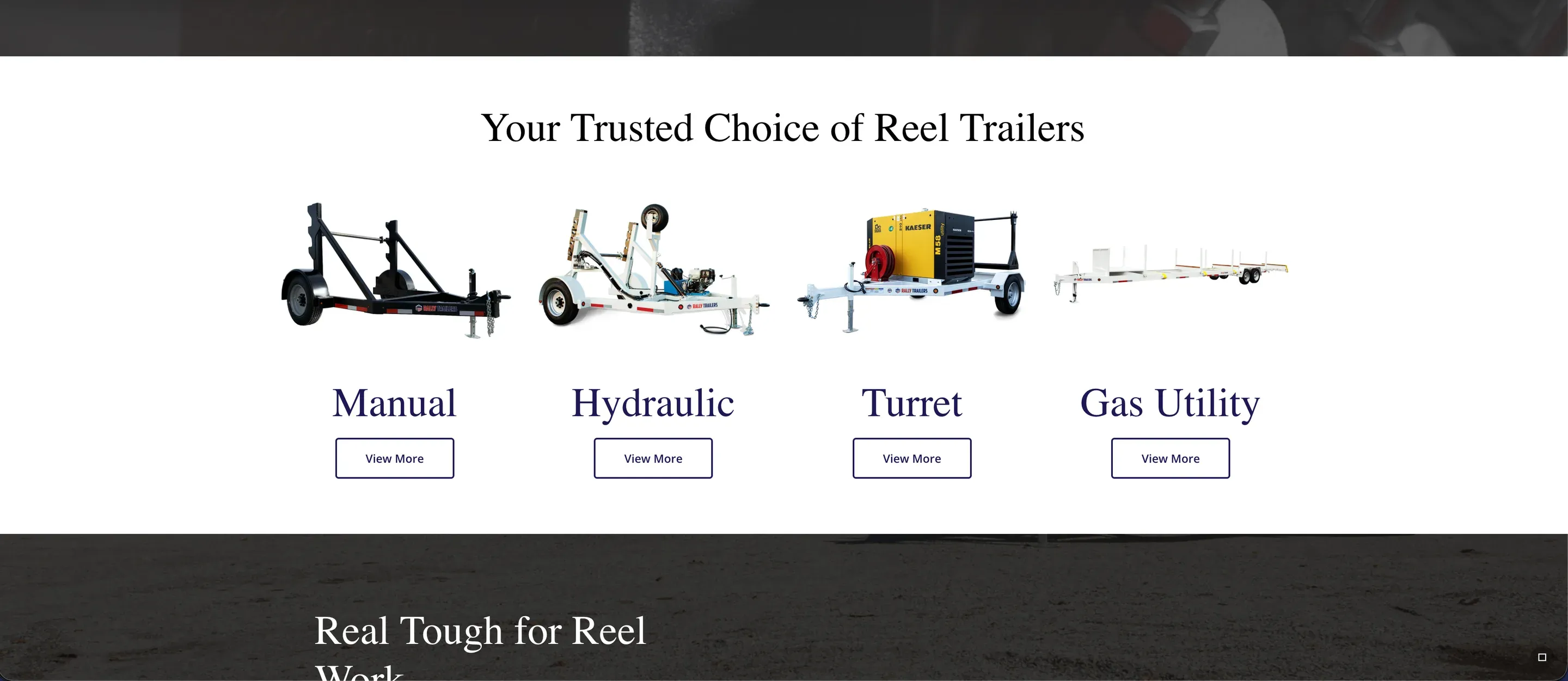
2025: Work with what Rally already had
I inherited the Salient, WPBakery, Elementor, and Hello Elementor setup and started fixing the biggest problems inside it.
I rebuilt pages in Elementor, cleaned up layouts, fixed bugs, improved mobile behavior, and worked on performance.
It helped, but the site still had multiple builders, multiple themes, multiple caches, and performance problems.
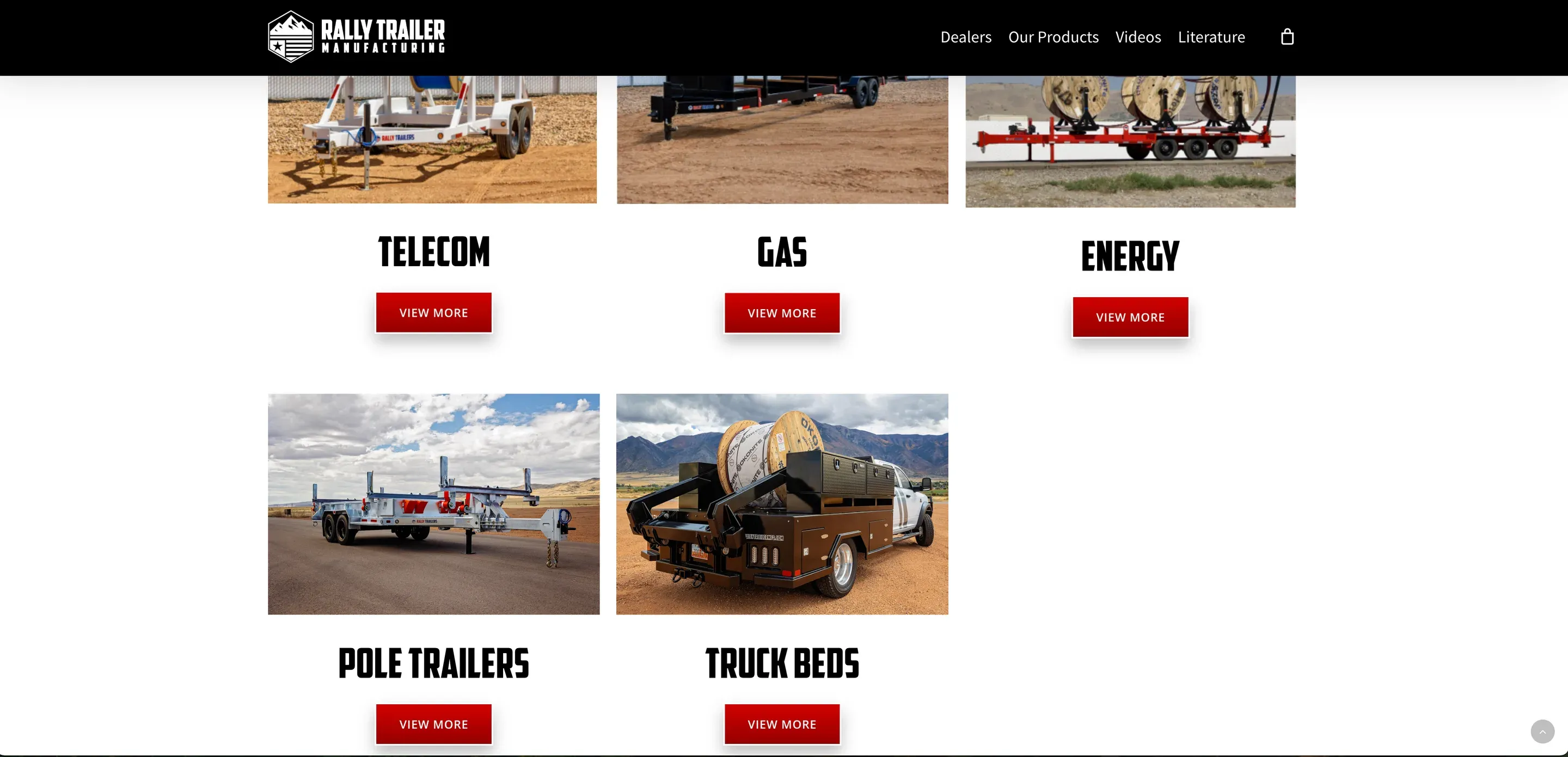
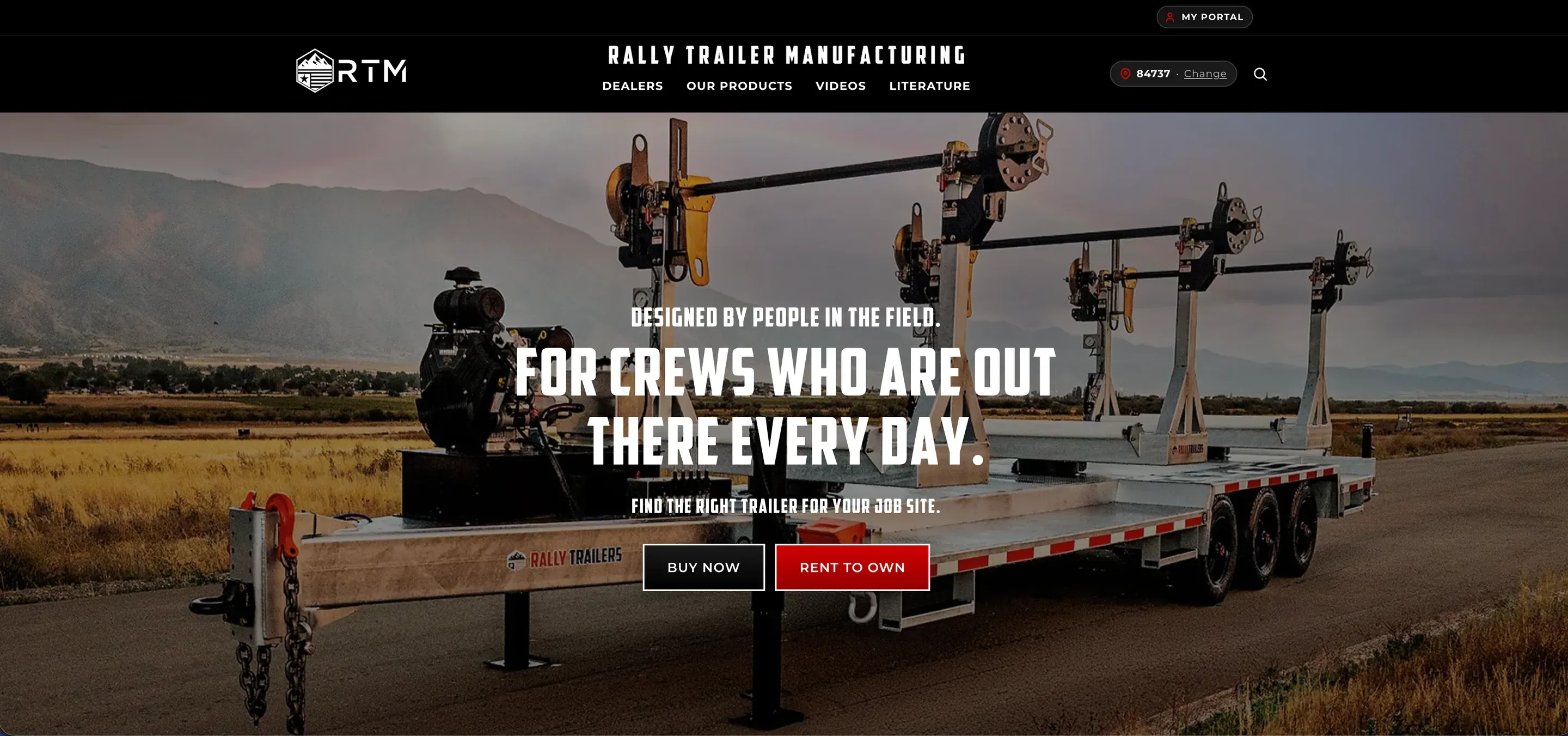
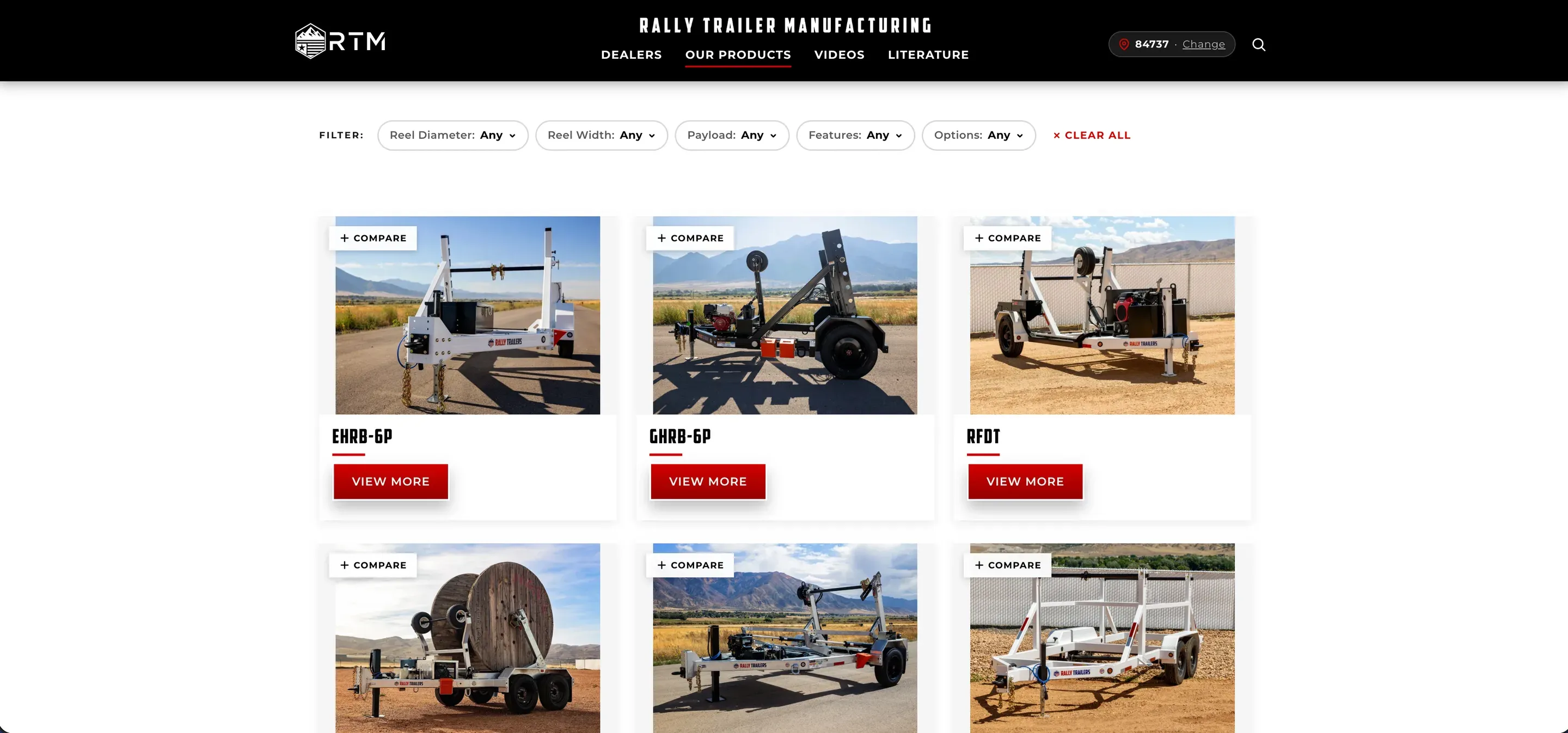
2026: Propose the rebuild
At that point, the business had outgrown the architecture.
I proposed rebuilding the site as one custom WordPress theme that could handle the public website, trailer data, dealer routing, lead management, and future tools in one system.
The plan was approved, and I took ownership of the rebuild.

Key decisions
Rebuild only after the existing system reached its limit
I did not rebuild the site just because I wanted to custom code something.
I had already spent a lot of time working inside the existing setup.
I knew what it could do, what it struggled with, and what kept breaking.
The biggest problem was that every new feature made the stack harder to maintain.
Even after moving pages into Elementor, I was still working around old WPBakery content, multiple themes, caching conflicts, and performance issues.
Rally was also asking for things that page builders were never really meant to manage, including dealer territories, lead routing, custom portals, trailer comparisons, and production tracking.
At that point, a custom build gave us more room to grow instead of adding another layer on top.
Stop asking customers for information the website already knows
One thing that bothered me about the old forms was how much information the customer had to repeat.
Someone could be on a specific trailer page and still be asked:
- Which trailer are you interested in?
- What state are you in?
- Which dealer are you trying to contact?
That did not make sense.
If somebody is already looking at the SLRT-28R page, the website already knows which trailer they want.
The new forms automatically capture the trailer the customer is viewing.
Their ZIP code determines their state and dealer territory.
The lead can then be sent to the correct dealer without making the customer figure any of that out.
The form became shorter because the website started doing more of the work.
Build trailer pages around how someone actually chooses equipment
Industrial trailers are not products where somebody picks the nicest photo and checks out.
Customers care about specifications.
They need to know capacity, dimensions, axle setup, reel size, options, available upgrades, and which trailer fits the work they are doing.
I rebuilt each trailer page around that decision.
Each page now includes:
- Trailer photos
- Specifications
- Buy Now
- Rent to Own
- Sticky action buttons
- Spec sheets
- Available options
- Upgrade information
- Related trailers
- Comparison tools
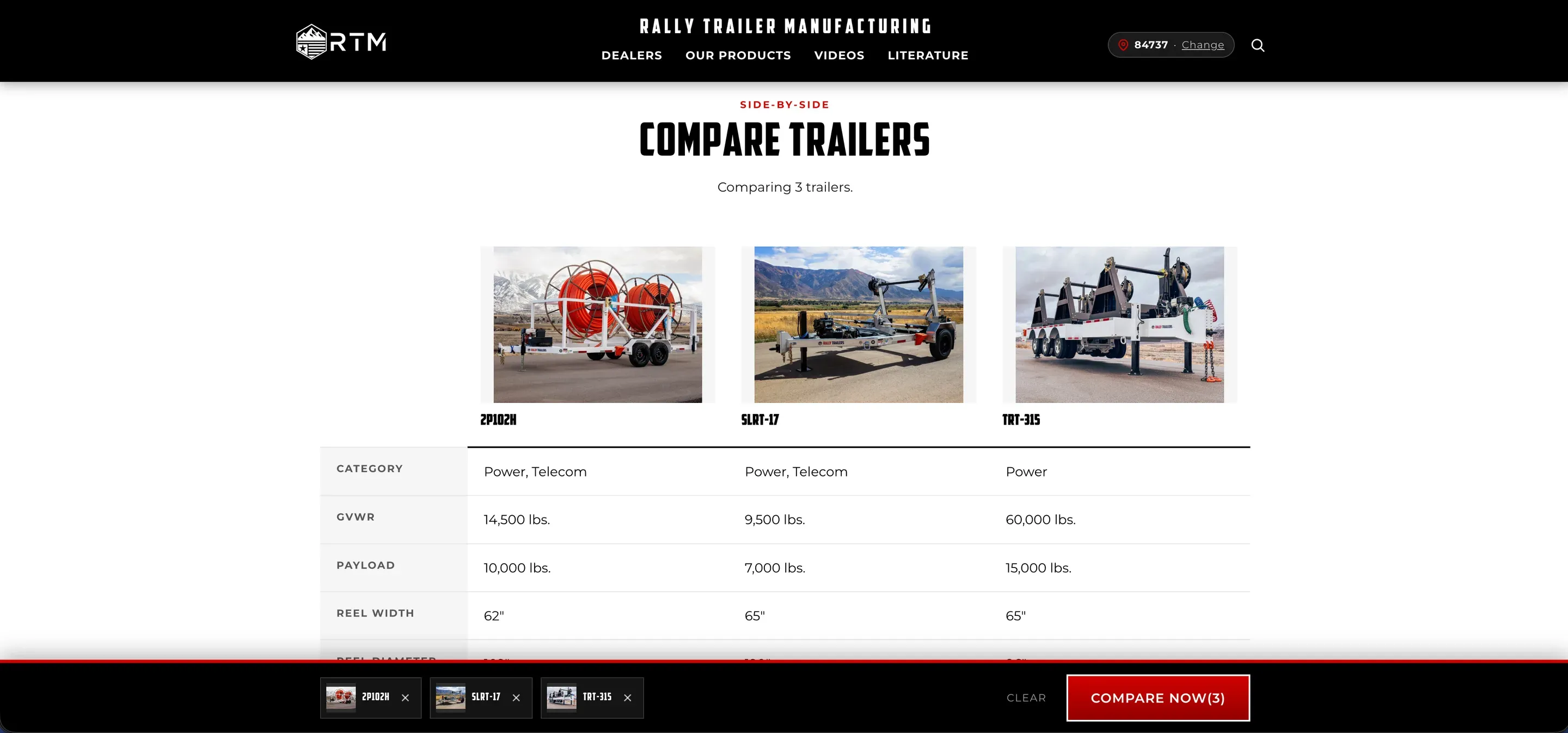
Customers can compare up to three trailers side by side.
That lets someone actually evaluate the differences instead of opening several tabs and trying to remember which trailer had which specification.

Walk through the new site
Scroll to move down each page. The numbers mark what I built into it.
Page 1 of 3
A trailer page
Customers care about specifications. Capacity, payload, reel width and reel diameter are the first thing on the page.
The new forms automatically capture the trailer the customer is viewing.
Every section of the page is one click from the menu, with the spec sheet and owner manual beside it.
Each trailer has its own specifications, images, options, upgrades, documents, and buying information.
What comes included and the add-ons available, listed separately.
Upgrade information, right on the trailer it applies to.
Similar trailers, so a customer can keep comparing without starting over.
Not sure? The page ends by sending the customer to their local dealer.

Page 2 of 3
A category page
Filter by reel diameter, reel width, payload, features and options.
Customers can compare up to three trailers side by side.
And a way to ask for a trailer that isn't in the grid.

Page 3 of 3
The home page
On the homepage, customers can choose the trailer they are interested in.
Telecom, gas, power and pole trailers, each a page of its own.

Building around the sales process
One of the biggest changes was connecting the website to what happens after someone becomes interested in a trailer.
A customer enters their ZIP code.
The website determines their dealer territory.
The customer chooses the trailer they are interested in.
The lead is captured with the correct trailer and location already attached.
The correct dealer receives the lead.
Rally can see that the lead exists.
The dealer can follow up with the customer.
The system can also check back later instead of letting the lead disappear into an inbox.
That same thinking carried into the rebuild.
The website should not stop doing its job after somebody presses Submit.
Buy Now and Rent to Own

Before · Step 1 of 4
Find your local dealer
Someone could be on a specific trailer page and still be asked:
- Which trailer are you interested in?
- What state are you in?
- Which dealer are you trying to contact?
That did not make sense.


Now · Step 2 of 4
The trailer is already filled in
If somebody is already looking at the SLRT-28R page, the website already knows which trailer they want.
The new forms automatically capture the trailer the customer is viewing.


Now · Step 3 of 4
The ZIP code picks the dealer
Their ZIP code determines their state and dealer territory.
A customer can enter or change their ZIP code and the site can use that location to figure out which dealer should handle them.


Now · Step 4 of 4
Then just the contact details
The lead can then be sent to the correct dealer without making the customer figure any of that out.
The form became shorter because the website started doing more of the work.

Step 1 of 4
Building the dealer portal
As Rally’s dealer network grew, they needed more than emailed leads.
I built a private dealer portal inside the website.
Each dealer has their own login and only sees the information connected to their dealership.
Dealers can:
- Receive and manage their leads
- See quoted trailers
- See sold trailers
- Request trailers for their lot
- Follow trailers through the build process
- See which production stage their trailers are in
- Receive messages from Rally
- Communicate with Rally staff
- Update dealership information and branding
Rally admins can also communicate with dealers individually instead of treating the entire dealer network like one group.
The portal turned the website into a working tool for the dealer relationship instead of just a public marketing site.
Inside the dealer portal

Step 1 of 4
One login per dealership
Each dealer has their own login and only sees the information connected to their dealership.
- Receive and manage their leads
- See quoted trailers
- See sold trailers
- Request trailers for their lot

Step 2 of 4
Talking to one dealer, not all of them
- Receive messages from Rally
- Communicate with Rally staff
Rally admins can also communicate with dealers individually instead of treating the entire dealer network like one group.

Step 3 of 4
Trailers in the shop
- Follow trailers through the build process
- See which production stage their trailers are in

Step 4 of 4
A walkthrough and a quick reference
- Update dealership information and branding
The portal turned the website into a working tool for the dealer relationship instead of just a public marketing site.
Step 1 of 4
Building for the shop floor
Not every internal user needed the same type of system.
The shop floor works differently from the dealer network.
They use shared department computers and do not need individual customer-style accounts.
Instead of forcing every employee into a login system they would have to remember and manage, I built the production board around how they actually work.
They can see the trailer builds that need attention and where those builds are in the process without making the system harder than the job itself.
That decision was simple: build something people will actually use.
The hard problem
The dealer portal worked perfectly for me and silently failed for the people who actually used it.
Problem
The operations team reported that changes inside the dealer portal were not always saving.
Trailers added to a dealer’s lot would disappear.
Lead statuses could be changed and then come back as “New.”
The frustrating part was that I could not reproduce it.
I could log into production, make the same changes, reload the page, and everything worked.
First assumption
My first thought was that something was wrong with the save logic.
If information is not staying in the database, the obvious place to look is the code saving it.
I traced the status handler and database updates.
They were working correctly.
That meant the failure was happening somewhere else.
What I found
I started looking at the actual network requests from the affected accounts.
The portal’s AJAX requests were returning 403 Forbidden.
WordPress was rejecting the security nonce.
That led me to LiteSpeed.
The host’s cache was serving logged-in users cached copies of portal pages.
Those cached pages contained old security tokens.
By the time the operations team tried to save something, WordPress correctly rejected the stale token.
That also explained why I struggled to reproduce it.
My own admin session kept getting a freshly generated page with a valid nonce.
The people actually using the portal were getting cached versions with expired ones.
The save code was fine.
The cache was the problem.
Fix
I excluded the authenticated dealer portal and its AJAX endpoints from LiteSpeed’s cache.
Logged-in users now always receive a freshly generated page with a valid security token.
I also made the front end show a clear retry message if an AJAX request fails instead of quietly acting like the change saved.
I did not weaken or remove the WordPress nonce checks.
They were doing exactly what they were supposed to do.
The right fix was making sure the cache stopped serving authenticated pages with old tokens.
// Lives in functions.php, where plugin updates can't undo it.
add_action('template_redirect', function () {
    if (is_user_logged_in() && is_page_template('templates/dealer-portal.php')) {
        // Keep LiteSpeed from caching the dealer portal.
        do_action('litespeed_control_set_nocache', 'dealer portal');
    }
});// If the nonce expired, refresh it and retry once.
let res = await saveLead(form);
if (res.status === 403) {
portal.nonce = await refreshNonce();
res = await saveLead(form);
}
if (!res.ok) showNotice("That didn't save. Reload the page and try again.");How I verified it
I reproduced the full dealer workflow on production using a separate account.
I changed lead statuses.
I added trailers to a dealer lot.
I reloaded the page.
I checked that everything stayed saved.
I watched the network requests and confirmed the 403 responses were gone.
I also checked the response headers to make sure LiteSpeed was no longer caching the portal pages.
That gave me proof that the actual cause was fixed instead of just making the symptom disappear.
Result
The biggest change is not just that the new site is faster.
It is that the website can do much more for the business.
The original site was a mix of themes, builders, caches, and forms that needed a lot of manual help.
The rebuilt site is now one system designed around how Rally actually works.
I have also tested the new site against competitors using Lighthouse, and Rally is now performing much closer to where I wanted a modern manufacturing website to be.
I do not own all of Rally’s sales analytics, so I am not going to claim that the rebuild increased sales by a percentage I cannot verify.
What I can stand behind is the system I built and the problems it removed.
Marketing side
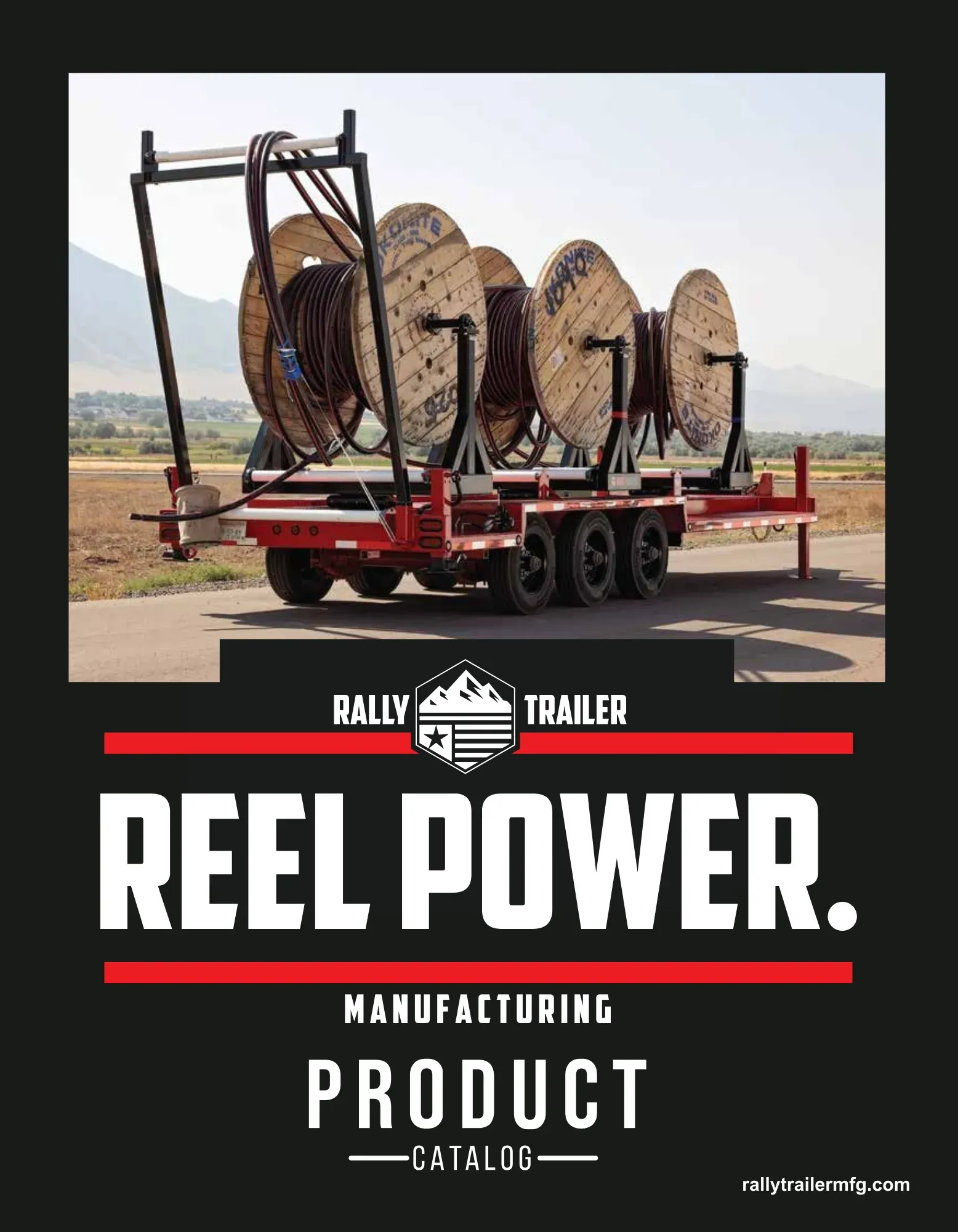
Product catalog cover
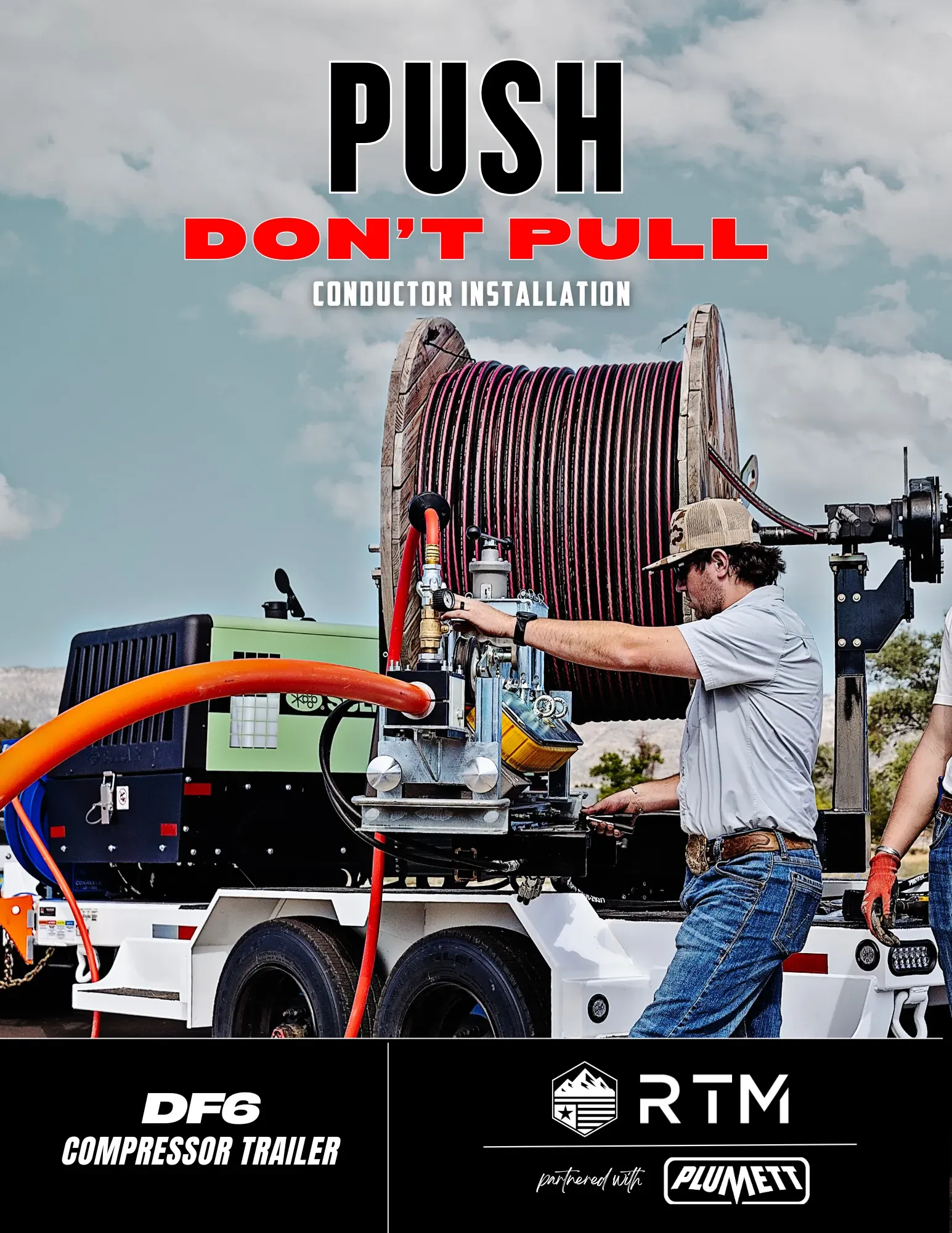
Energy catalog
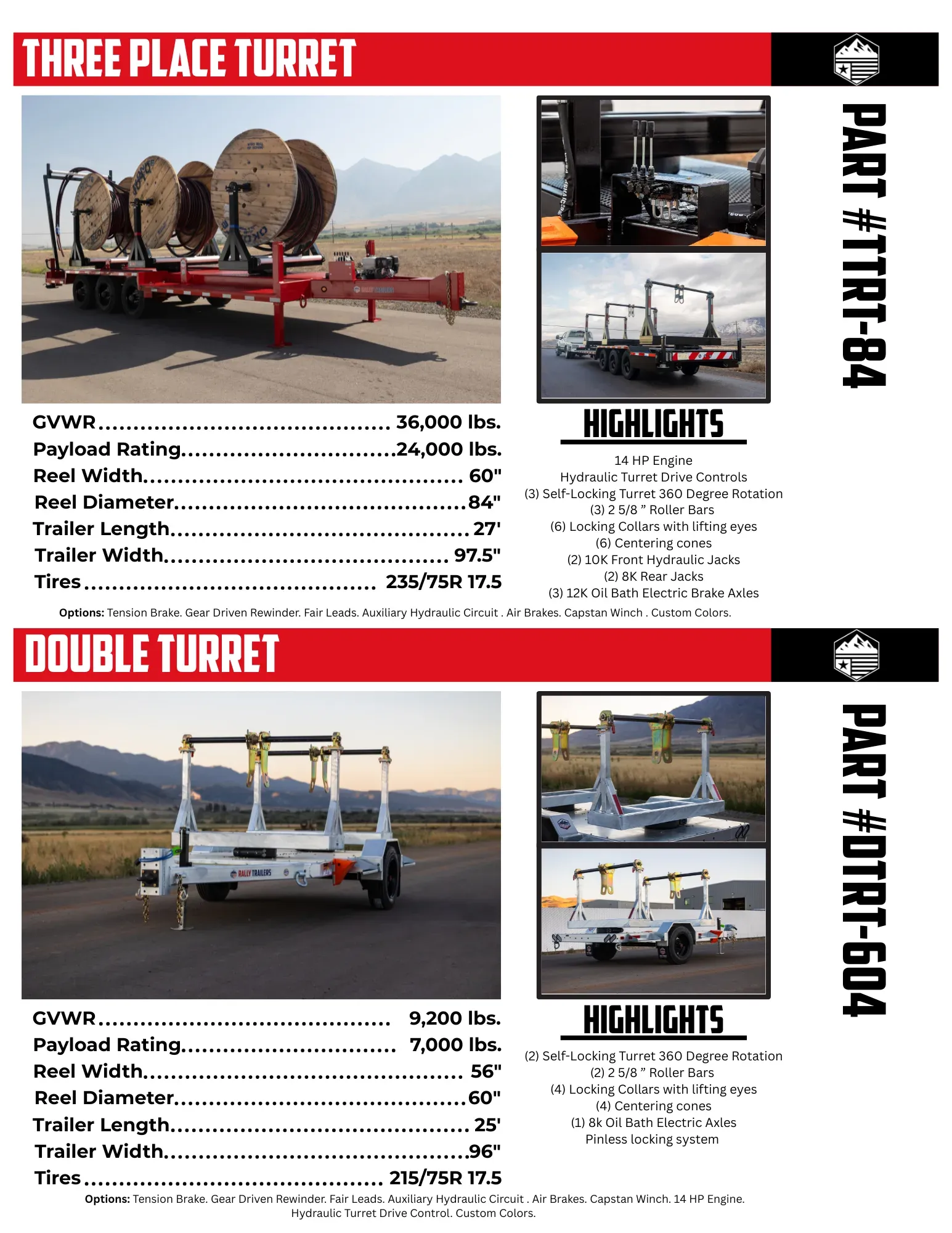
Energy catalog specs
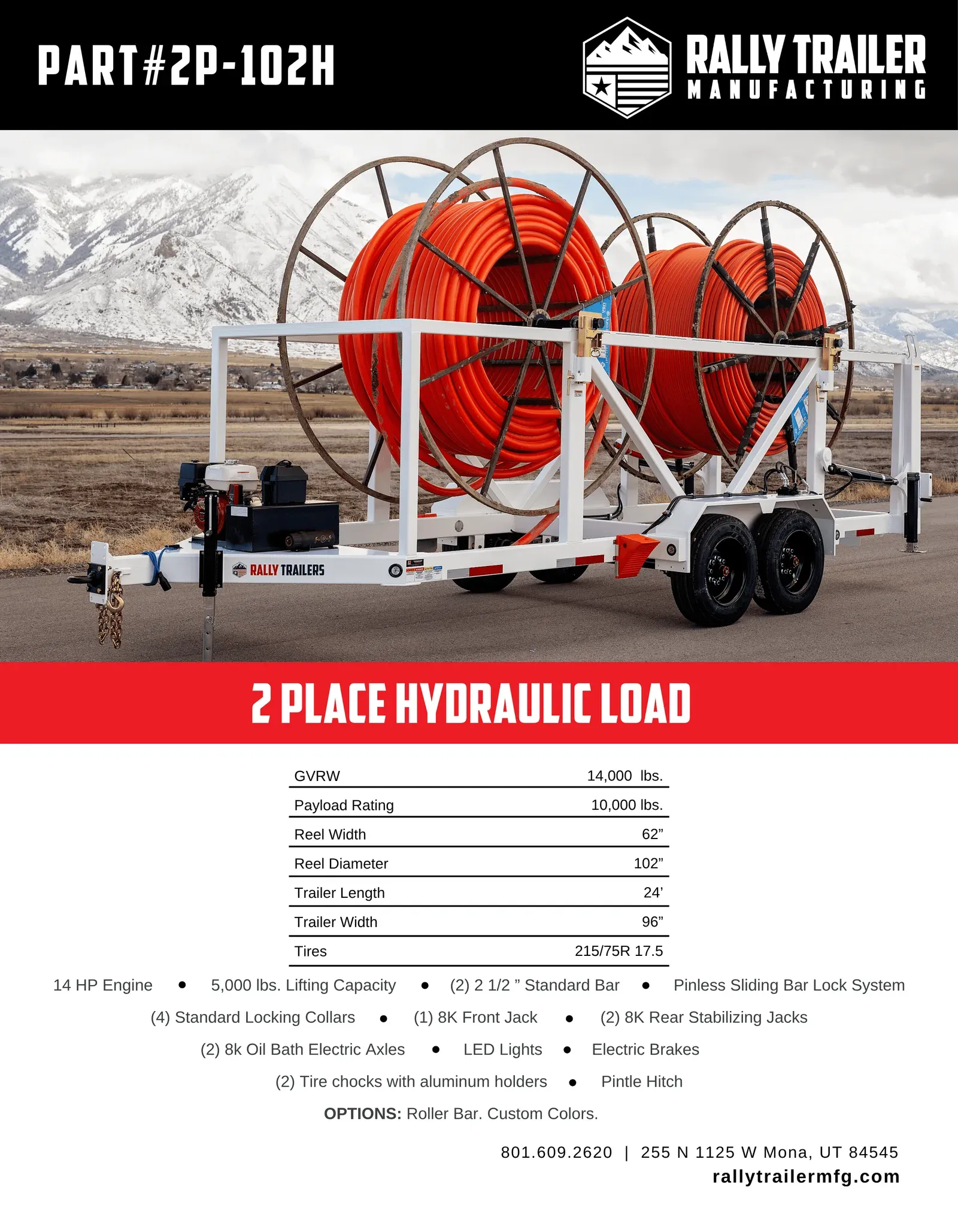
2P-102H spec sheet
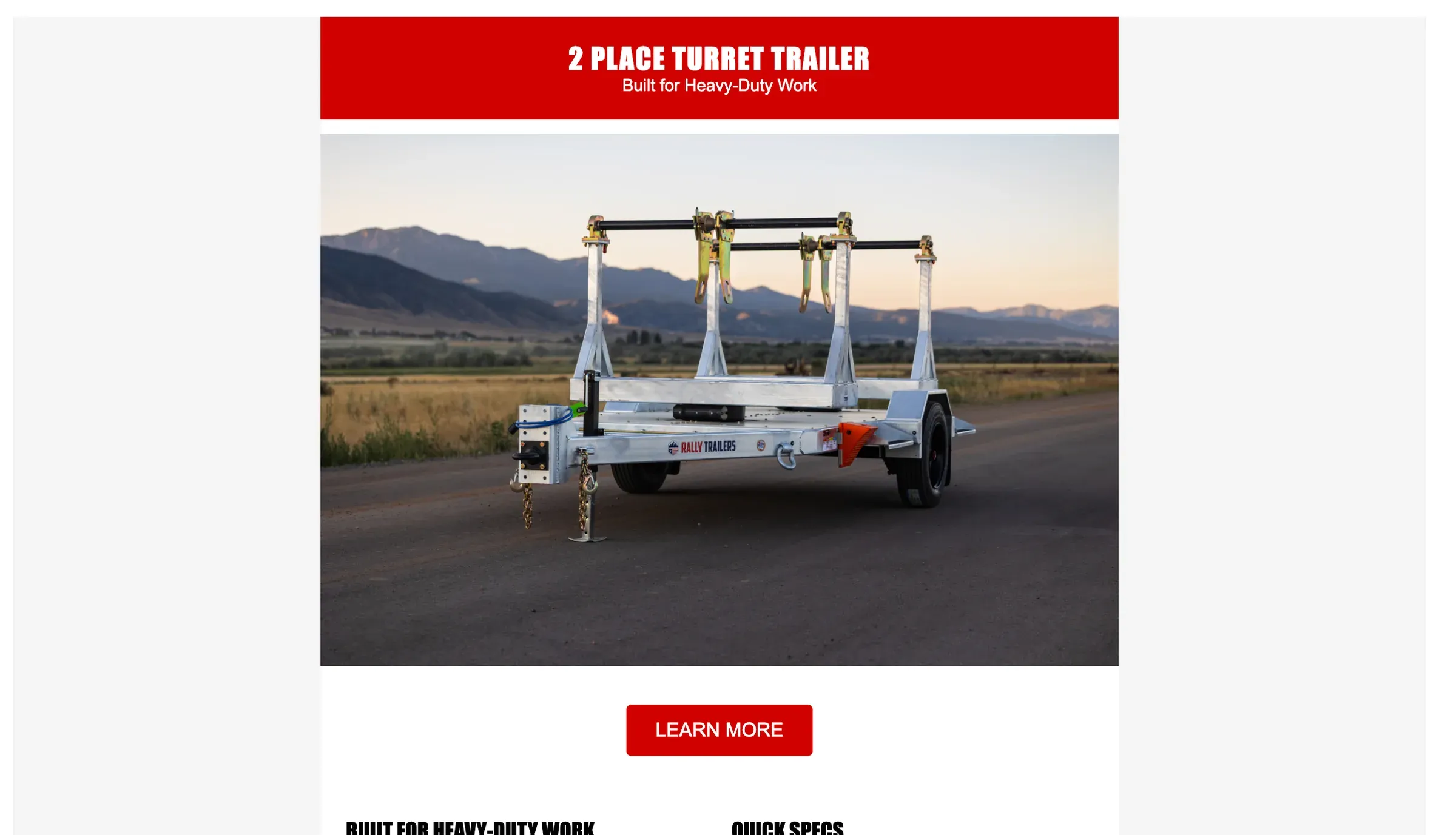
Email, 2 Place Turret
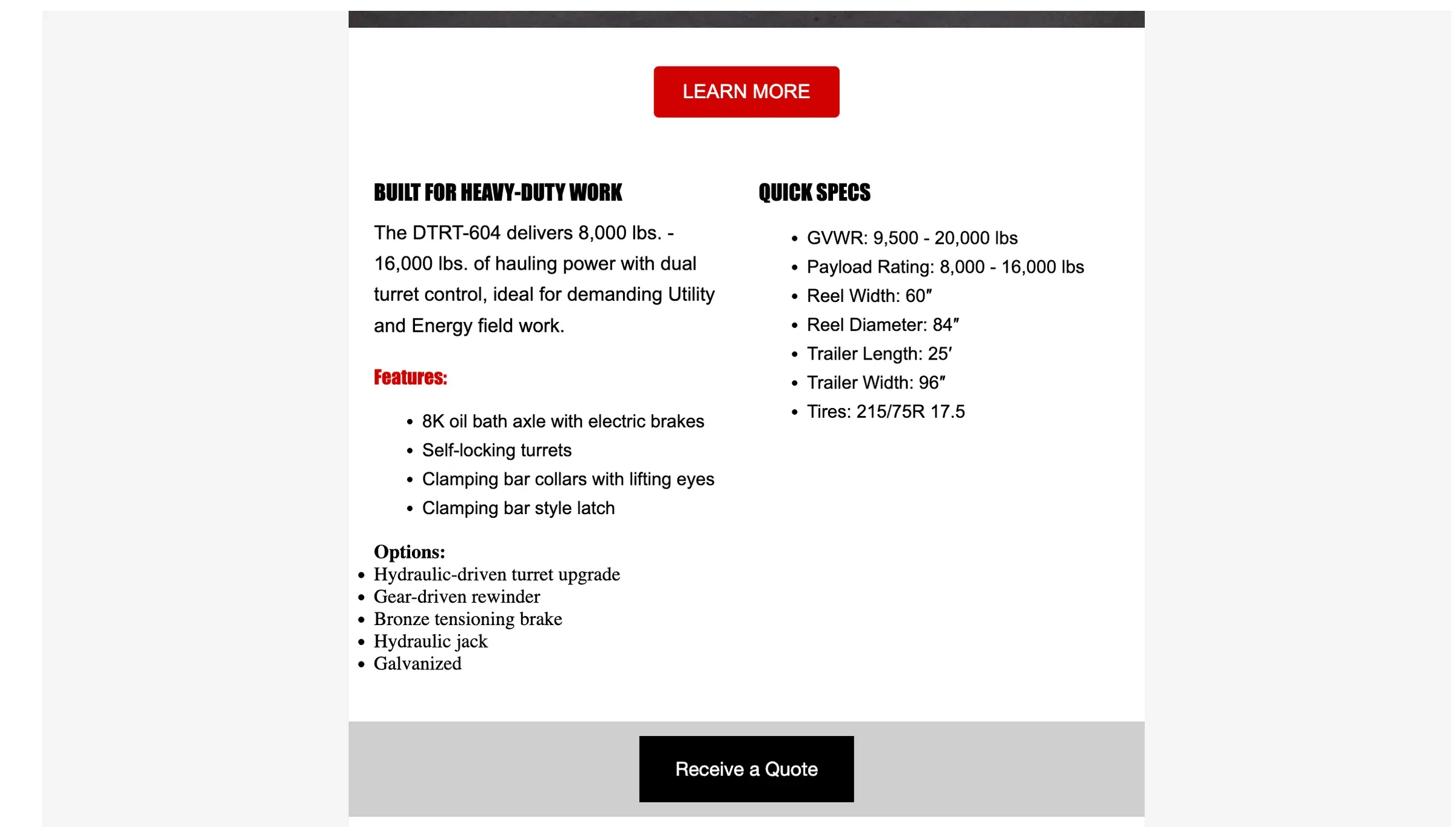
Email, DTRT-604
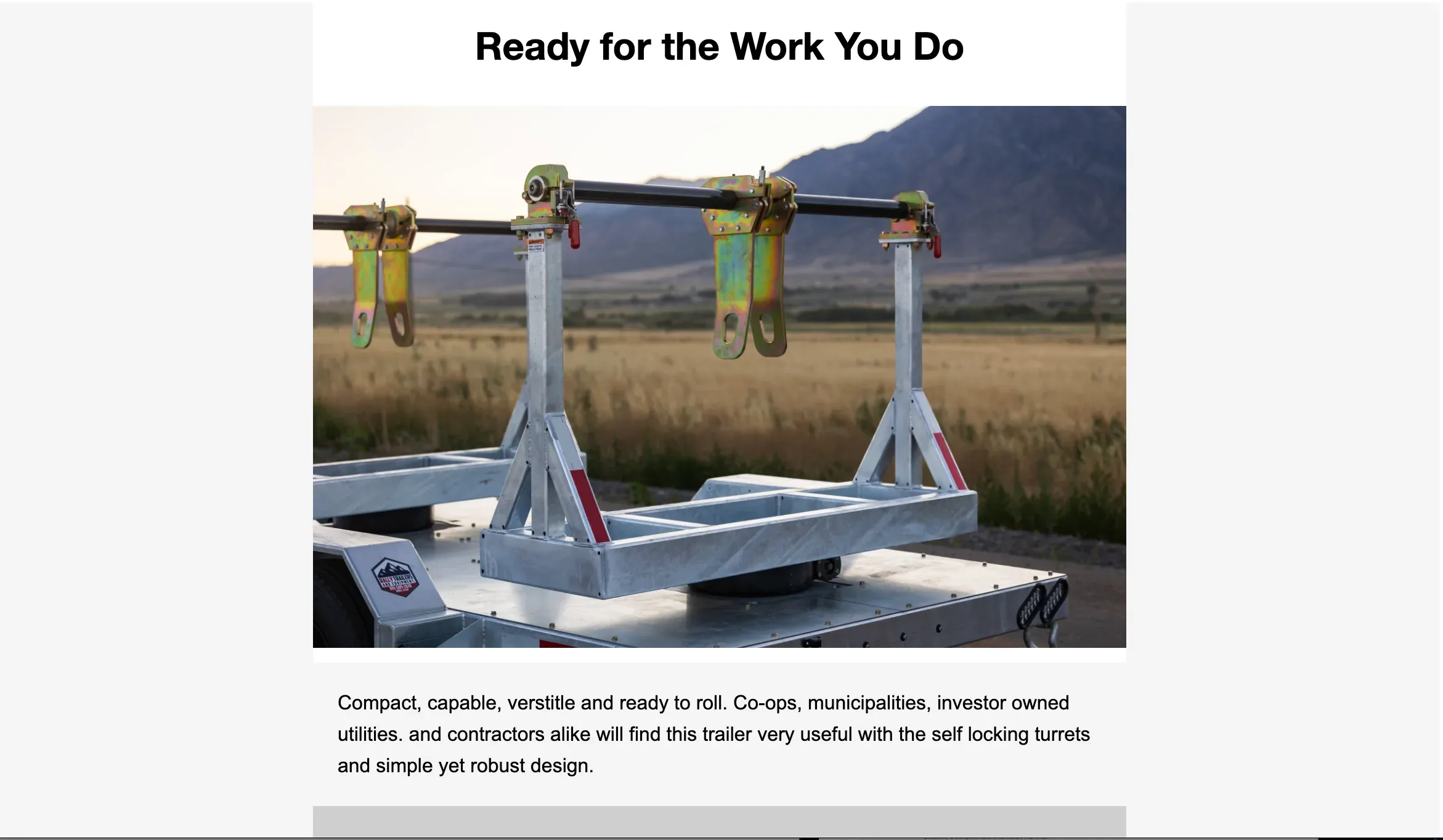
Email, "Ready for the work you do"
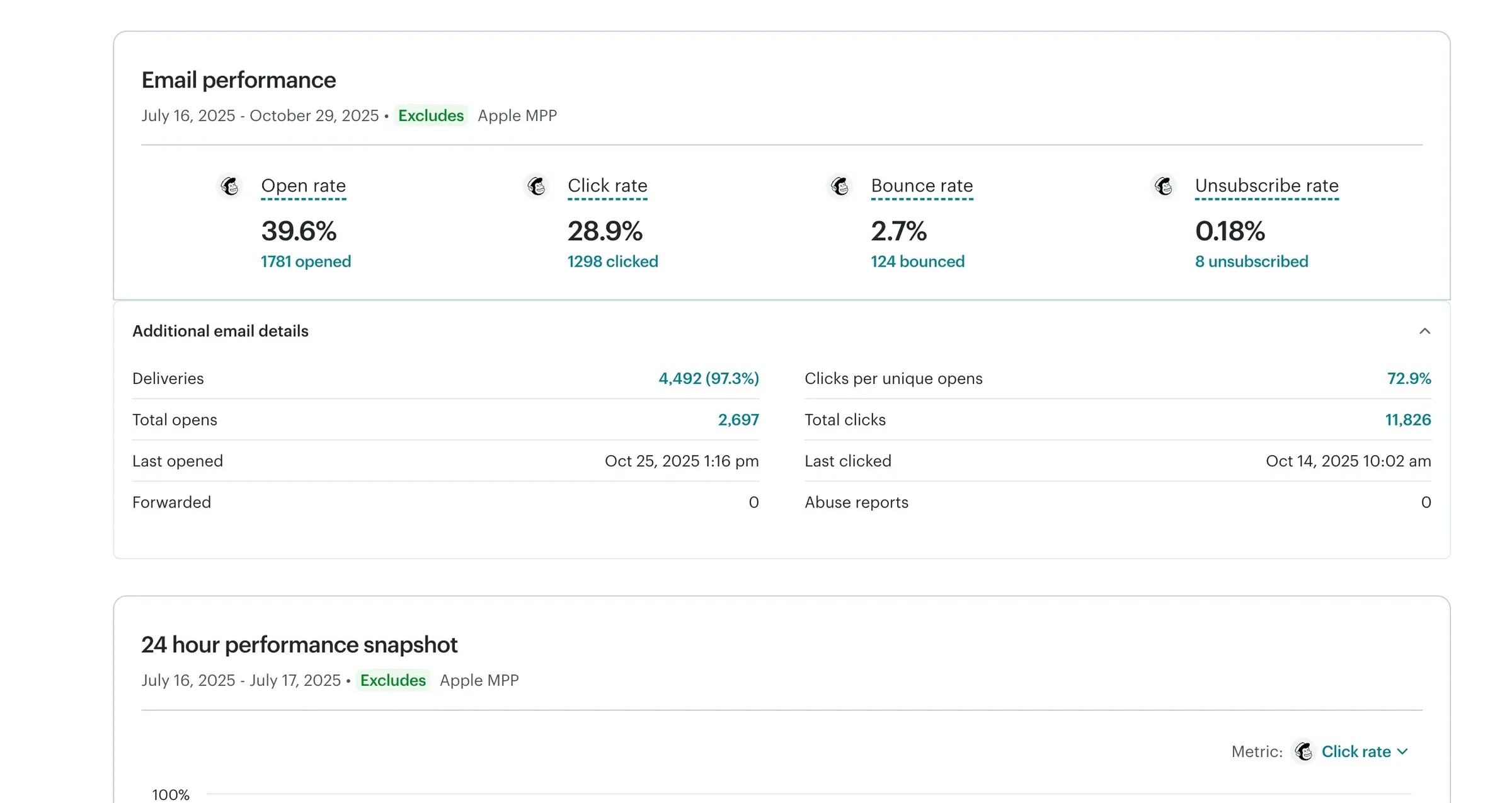
Email performance report
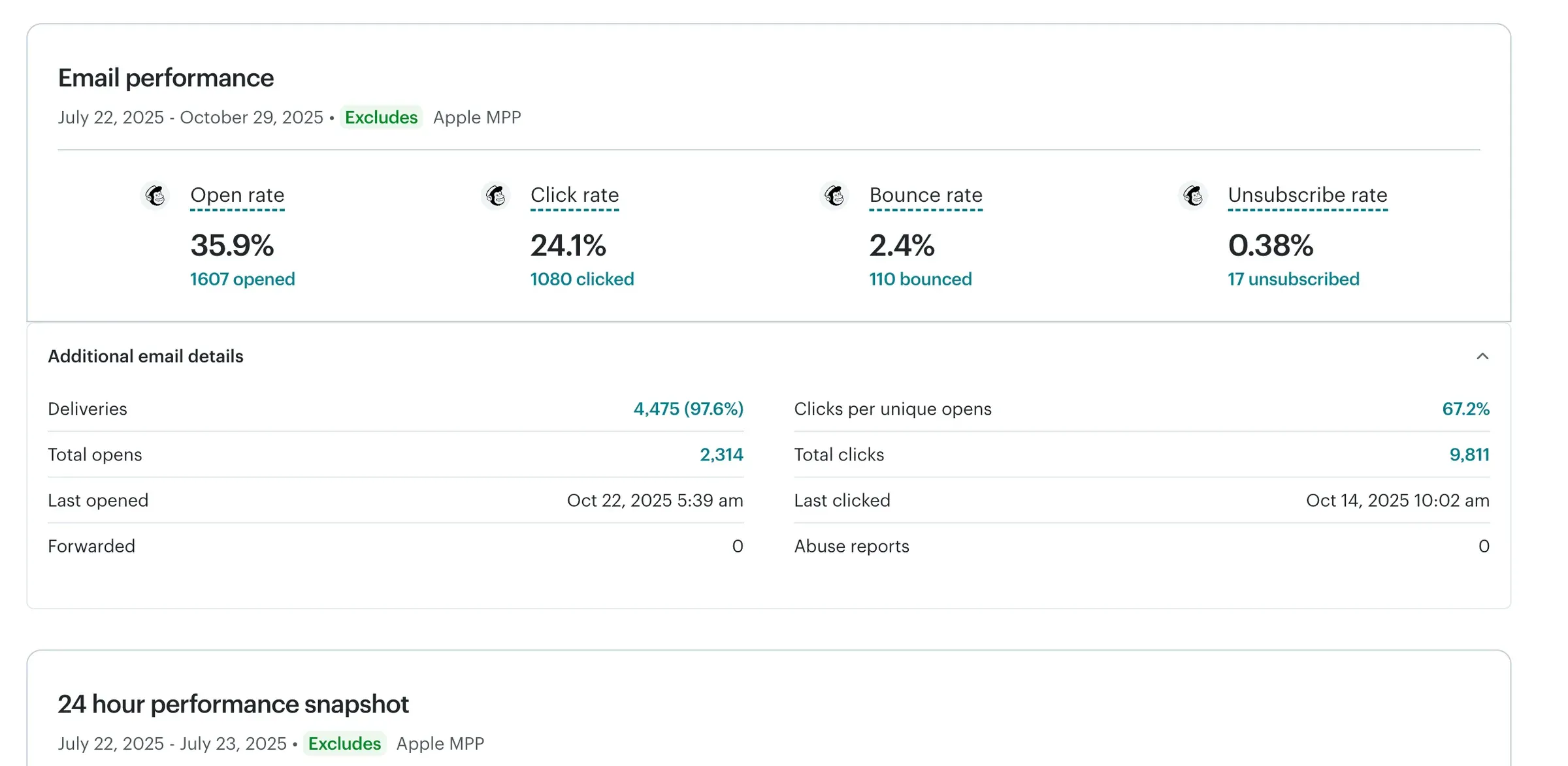
Email performance report
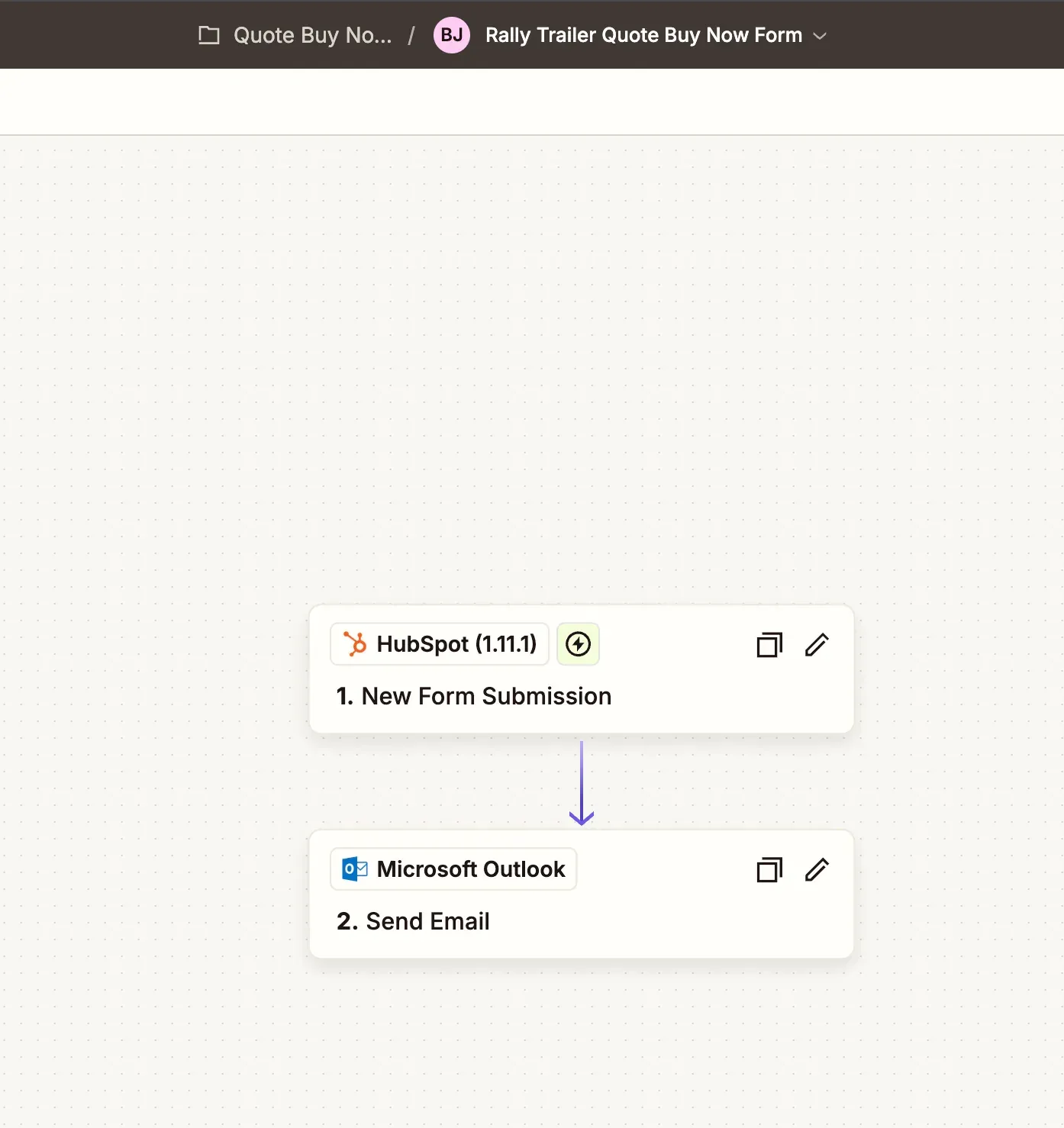
Zapier, HubSpot form to Outlook


What I'd do differently
The first thing I would add is a staging environment that matches production as closely as possible.
The dealer portal caching bug only happened in production because that was where LiteSpeed was behaving differently.
A true production mirror would have given me a safe place to catch that before real users did.
I would also move the deployment process further toward Git-driven releases.
The project has grown far beyond a basic WordPress marketing site, so I want the repository and deployment process to reflect that.
Finally, I would create better internal documentation earlier.
There are now reusable modules, trailer data, dealer territories, lead routing, portal roles, forms, build tracking, and other systems connected together.
The site is much easier to use than the one I inherited, but the next developer should also be able to understand why everything works the way it does without having to reverse engineer my decisions.
Full stack
- CMS and backend
- WordPress
- PHP
- ACF Pro
- MySQL
- Custom post types
- Custom roles and permissions
- Front end
- HTML
- SCSS / CSS
- JavaScript
- Responsive components
- Sales and marketing
- HubSpot
- Google Analytics 4
- Google Tag Manager
- Dealer lead routing
- ZIP-code territory matching
- Infrastructure and development
- Hostinger
- LiteSpeed Cache
- WP-CLI
- Git / GitHub
- Microsoft 365 / SMTP